What we have built –
Step by step
New features, improvements and fixes – released continuously. Stay informed about everything that makes top.legal better.
October 2026
8 updatesEdit PDFs where they live – no Acrobat Pro needed
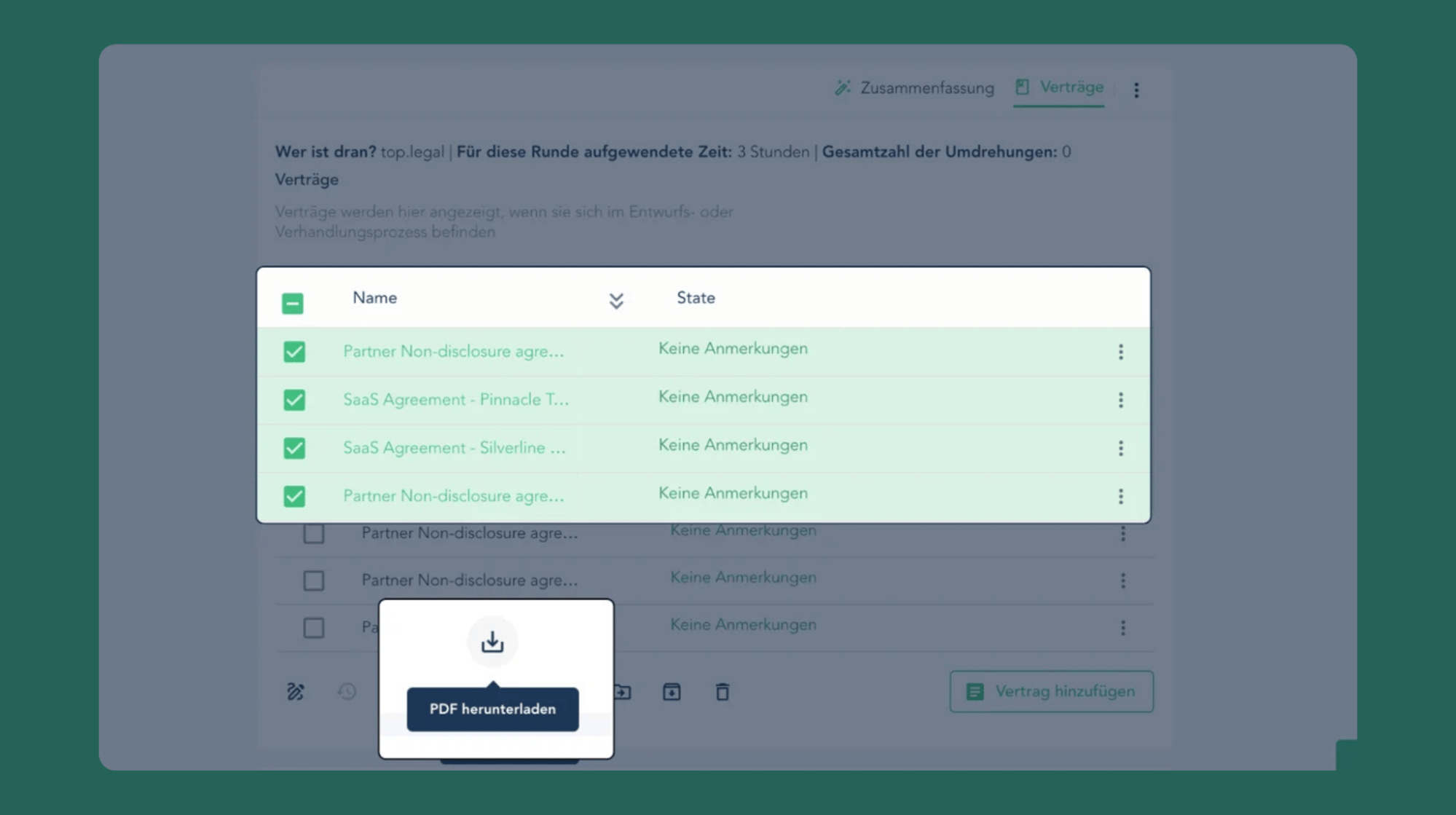
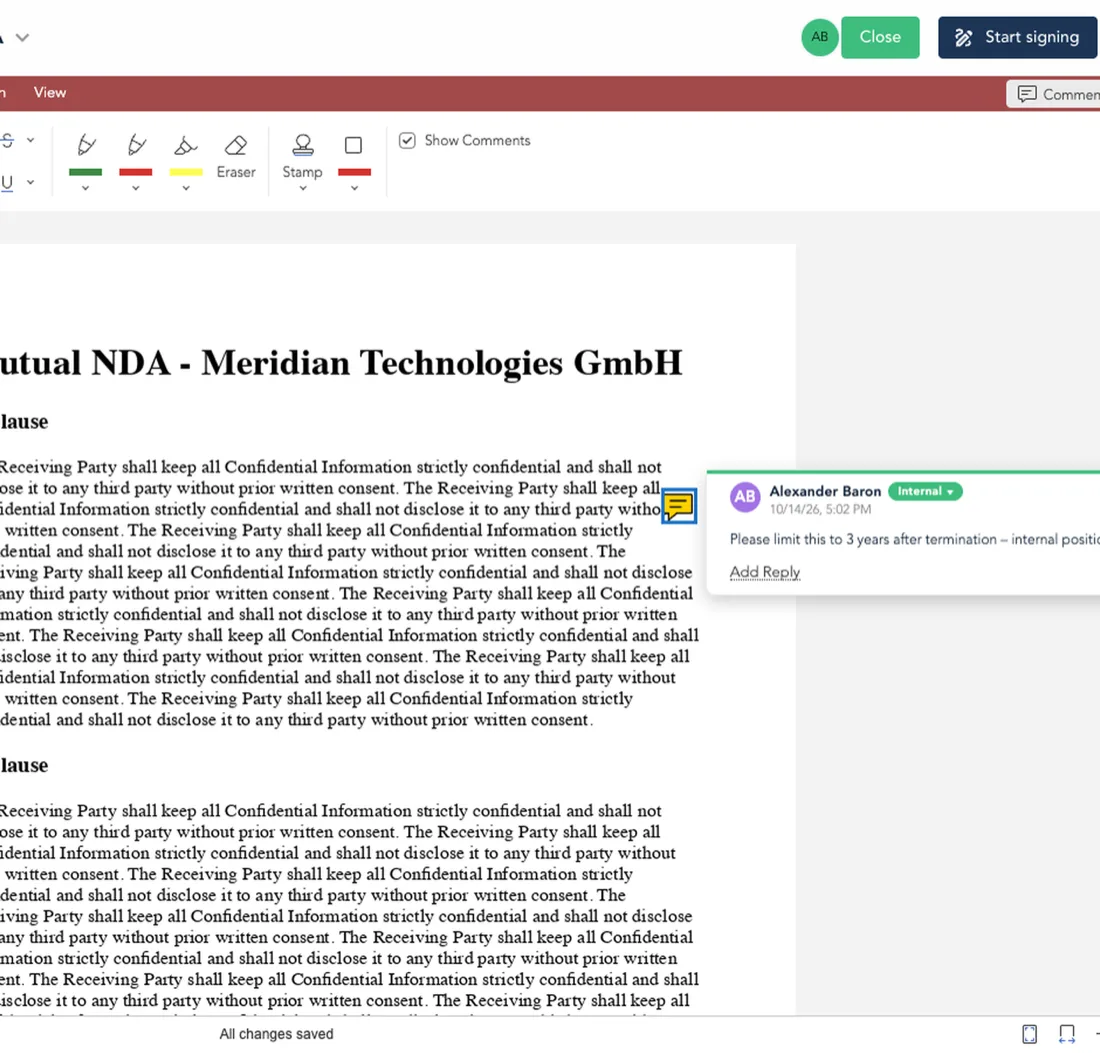
Counterparty contracts almost always arrive as PDFs. Until now that meant downloading, opening Acrobat Pro, correcting and commenting, uploading again – and hoping no internal note was left in the file. And everyone on the team needed their own Acrobat licence. Uploaded PDFs now open straight into the new Euro-Office PDF editor in the deal room: correct text, mark up with pen, highlighter, shapes and stamps, add notes and comment exactly where it matters. Internal comments stay internal and are stripped automatically on download, signed documents are locked read-only, and every change is saved automatically. For contract work, top.legal now replaces Acrobat Pro – inside the deal, with everyone involved, no extra licence required.
A complete version history for every document
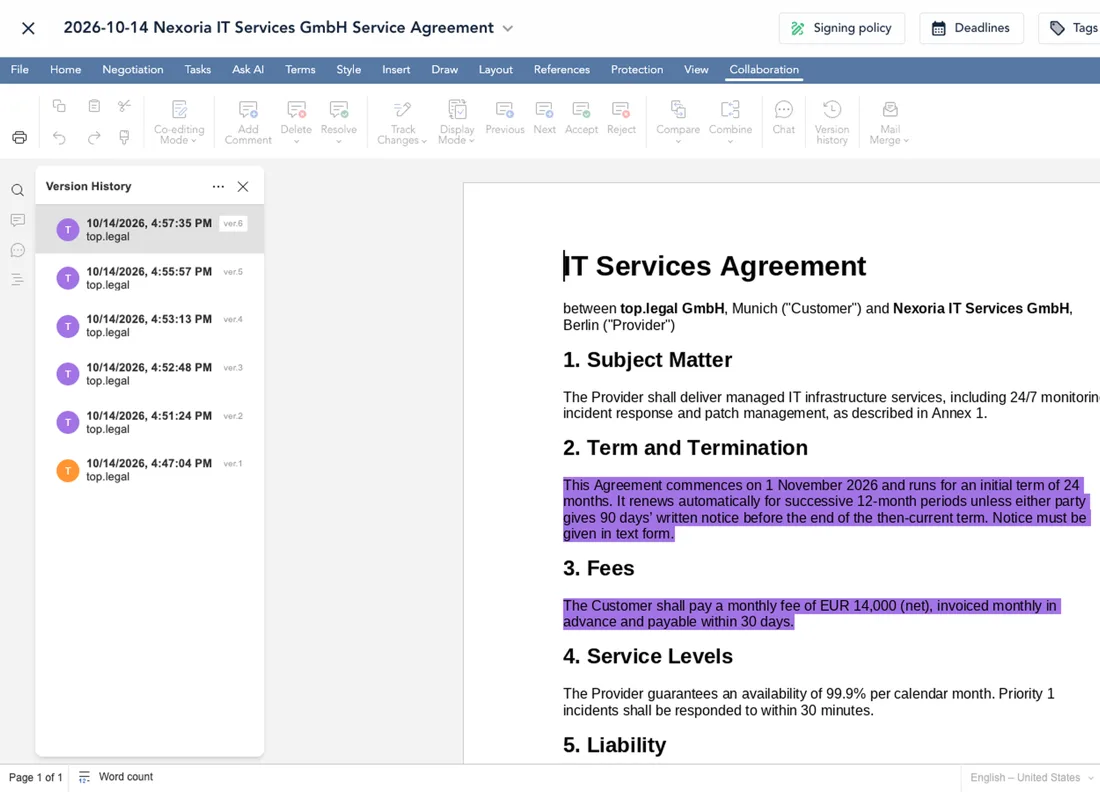
Every save in the Euro-Office editor becomes a version, showing who changed it and when – your team or the counterparty. Compare any two versions as redlines, save named versions like “Sent to counterparty”, download or restore. Restoring never deletes anything. Every negotiation round stays traceable inside the deal room – no more “v7_final_final.docx” in email, and any mistake can be undone safely.
Adapt a contract to the deal’s own documents
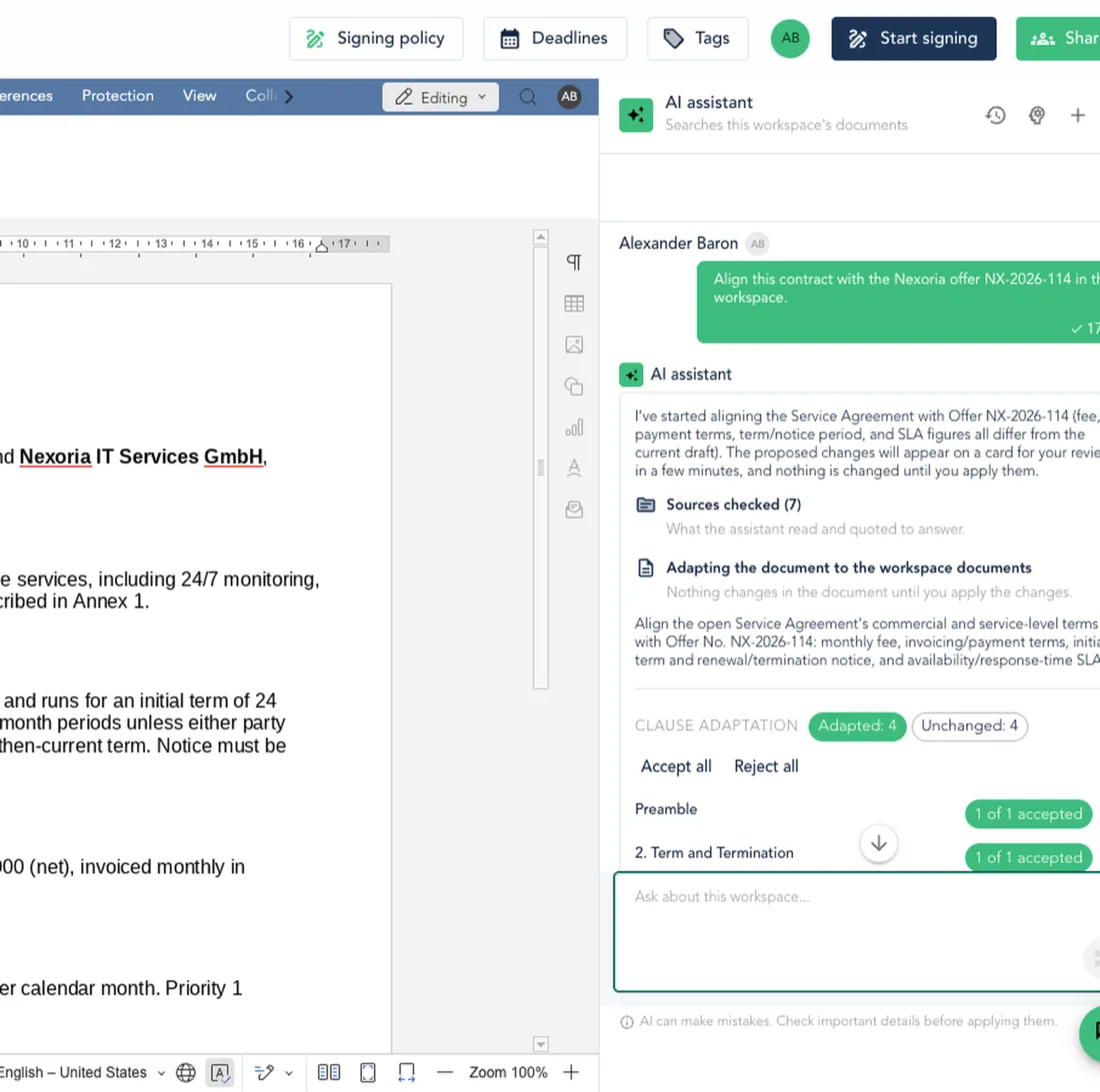
Ask the AI assistant to “align this contract with the offer.” It reads the offers, orders and earlier contracts in the workspace and proposes parties, prices, terms, renewal and service levels clause by clause – as tracked changes, each with its source. What was agreed commercially lands in the legal text without retyping and with nothing guessed: missing details become comments. Works on fresh playbook drafts, Word template drafts and uploaded contracts.
Draft a playbook contract as a conversation
A new drafting assistant walks through the playbook’s questions one by one in a chat. Answer in your own words, ask what a question means, skip and come back – and watch the contract fill in live. Switch to the classic Fields form at any time. Sales and procurement can draft compliant contracts without knowing the playbook: the assistant explains, the playbook stays in charge, and legal only sees what really needs them.
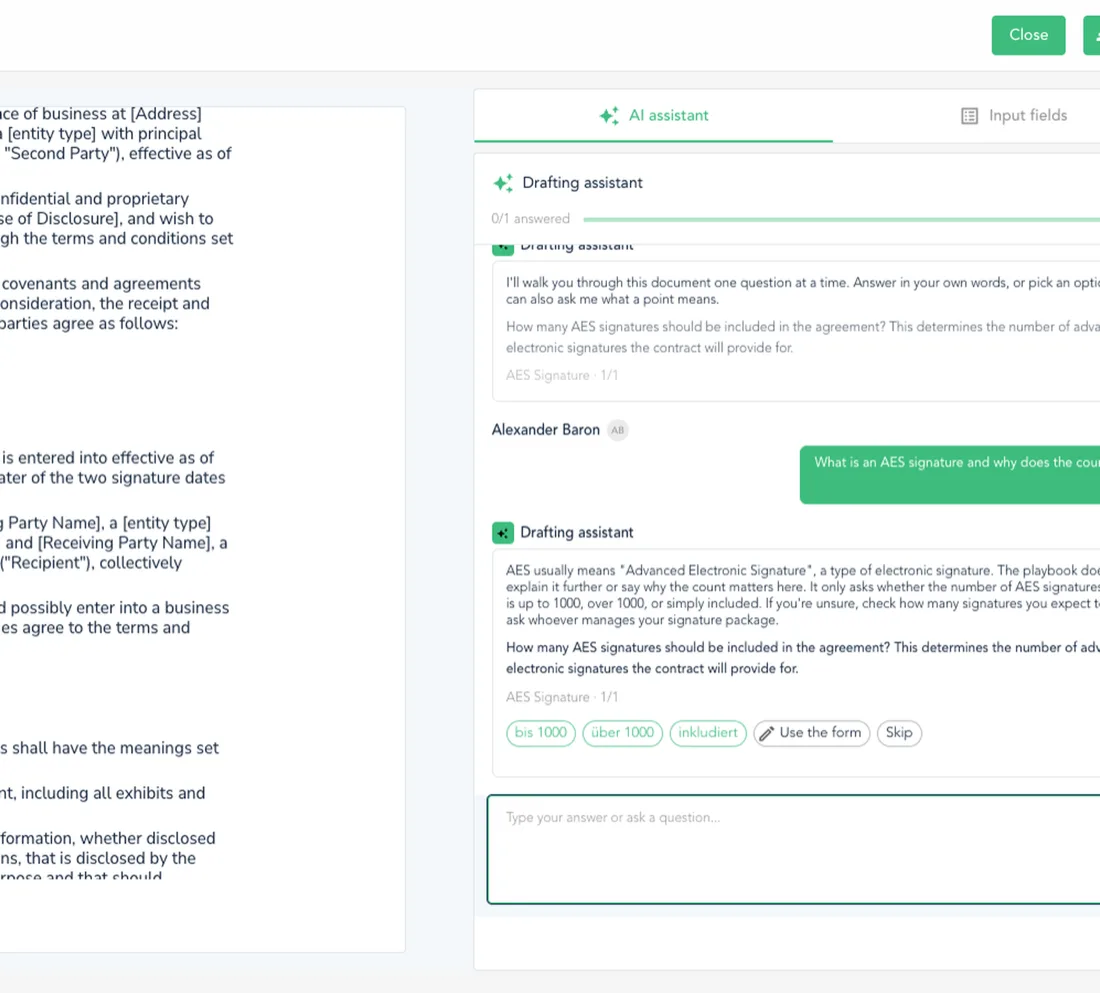
Change the drafting answers mid-negotiation
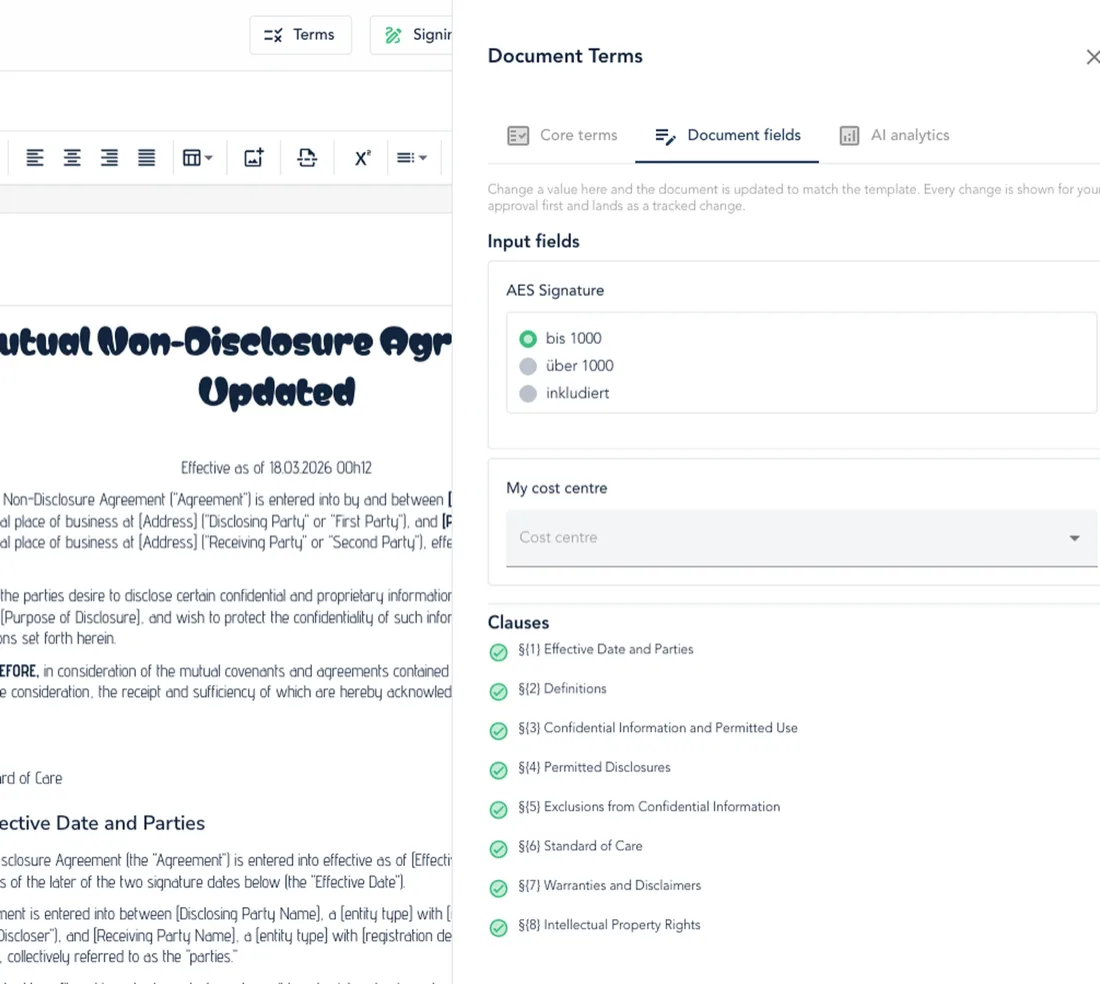
A new Document fields tab lists every answer, conditional text and clause a contract was drafted from. Change the price or the term, preview the effect, and top.legal re-drafts per playbook rules – delivered as tracked changes in both editors. When commercial terms shift after the first draft, nobody hand-edits clauses anymore, and every change remains reviewable before it is accepted.
Every AI deadline shows where it came from
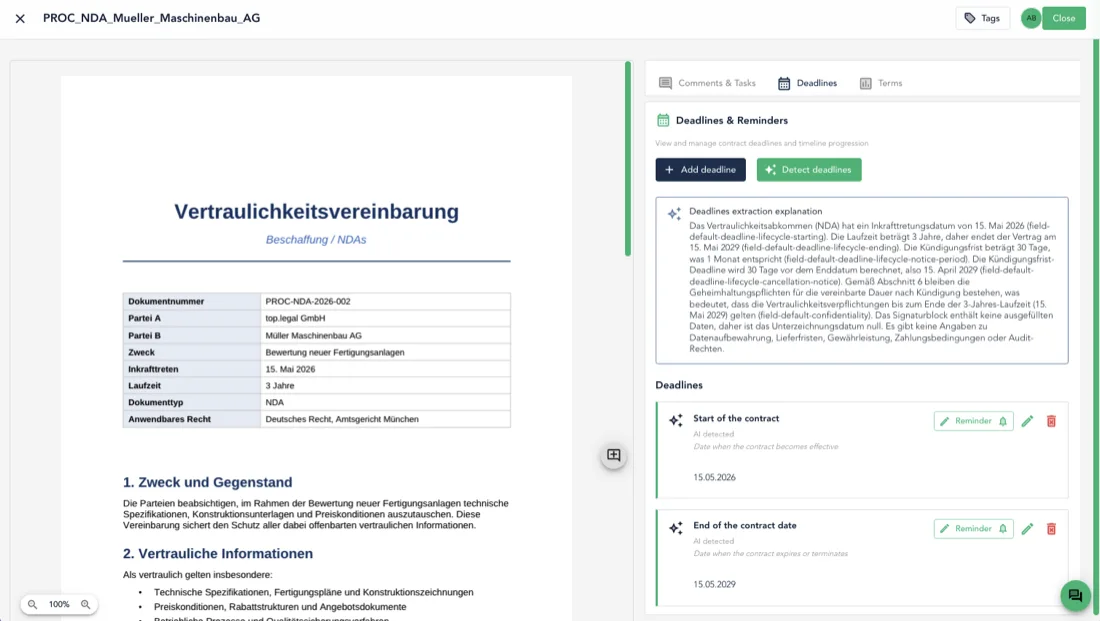
Each deadline the AI detects now shows the contract passage it was taken from, right on the deadline card. Click the quote or “Show in document” and the viewer jumps to the clause and highlights it – in the PDF viewer and the Euro-Office editor. Before confirming a notice period or setting a reminder, check the value against its source in seconds instead of scrolling long contracts.
Decide which name the other side sees
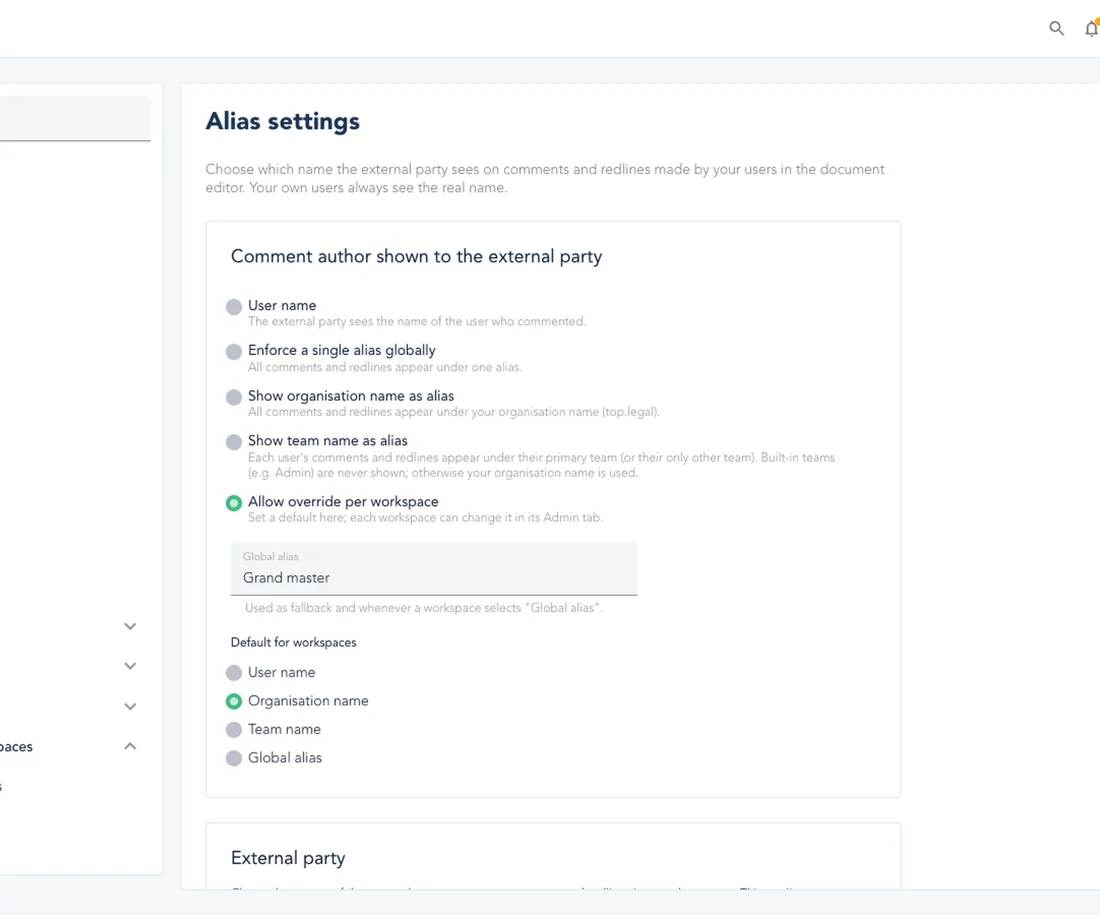
In Alias settings, let your users appear to the counterparty under their own name, a global alias like “Legal Department”, or the team name – and show external users as their company. Override per deal; works for Word and PDF comments and redlines. Legal teams negotiate as one function instead of exposing individual lawyers, while colleagues internally still see exactly who wrote what.
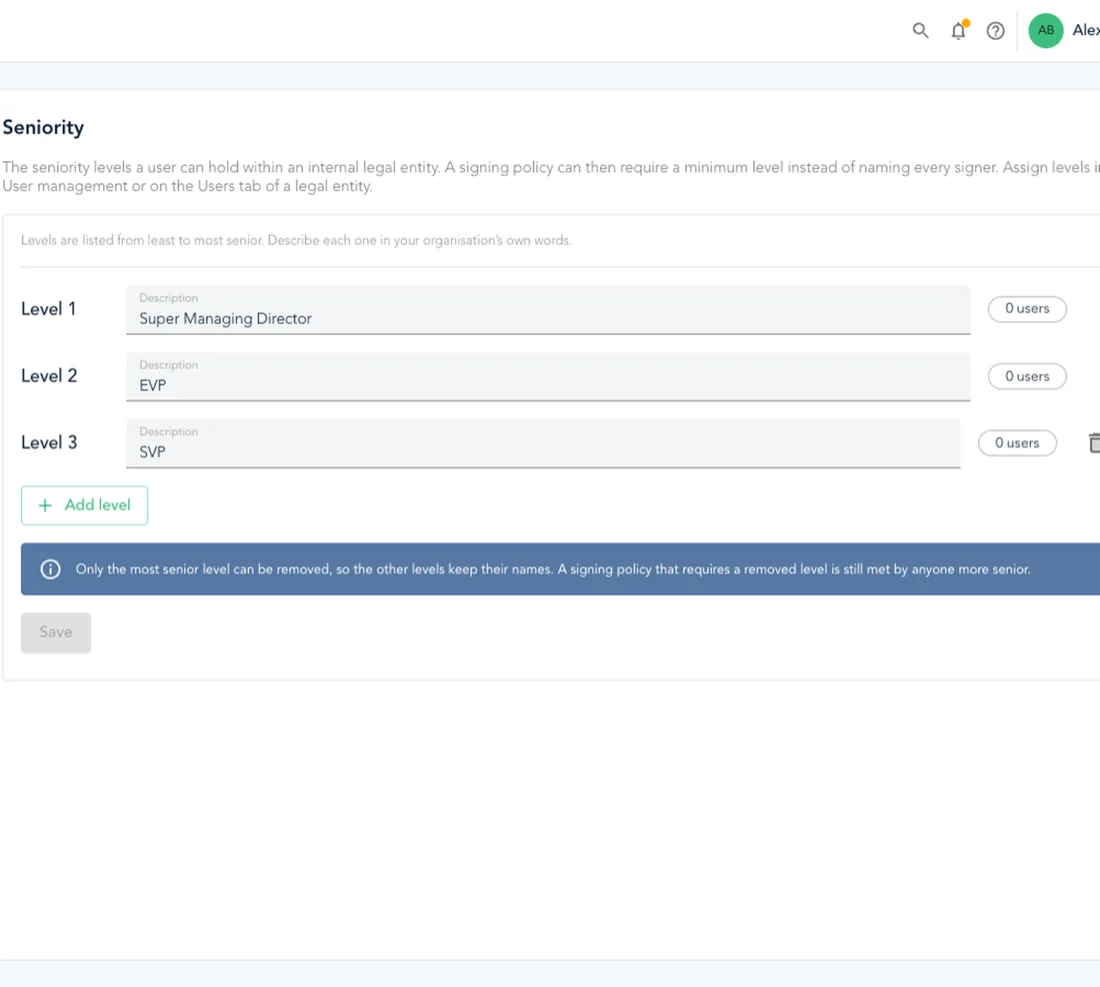
Signing authority based on seniority
Define your own seniority levels, assign them per legal entity in user management, and let signing policies check them automatically. A managing director at one entity can sign within their authority without being set up as a named signer – and loses it automatically when they leave the entity. Plus: reassign a signer, or invite a new one by email, straight from the PDF viewer’s Tasks tab.
September 2026
7 updatesAn assistant inside the contract – your playbooks, your clauses, your redlines
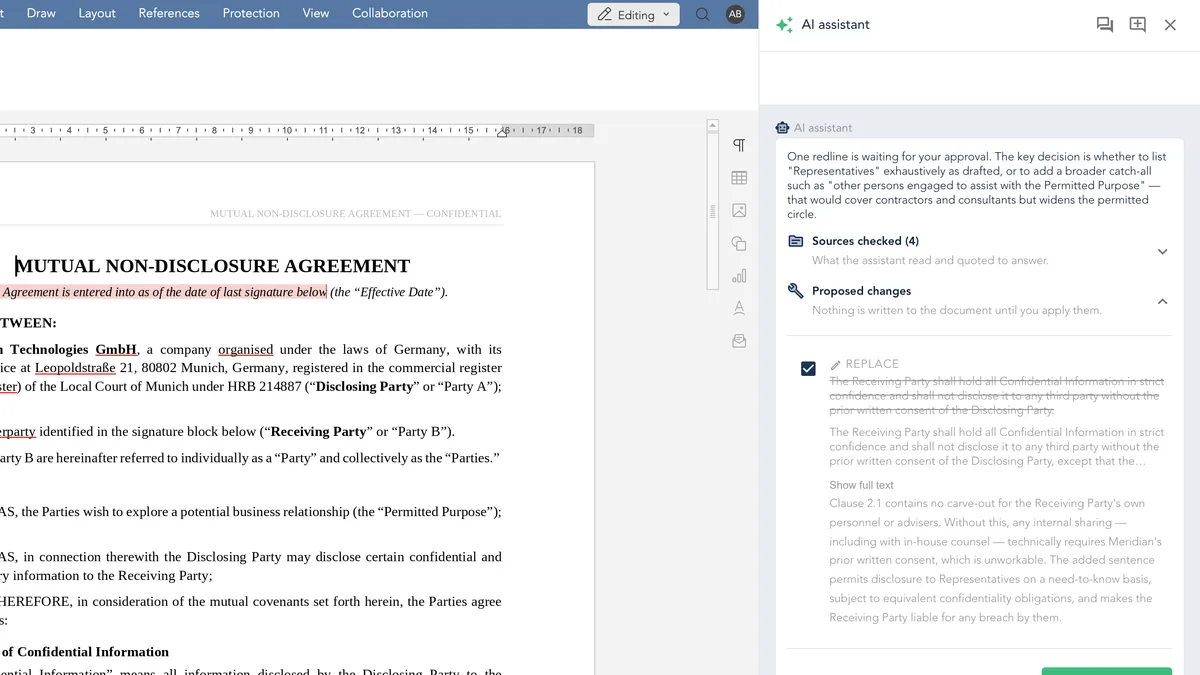
Everything you need to negotiate a contract already exists in top.legal, in four different places: the document you are editing, the other documents in the deal, the playbook that says what your organisation requires, and the clause library that says how it prefers to word it. Holding all four in your head at once is the actual work of a review. Open the Ask AI tab in the editor and an assistant sits beside the document that has read all four – ask what is wrong with this draft and it answers from your own playbook, quoting the text that decides each point; ask what wording you are allowed to agree to and it returns your approved clause together with the position your organisation already took on it. Tell it to redline what you accept and you get the exact old wording, the exact new wording and the reason – you tick what you want, and it lands in the document as a native tracked change you can accept or reject like a colleague's. Nothing is ever written until you approve it, and the assistant's reasoning stays an internal comment the counterparty never sees.
Every contract now knows what kind of contract it is
Your organisation already decides what an NDA is, and where a SaaS agreement ends and a licence begins – but until now that vocabulary lived in settings and was only ever applied by hand. From this release every uploaded contract classifies itself: the AI reads the document, compares it against your own contract types and records which one it is, using the definition you wrote for each type to decide. The result appears under the core terms next to the contract value and the liability cap, marked as an AI proposal until somebody confirms it, and a dropdown corrects it in one click. Sixteen standard types arrive with definitions already written, so a working taxonomy takes a minute rather than an afternoon – and clauses and contracts finally speak the same vocabulary, which is yours and not ours.
Comment on the exact clause – written right on the page
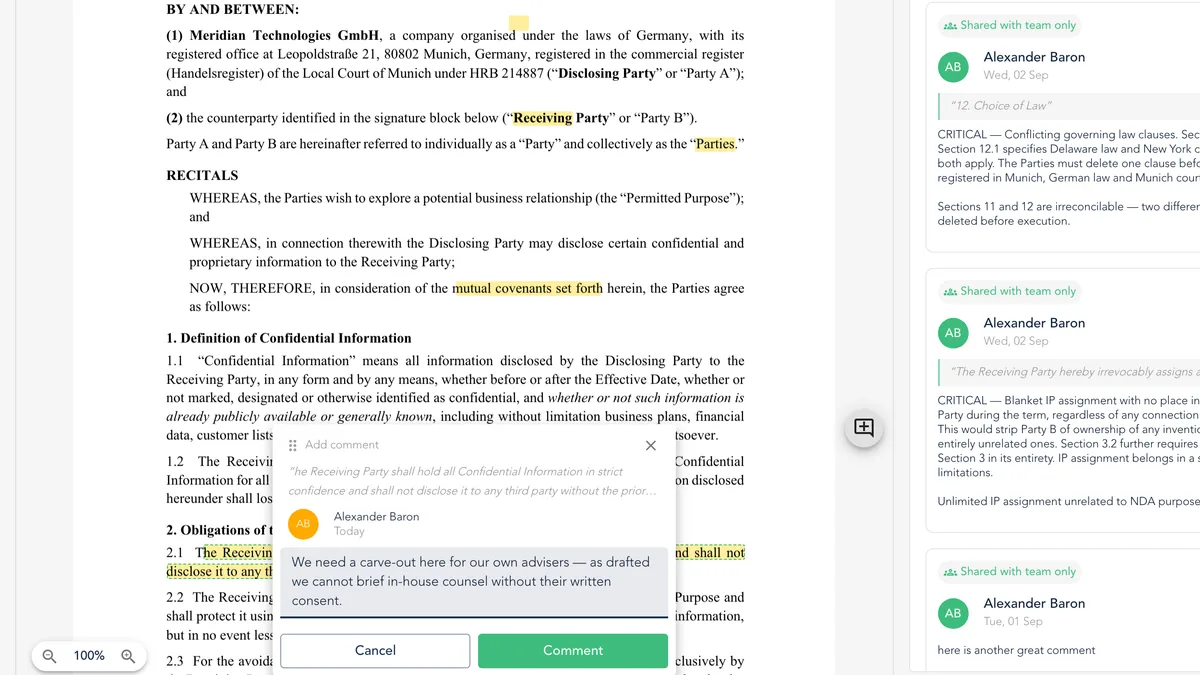
A comment on an uploaded PDF used to be able to say only which page it was about, so people wrote the location into the comment itself and every reader had to find the passage again by hand. Now you select the text and comment on it: the passage is highlighted, your note is attached to it, and a compact composer opens on the spot so your eyes never leave the clause you are reacting to. Hover a highlight to read the comment in place, click it to open the full thread, and use View in the panel to jump straight back to the passage. Open a contract that has been through a round of review and you can see where the deal is actually contested before you read a word – and highlights stay in top.legal, so the downloaded or signed PDF is always the clean document.
Your directory decides who is on which team
A team in top.legal is not a label: it decides which permissions a person holds, which folders and deals they can open, which cost centres they inherit and which approvals land in their queue. You can now point a team at a group in Entra or Okta and stop maintaining that twice. Members are added and removed at each SSO login according to the groups your provider asserts, so a new colleague has the right access on their first morning and a transfer takes effect on its own. Mapping is per team, so the working groups you assembled by hand are never touched – and when an assertion says nothing about groups, nothing changes, which is what makes it safe to leave running on every login.
Move a folder where it belongs – with permissions to match
A folder structure is never right the first time, and reorganising used to mean creating the new folder, moving deals across a handful at a time and deleting the old one. Now you pick a folder up and drop it where it belongs, in the table or in the tree, and the whole subtree travels with it – every subfolder, every deal, every document. Before anything moves, a confirmation names the destination, counts what is coming along and spells out the part that is easy to forget: access follows the folder, so it tells you who gains sight of this content and who loses it. Four new permissions – move, delete, rename and set folder permissions – make restructuring a decision taken by the people who should be taking it.
Every conversation with the assistant, kept
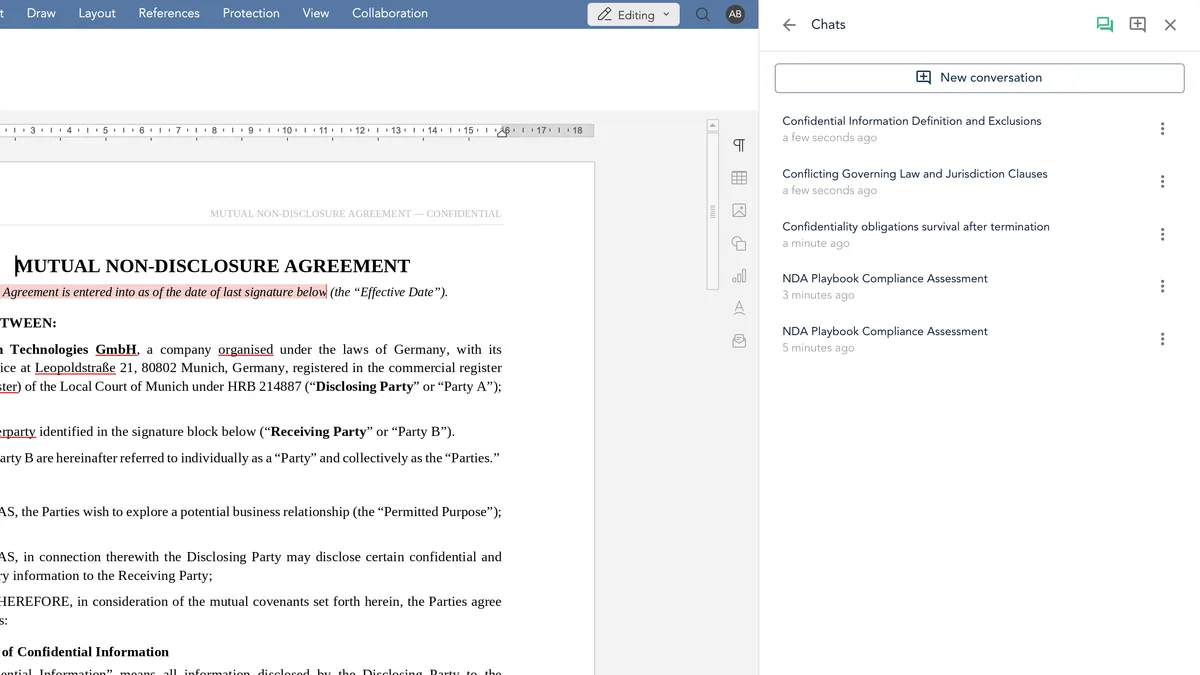
Asking the assistant something used to be a conversation with no memory: close the panel and you lost not just the answer but the work that produced it – which clause you had narrowed it down to, which way of asking had turned out to be wrong. Your conversations are now saved as they happen, on our side rather than in a browser tab. A Chats button in the editor opens everything you have asked in this workspace, newest first, each under a short heading the assistant writes for it, so you recognise a thread without opening it. Pick one up after the weekend and carry on where you stopped – or start a clean conversation deliberately, which now costs you nothing. Conversations are yours alone; nobody else on your team sees them.
Call them documents, if that is what you call them
Not every organisation calls a contract a contract – procurement teams file documents, compliance functions review documents, and plenty of businesses reserve the word contract for the signed thing. The word is now a setting: choose Contract or Document once under Settings, and the whole application follows in all five languages, down to the German articles and pronouns that have to change with it. Nothing else moves – the same records, the same statuses, the same permissions and links, and your own contract titles are never touched. It is a display setting in the strictest sense, so you can switch it on, live with it for a week and switch it back with nothing to migrate.
August 2026
Major ReleaseWord documents, signing rules & contracts that answer your questions
Our largest release yet. Upload any Word document and edit it in full inside top.legal – formatting, numbering, headers and house style intact. Ask any contract a question in plain language and read the answer beside the clause it came from. Write your signing rules once and have every contract enforce them, let the commercial terms extract themselves from every file, and let deadlines reach the right people before they pass.
Every Word document you receive, edited in full inside top.legal
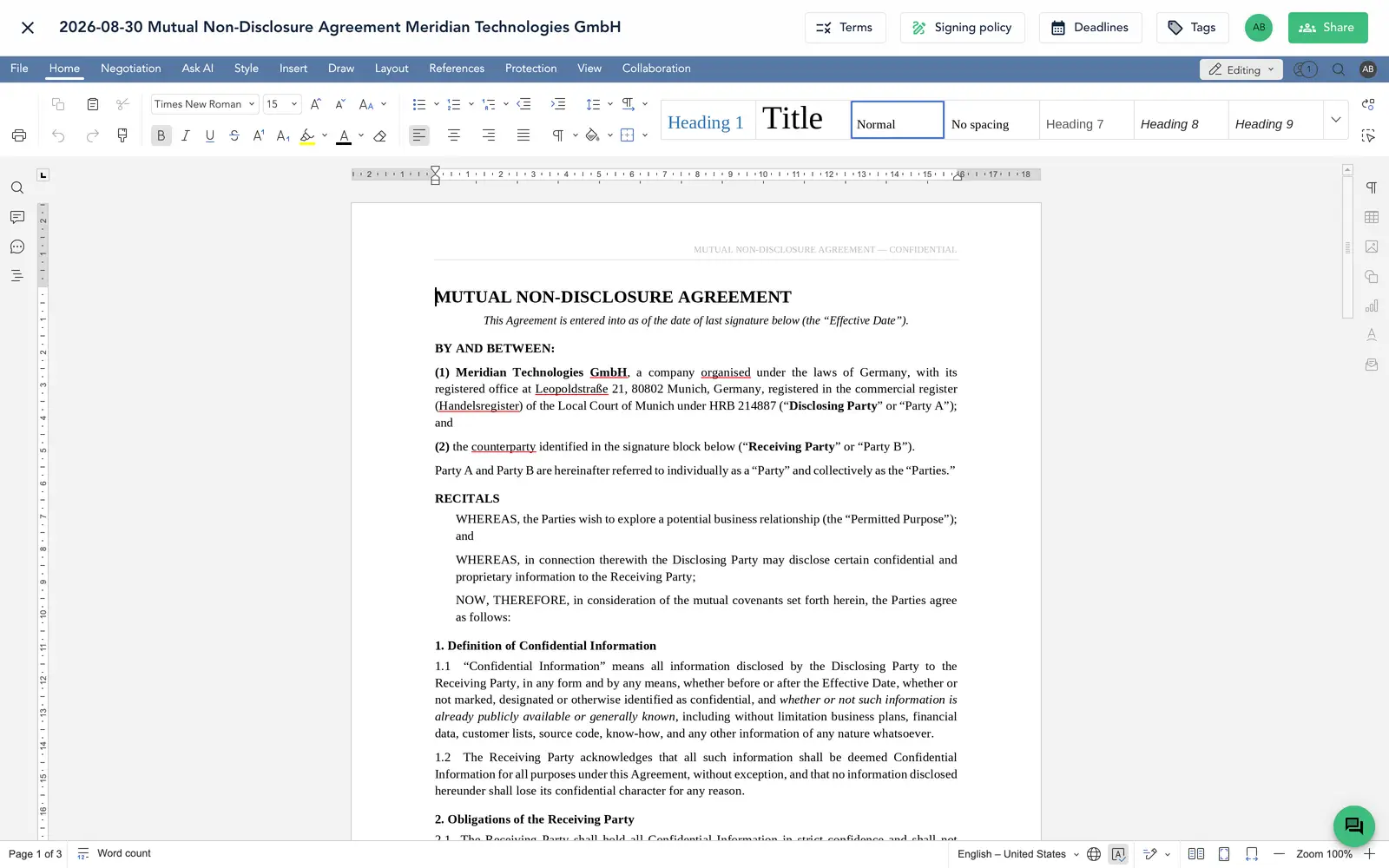
A contract that arrived as a DOCX used to have two unattractive futures: convert it and trade away the layout, the numbering scheme and the house style the other side built it around, or keep it out of the platform and work on it wherever Word happened to be installed. Uploaded Word documents are now first-class documents here. They open in a complete, professional editor – formatting, numbering, tables, styles, headers, footers and page layout all survive intact – and everything that makes editing in top.legal different applies to them too: internal comments kept apart from external ones, the choice between turn-based and live editing, and controlled sharing with colleagues and counterparties.
Ask any contract a question – and get an answer, not a search result
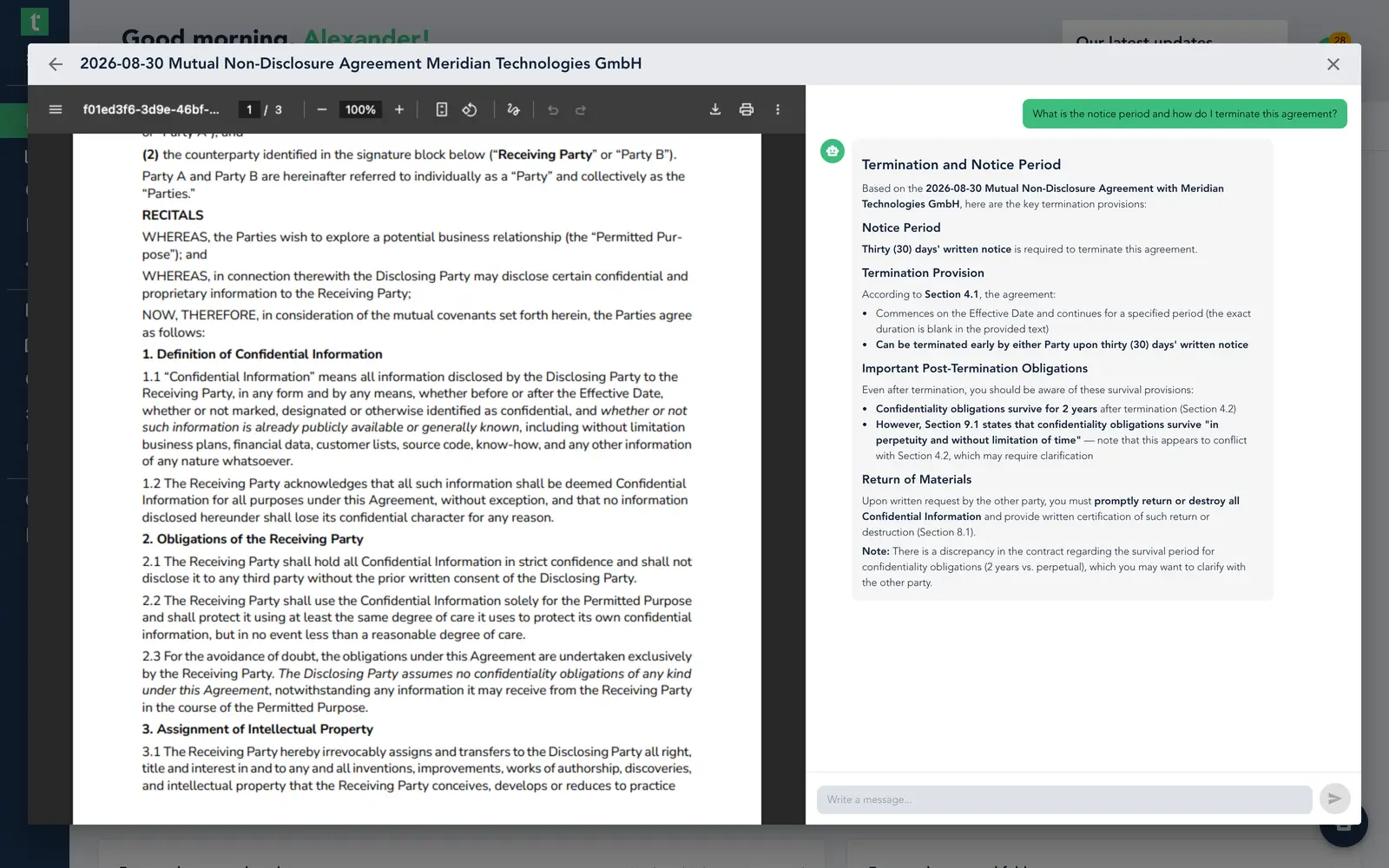
Reading a contract somebody else agreed is slow work: you scroll, you search for the word “termination”, and you hope you did not miss the clause that matters. Open any contract from your dashboard in the new review view and the document sits on one side with an assistant that has read it on the other. Ask in plain language what the notice period is, whether liability is capped, whether it renews itself – and read the answer next to the paragraph it came from. Or run one of your organisation’s review templates and have the whole checklist answered at once, with a verdict per question. The assistant reads only the document you selected, and if the contract is silent on something, that is the answer.
Signing, rebuilt – invite everyone at once and sign in your own hand
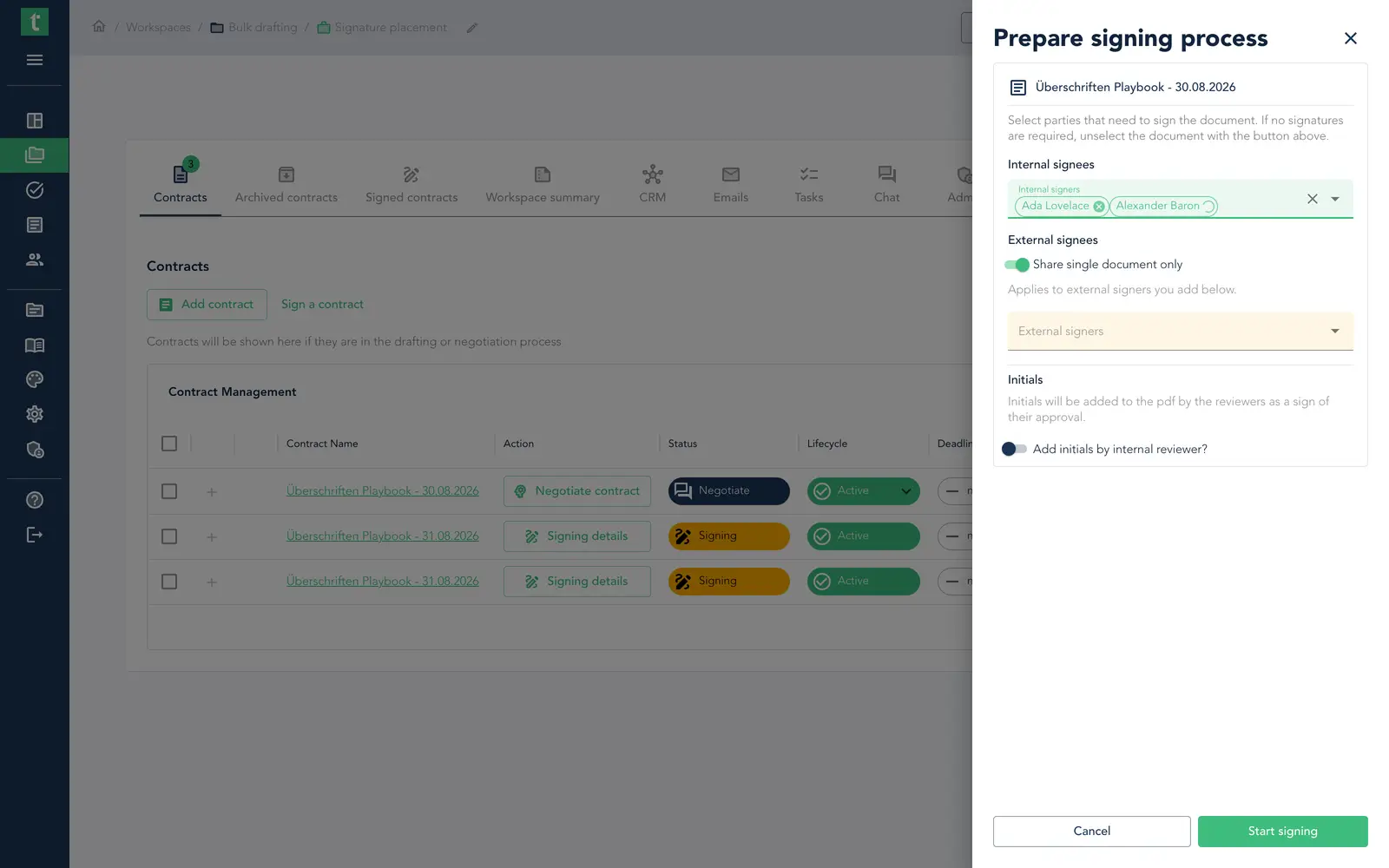
Getting a contract signed used to mean several disconnected steps: tick the right people, hope the right ones were already in the dealroom, invite anyone missing through a separate stepper, then send an email you had no control over. Now two pickers list every member of your organisation and every contact you hold, so any signer is added in a click – and anyone brand new can be created without leaving the page. The person signing gets a redesigned drawer where they can type, upload or draw their signature and keep it for next time, reviewers place their initials on every page with their name and the date, and “Initiate signing” is a clear two-step wizard: first the placeholders, then the invitation email you actually get to write.
Write your signing rules once – and have every contract enforce them
Who may sign what has always been written down somewhere: a signature regulation, an authority matrix, a rule that anything above a threshold needs two names. Now it lives on the legal entity itself. Define the signer slots and the value bands once, and every contract tells you who must sign it and why, lets you select exactly those signers and start signing in one step, and can be checked afterwards to confirm it was signed by the book. Switch it on per entity when you are ready – nothing changes until you do.
The numbers that matter, extracted from every contract
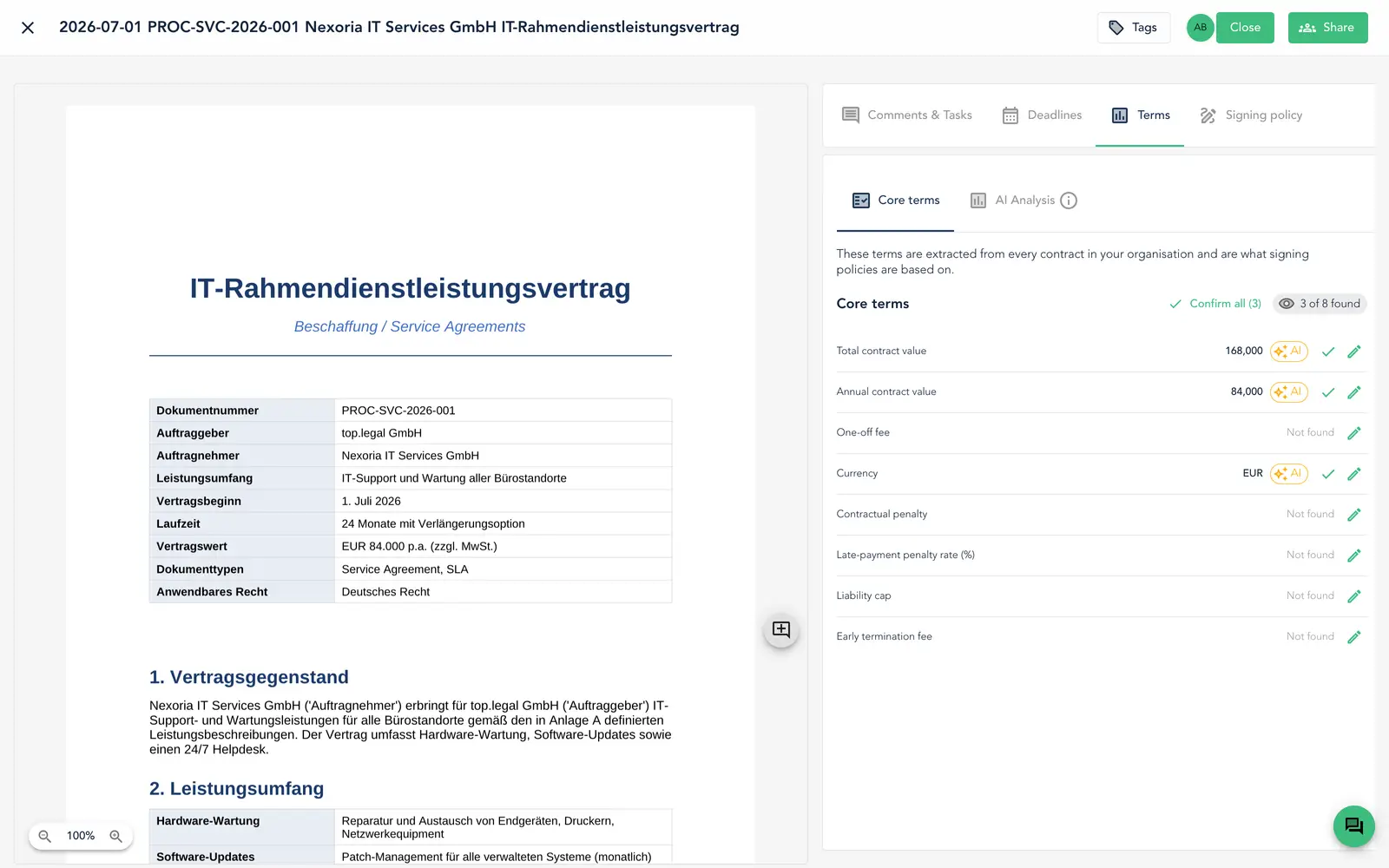
Until now the value of a contract only existed where somebody had built a field for it – a question inside one playbook, filled in during drafting, named differently in the next one. Every contract that reaches top.legal is now read for a small, fixed set of commercial terms: what it is worth, what the penalties are, where liability is capped. No playbook, no folder rule, no form. Open any contract, uploaded PDF included, and a new Core terms tab shows the whole set at a glance – and a settings page lets you make that set your own.
Contract deadlines that find their own way to the people who must act
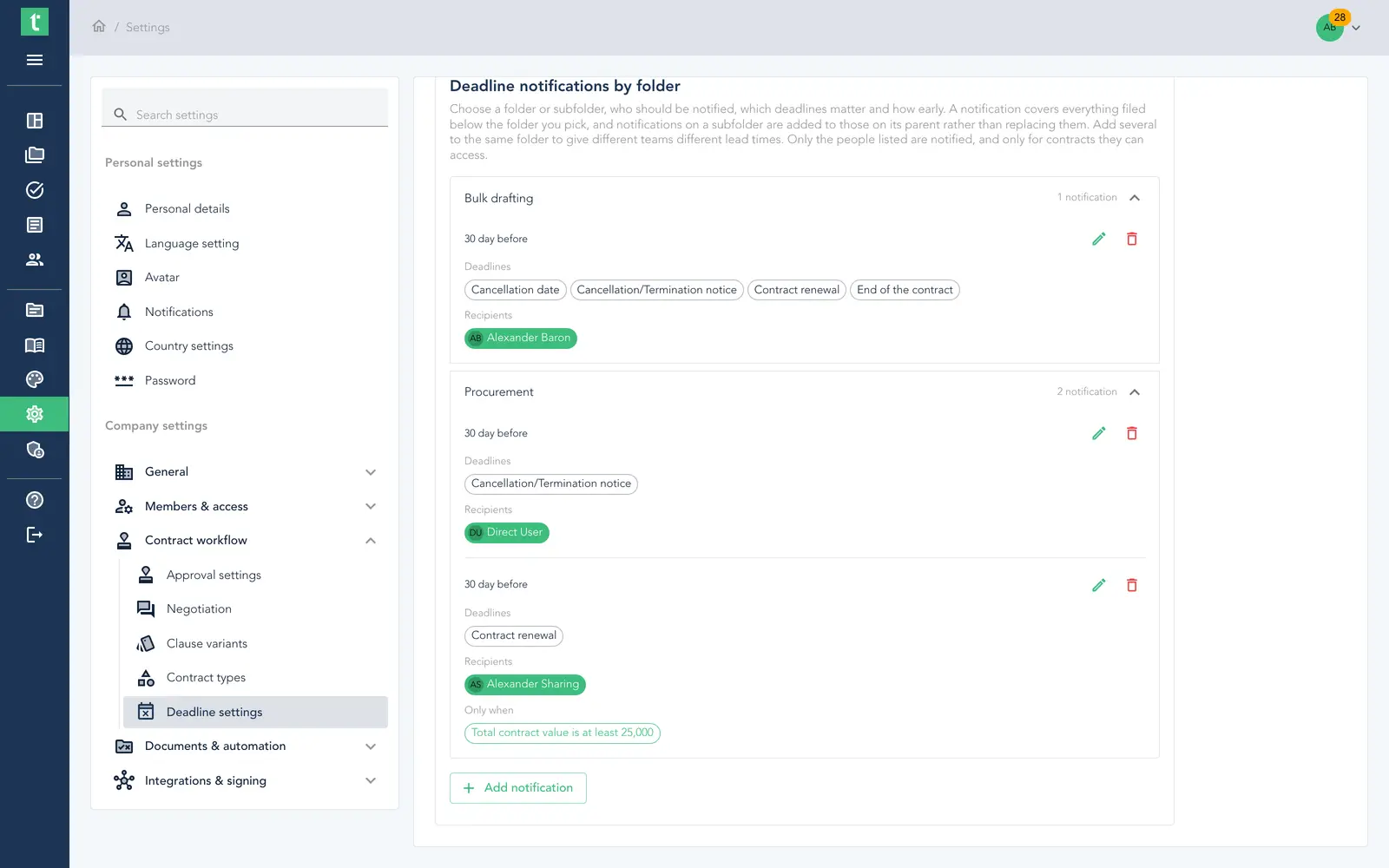
Every organisation already had the dates – they were extracted from each contract and sat there waiting for somebody to go and look, which meant renewal windows were protected by the only mechanism that had ever protected them: someone remembering. Nominate a folder, name the users and teams, pick which deadlines matter and how far in advance, and every morning each person receives a single digest of what is coming due. Rules inherit down into subfolders and add up, and because they can be qualified by the extracted core terms, a director can hear only about the renewals worth over a million while the team handling the day-to-day sees everything.
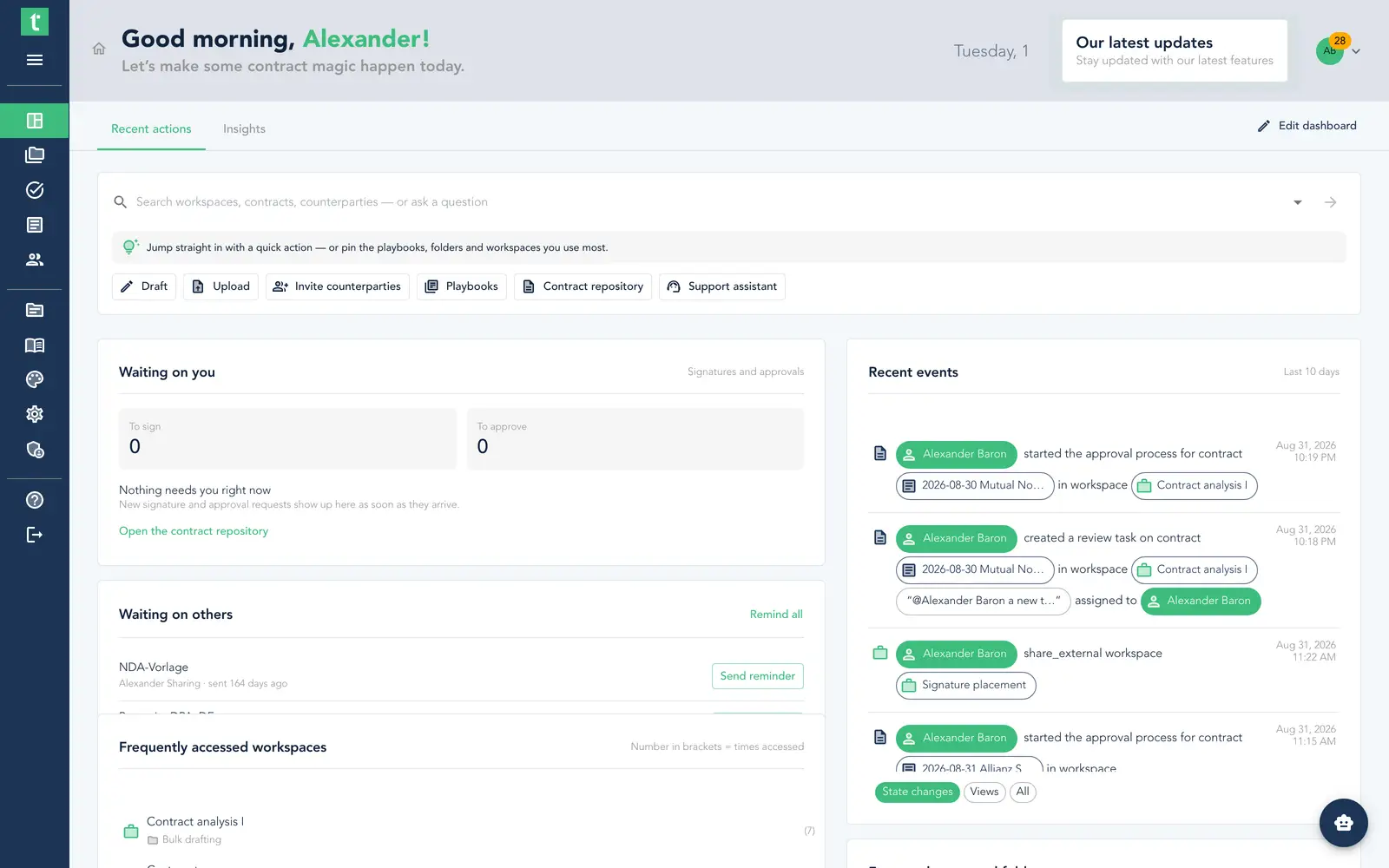
The dashboard, rebuilt – ask, act and arrange it the way you work
The dashboard used to be the same fixed page for everybody: a status board you read and then navigated away from. It is now built around two questions – what needs me right now, and what do I want to start. A full-width ask-and-search bar sits at the top with shortcut chips for the things people open every day, “Waiting on you” leads the page with what you have to sign and to approve, and “Waiting on others” chases everything outstanding with a single Remind all. Administrators still set the organisation’s defaults; each person then chooses, arranges and resizes their own widgets on top. Editing your own layout, the Insights tab and AI-built charts are premium add-ons.
Access that follows your business, not your folder tree
A folder tree can only say who sees which folder – it cannot say that a subsidiary’s people see that subsidiary’s deals, or that a cost centre owns what it pays for. Four additions close that gap. Cost centres are set up centrally, picked from a list while drafting rather than typed from memory, and inherited by the deal. Legal entity access grants people the deals of the entities they belong to, without rebuilding a single folder. A whole team can be given a dealroom in one action. And tags now apply themselves to incoming contracts – and can carry access rights with them.
July 2026
Major ReleaseYour corporate group, confidential deals & contracts that manage themselves
Model your own legal entities – subsidiaries, branches, signatories and ownership – as first-class records with an interactive group map. Keep sensitive deals to a named group with confidential dealrooms, read where every contract stands from a single colour-coded badge, and let every upload analyse itself. Plus a reviewer step before signing, dashboard-wide search with an AI that knows your counterparties, and team onboarding from one spreadsheet.
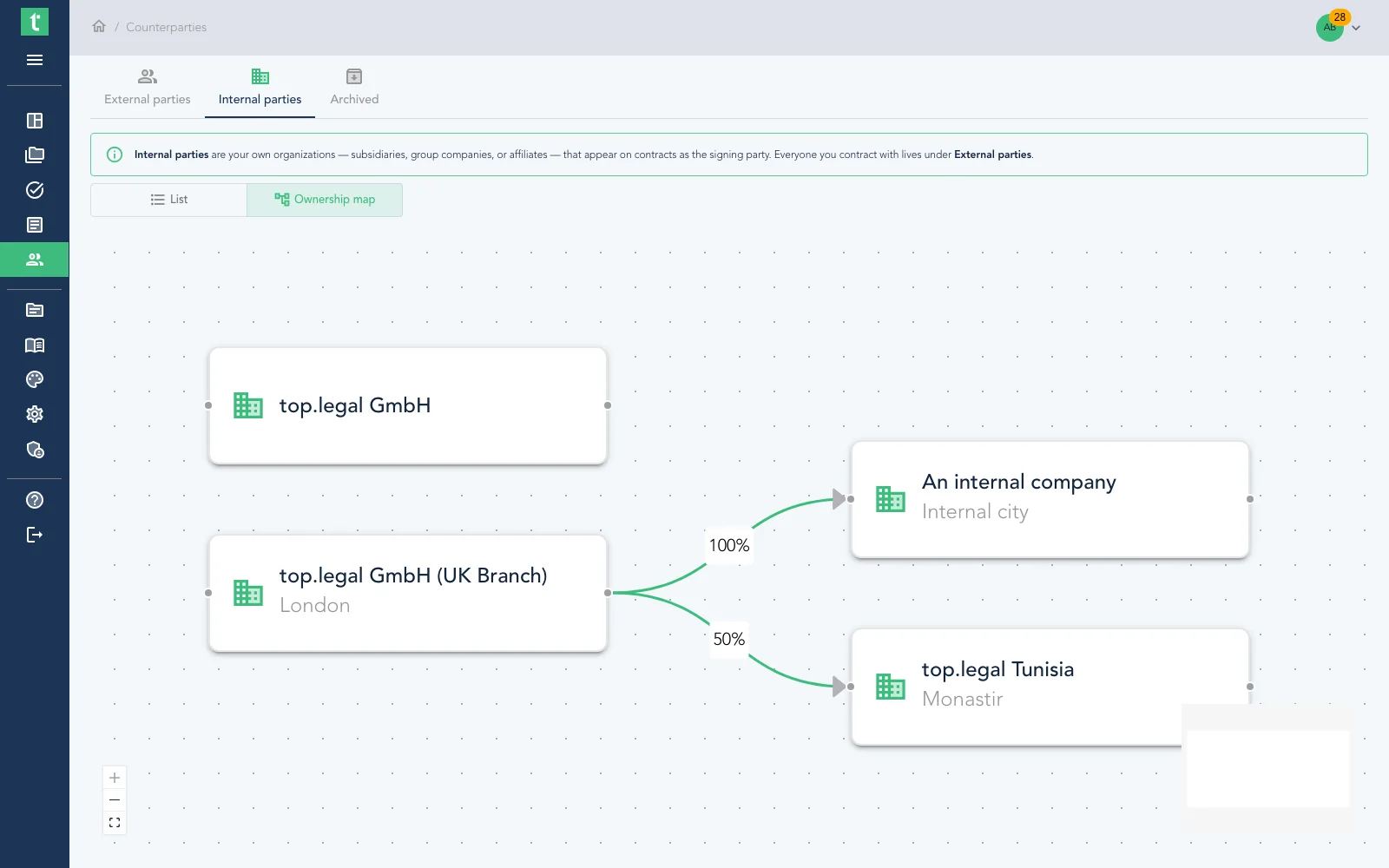
Manage your whole corporate group – with an interactive ownership map
The companies you contract with were never the only entities that mattered – your own group has subsidiaries, branches and holding companies, each with its own address, signatories and place in the ownership hierarchy, and until now that lived in spreadsheets and org charts. Legal Entity Management brings it inside top.legal: every internal entity gets its registered details, its operating sites, its authorised representatives (with role, signing scope and validity), and its equity stakes in your other entities. Flip companies between internal and external in bulk, and switch to the Ownership map to watch your group structure draw itself as an interactive flow chart.
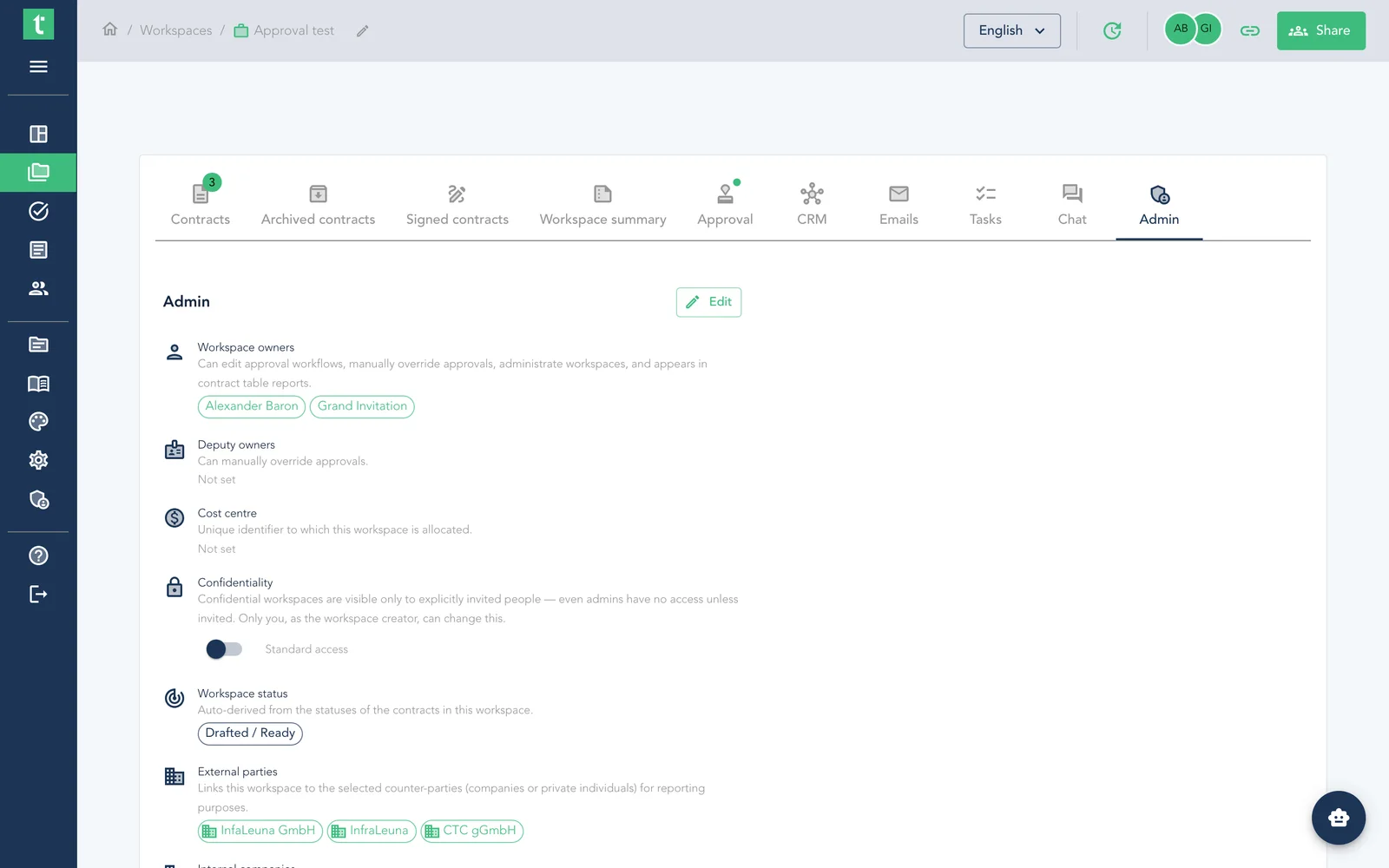
Confidential deals only invited people can see
Some deals shouldn't be visible to the whole organisation – M&A, executive hires, sensitive commercial terms, disputes. Mark a deal as confidential and it disappears from the list and search for everyone who isn't invited – including organisation admins and holders of broad "view all" rights. You stay in your normal folder structure, a clear lock badge flags the deal for those who can see it, only the creator can toggle confidentiality and only the owner can invite. Everyone invited keeps working exactly as before.
Contract status, reimagined – one glance tells you everything
The old single status tried to mean everything and told you nothing about what a contract actually needed. Now every contract reads along three simple axes: a stage (Draft, In approval, Negotiate, Signing, Monitor, Renew…), a lifecycle that shows whether it's a live, in-force contract, and a deadline traffic light that flags renewals before they slip by. A consistent colour tells you what to do – amber means someone needs to act, green means signed and live, red means attention now – so a sweep down the column triages the whole list. Old contracts are mapped into the new model automatically.
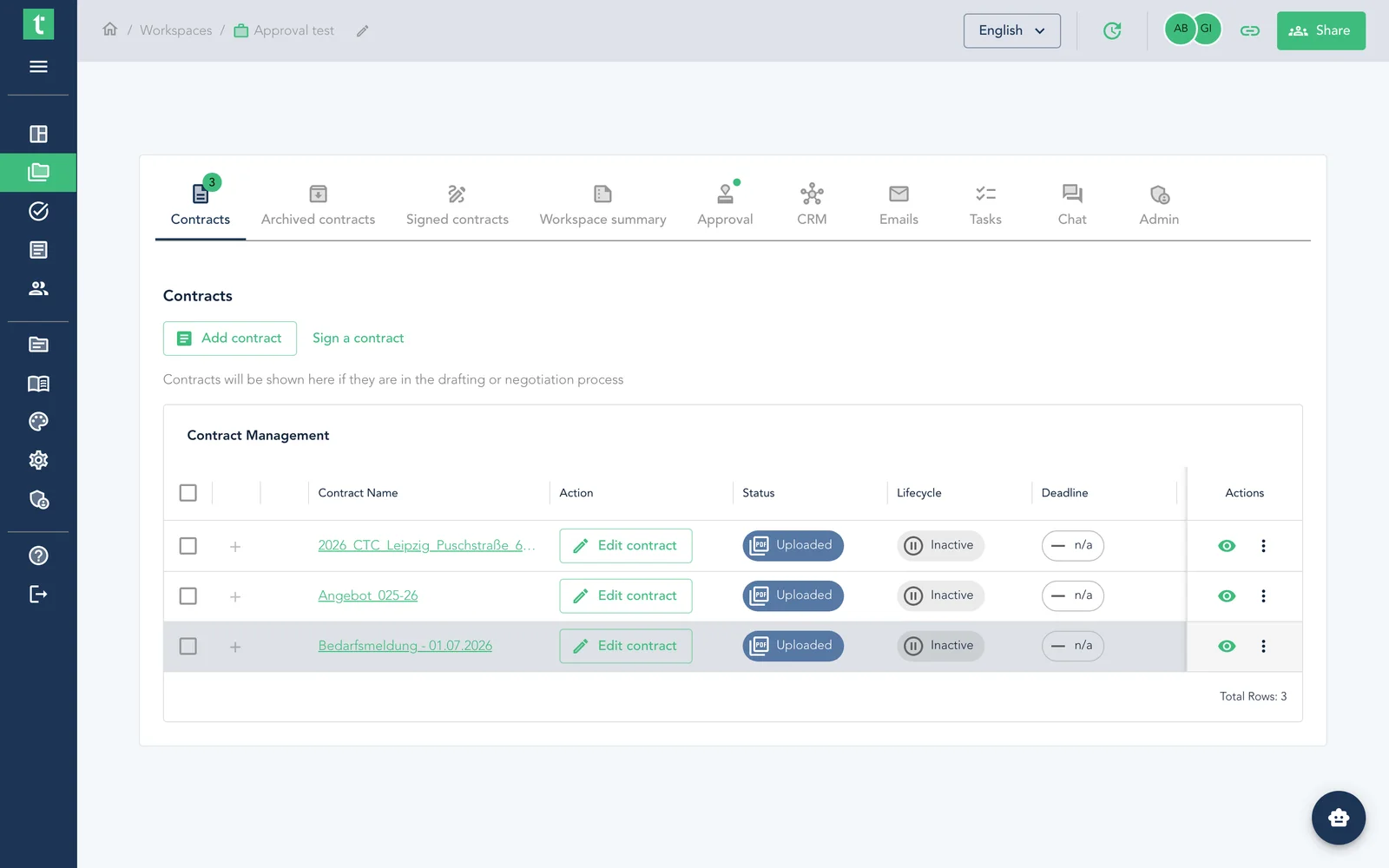
Every upload is analysed the moment it lands
Getting a contract analysed used to be a step you had to remember – upload the file, then stop and decide which analysis to run. It was easy to skip, and a document could sit in a folder for days, uploaded but never analysed. Now you set the analysis once, per folder, in plain language – and from then on every contract dropped into that folder is analysed automatically and identically the instant it arrives. Nothing waits on a manual step; nothing slips through.
Add a reviewer step before anyone signs
Plenty of contracts need a second pair of eyes – a manager, legal or finance confirming it's good to go – before they go out to sign. Add a reviewer (a non-signing role) and the signers can't sign until every reviewer has reviewed. Reviewers are invited first, confirm their review in the app with one click, and a clearly-labelled "Reviewed by" attestation – name, role and date – is stamped onto the PDF. Only once every review is in are the signers released.
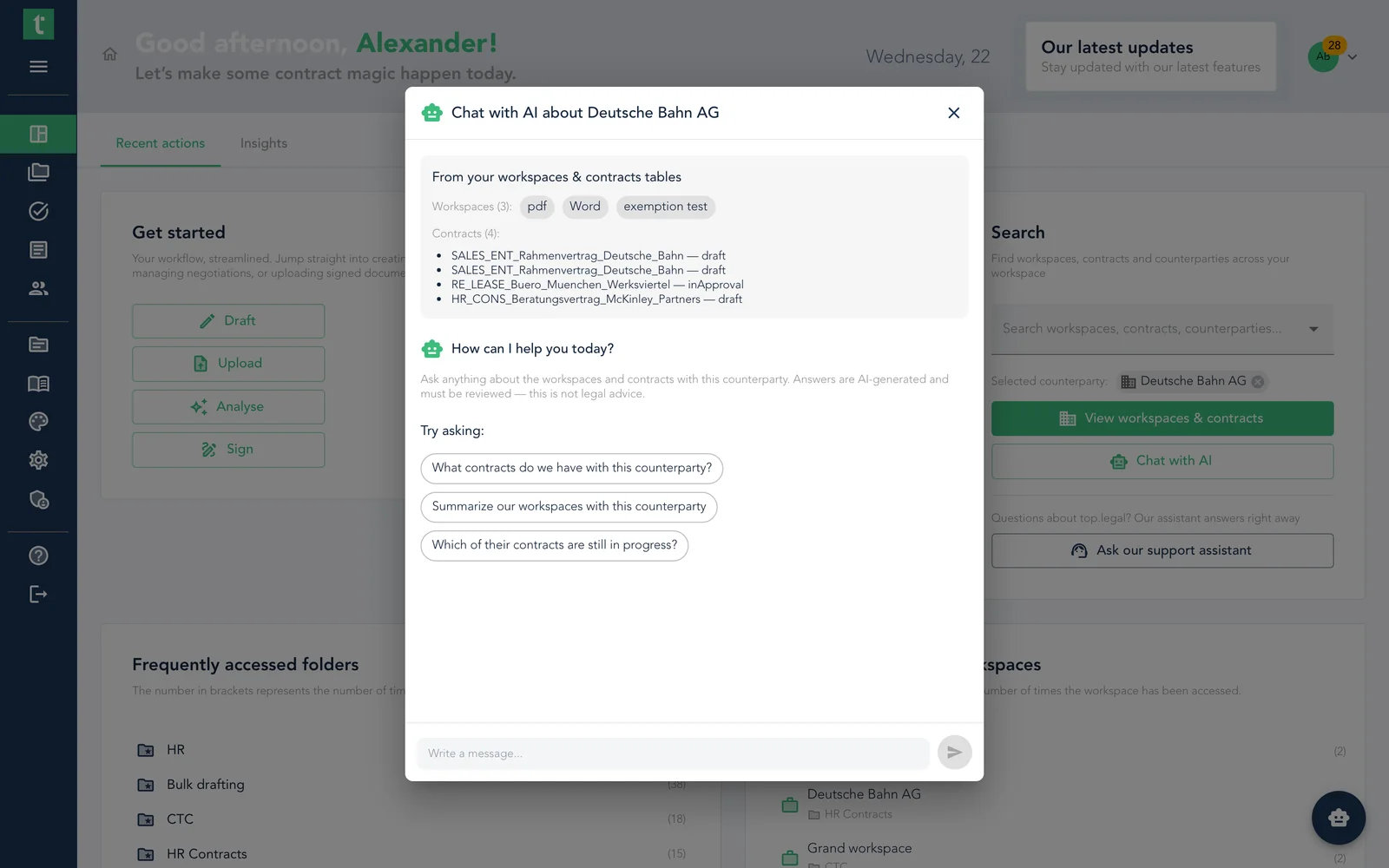
Search everything from your dashboard – and chat with AI about any counterparty
The dashboard's new Search card finds deals, contracts and counterparties in one place. Pick a deal or contract to jump straight to it, or pick a counterparty to open a chat with an AI that leads with your own records: it opens with an instant overview of that company's deals and contracts, read straight from your tables, then draws on the contract text for anything deeper. Support is one click away from the same card, too.
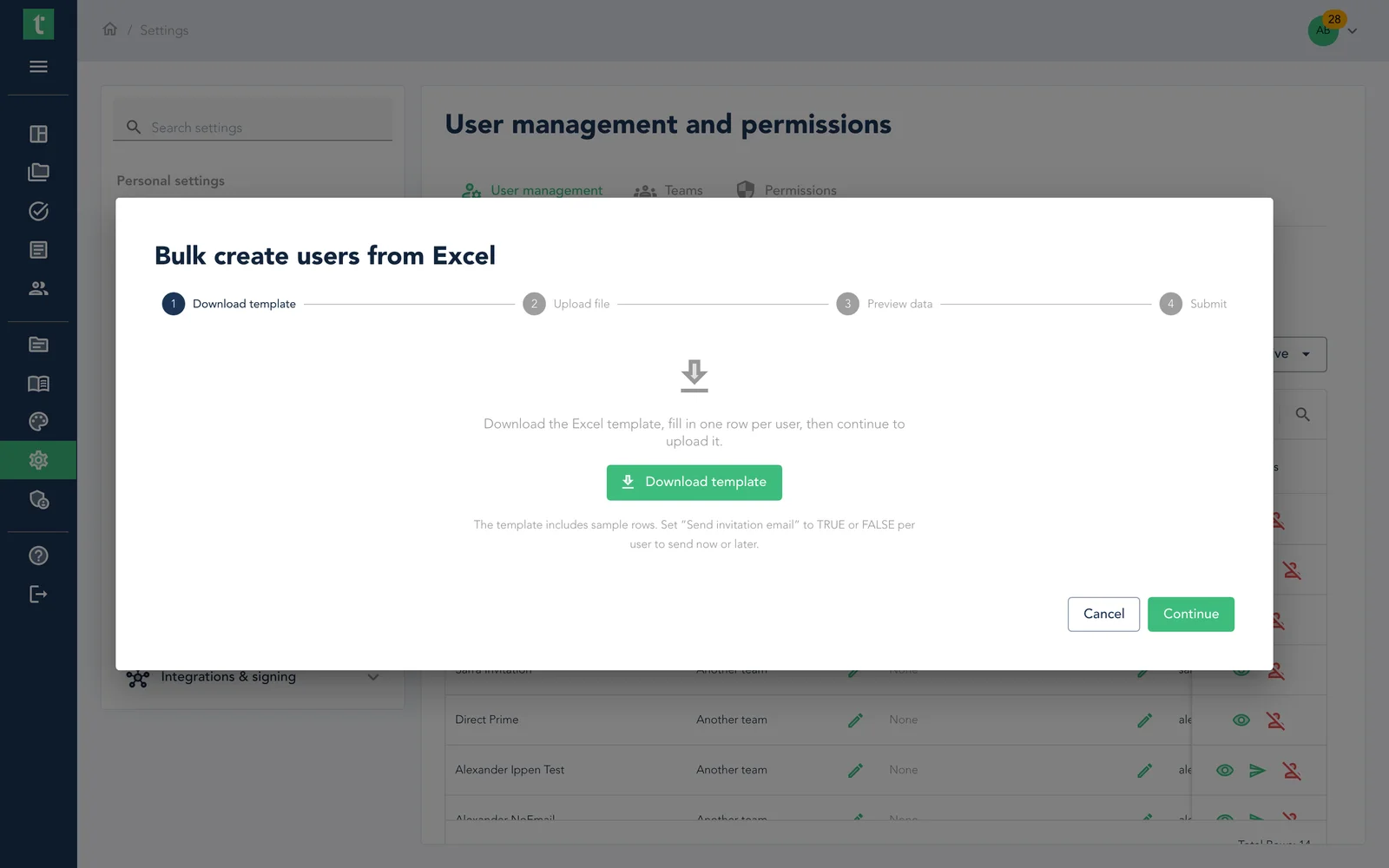
Onboard your whole team from one spreadsheet
Rolling out top.legal to a team or a newly acquired entity used to mean opening the invite dialog once per person. Now you download a template, fill in a row per user – email, name, title, team, language – upload it, review the validated preview, and let top.legal provision everyone in the background, emailing you a summary when it's done. New teams named in the sheet are created for you, and you can now create users without sending the invitation email yet – set people up quietly today and send their invitation when the timing is right.
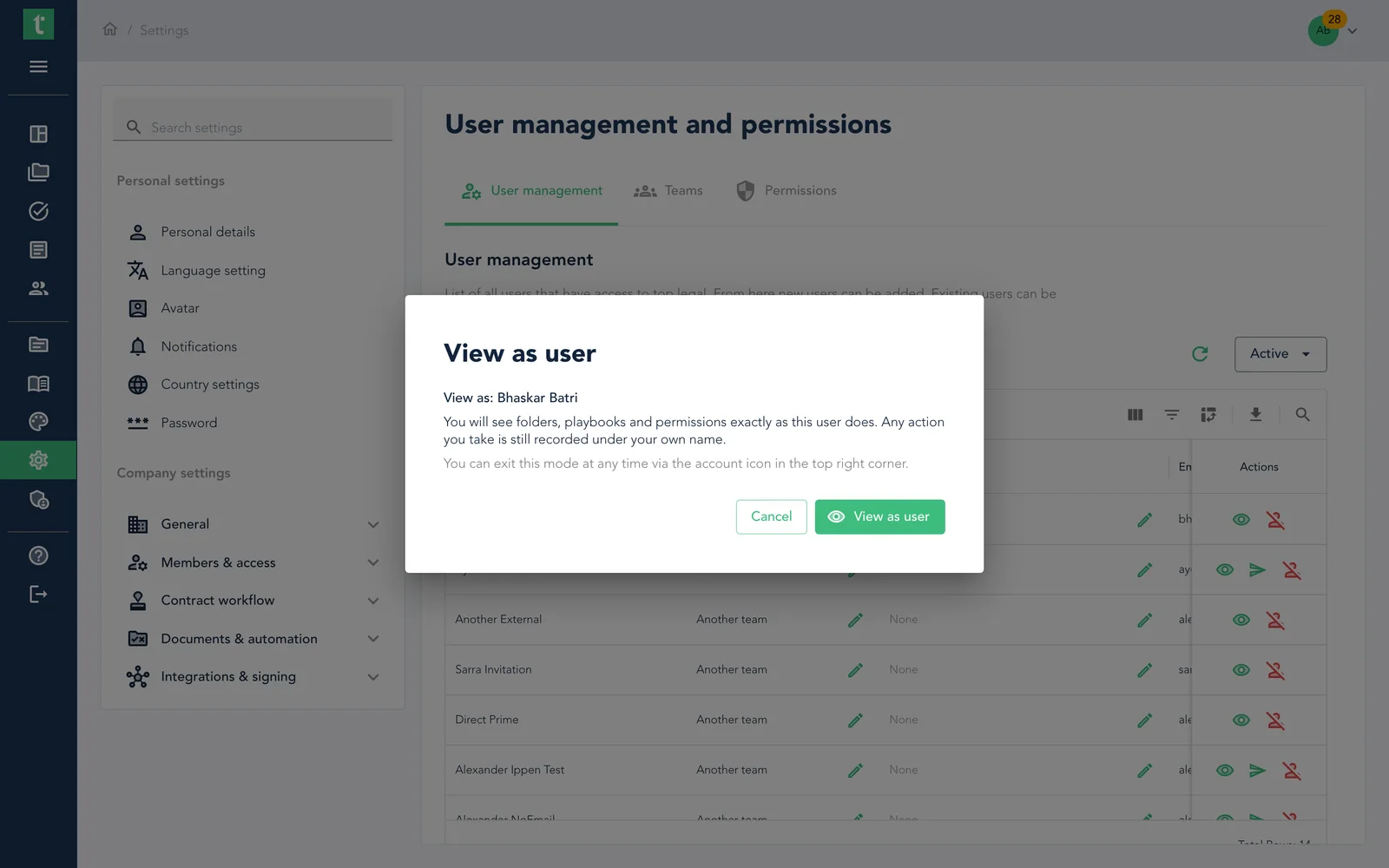
See the platform through a colleague's eyes
Answering "why can't I see this?" used to mean reading permission tables and guessing. Admins can now step into a colleague's shoes and see exactly what they see – their folders, playbooks, deals and permissions – with the whole app re-rendered as if you were them. It's strictly read-only: actions are blocked and enforced on the server, a clear indicator shows whose view you're in, both identities are written to the audit log, and one click returns you to your own account.
June 2026
Major ReleaseBulk drafting, one-click migration & contracts that read themselves
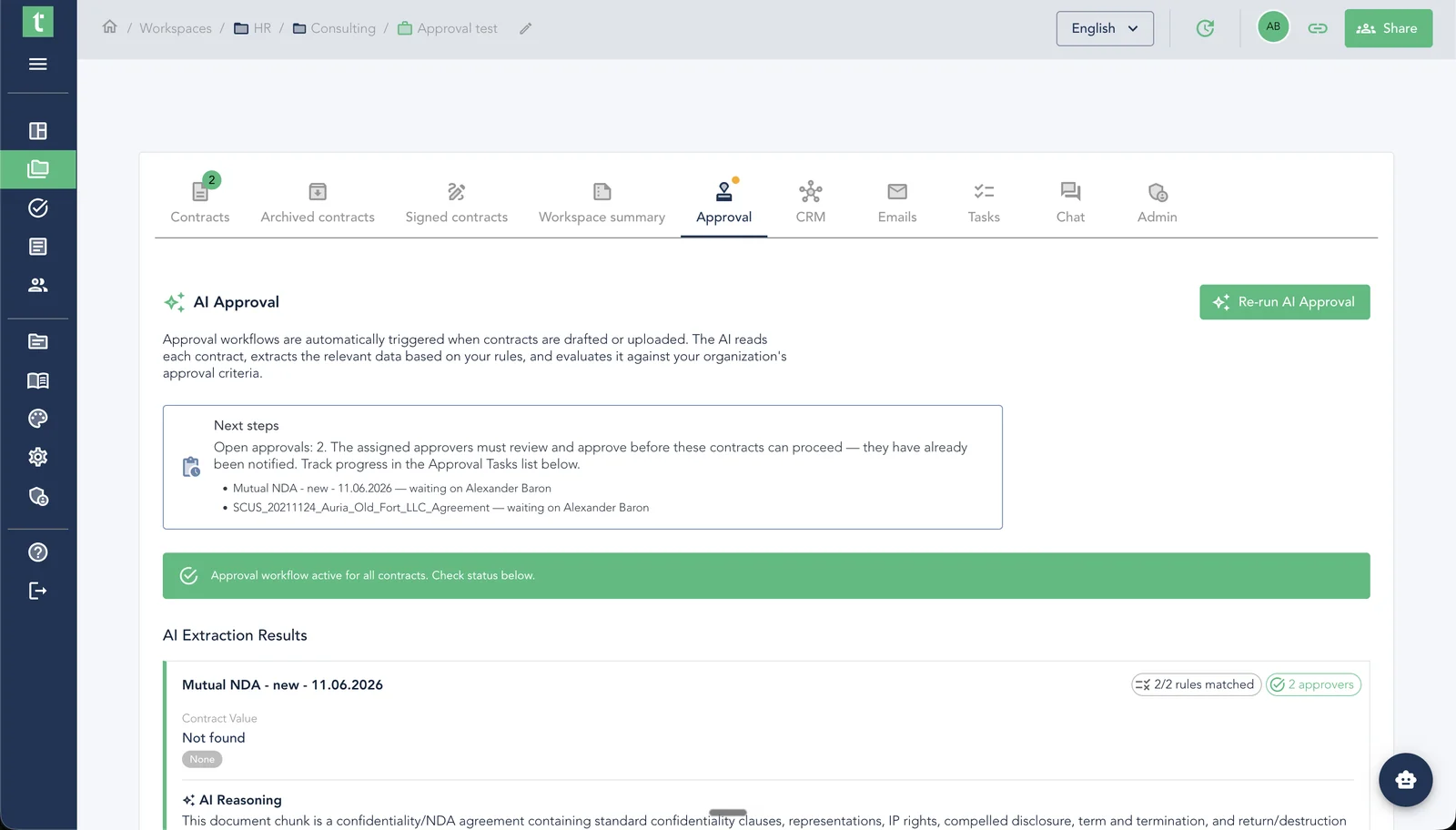
Our most automation-heavy release yet. Draft hundreds of contracts from a single spreadsheet, pull your whole SharePoint library in with one connection, and let AI extract deadlines and parties the moment a contract lands – plus a portfolio-wide Insights dashboard and chat built right into every deal.
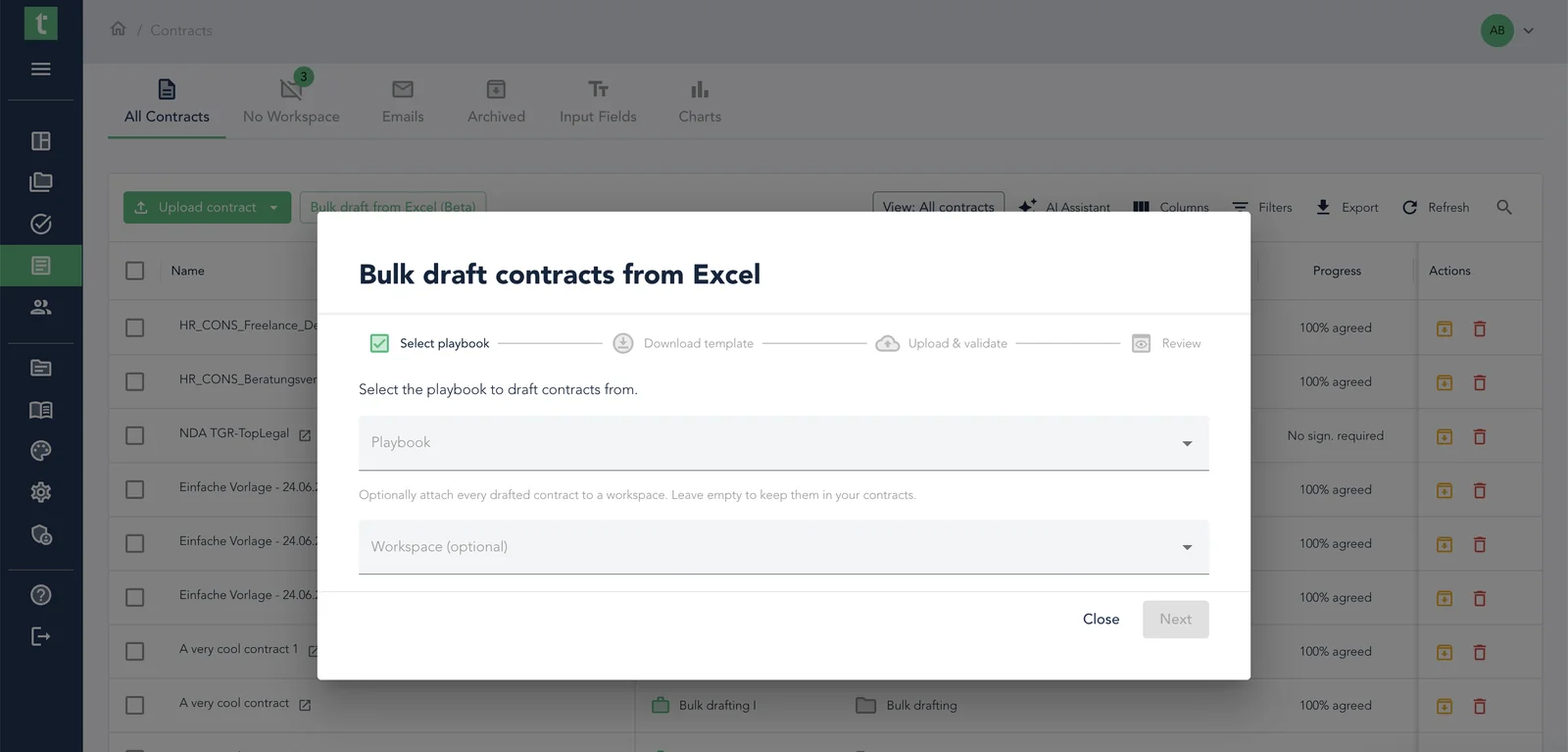
Draft hundreds of contracts at once from one spreadsheet
Teams that send the same agreement over and over – NDAs, order forms, employment contracts, licences – have always been stuck drafting one document at a time, even when the only thing changing is a name, a date, or a number. Now you pick a playbook, download a spreadsheet built for it, fill one row per contract, and top.legal drafts every one for you – each fully assembled with the right clauses, party details, and conditional text. An afternoon of copy-paste becomes a few minutes filling in a grid.
Bring your SharePoint contracts in with one connection
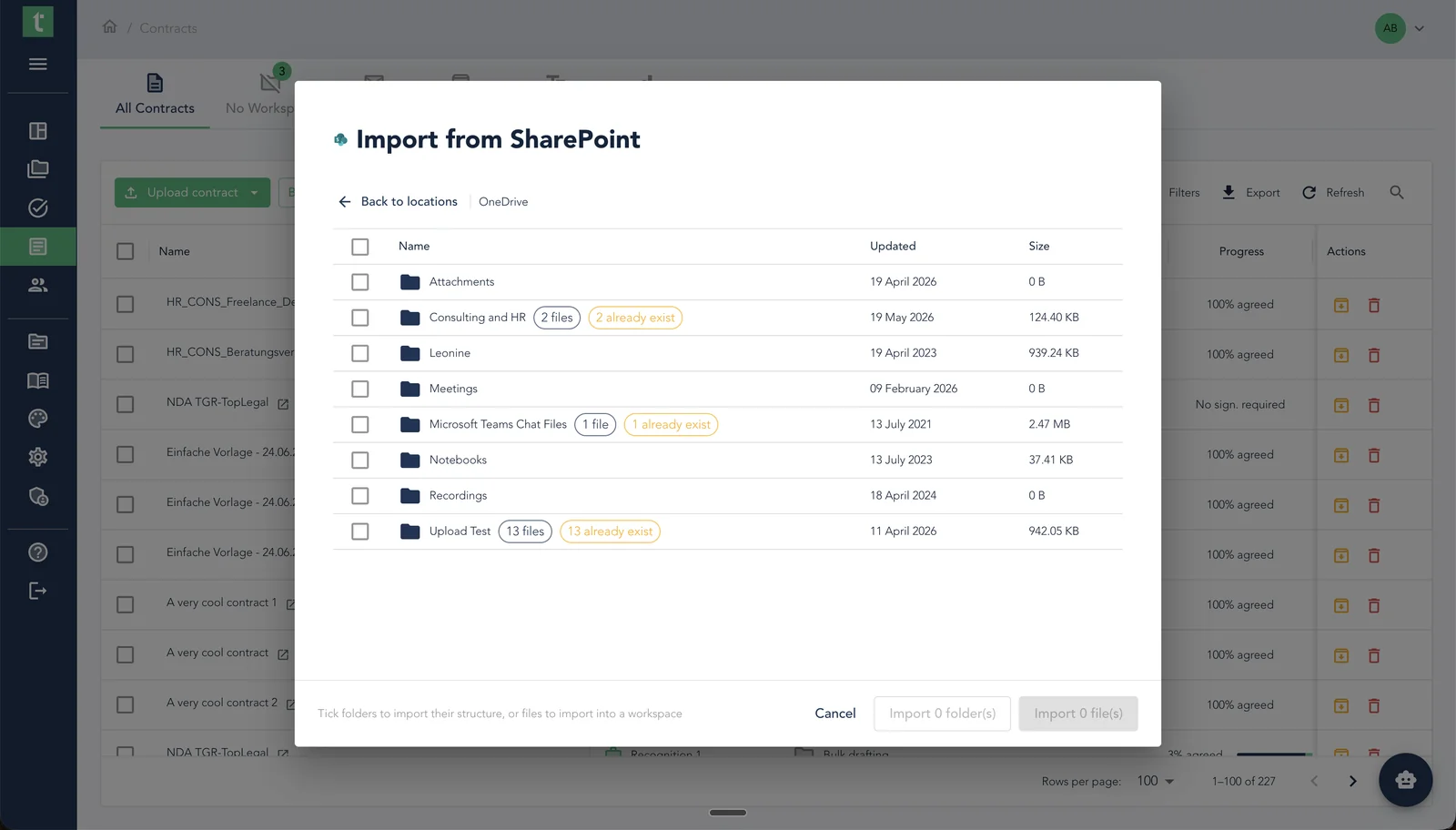
Most teams already keep their contracts in SharePoint, neatly foldered – and getting them into top.legal used to mean downloading and re-uploading file by file, then manually creating and naming each deal. Connect SharePoint once and point us at a folder: we recreate its structure as folders and deals, or bundle hand-picked files into deals – and the deals name themselves by counterparty and contract type. The import even flags files already in top.legal, so you never create duplicates.
Every uploaded contract now reads itself
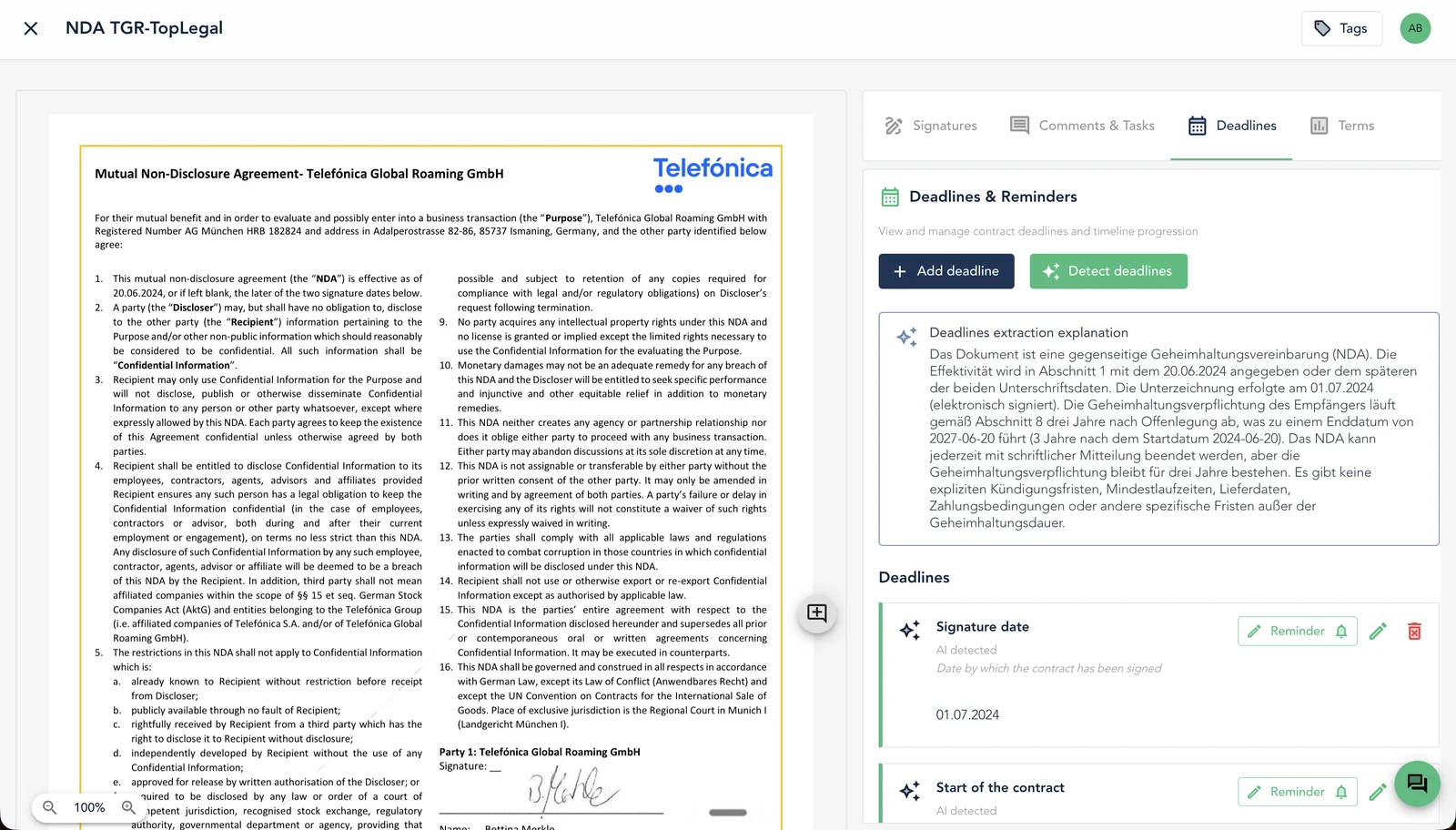
Bringing an existing contract into top.legal used to mean a round of manual data entry: hunt for the renewal date and notice period, key them in, then work out which company you're dealing with and link it. Skip it once and a deadline goes untracked. Now, the moment an uploaded or imported contract finishes processing, top.legal pulls out the key dates and the parties on its own – deadlines land in your calendar of obligations and the counterparty is identified and linked, without you typing a thing.
See the health of your whole contract portfolio at a glance
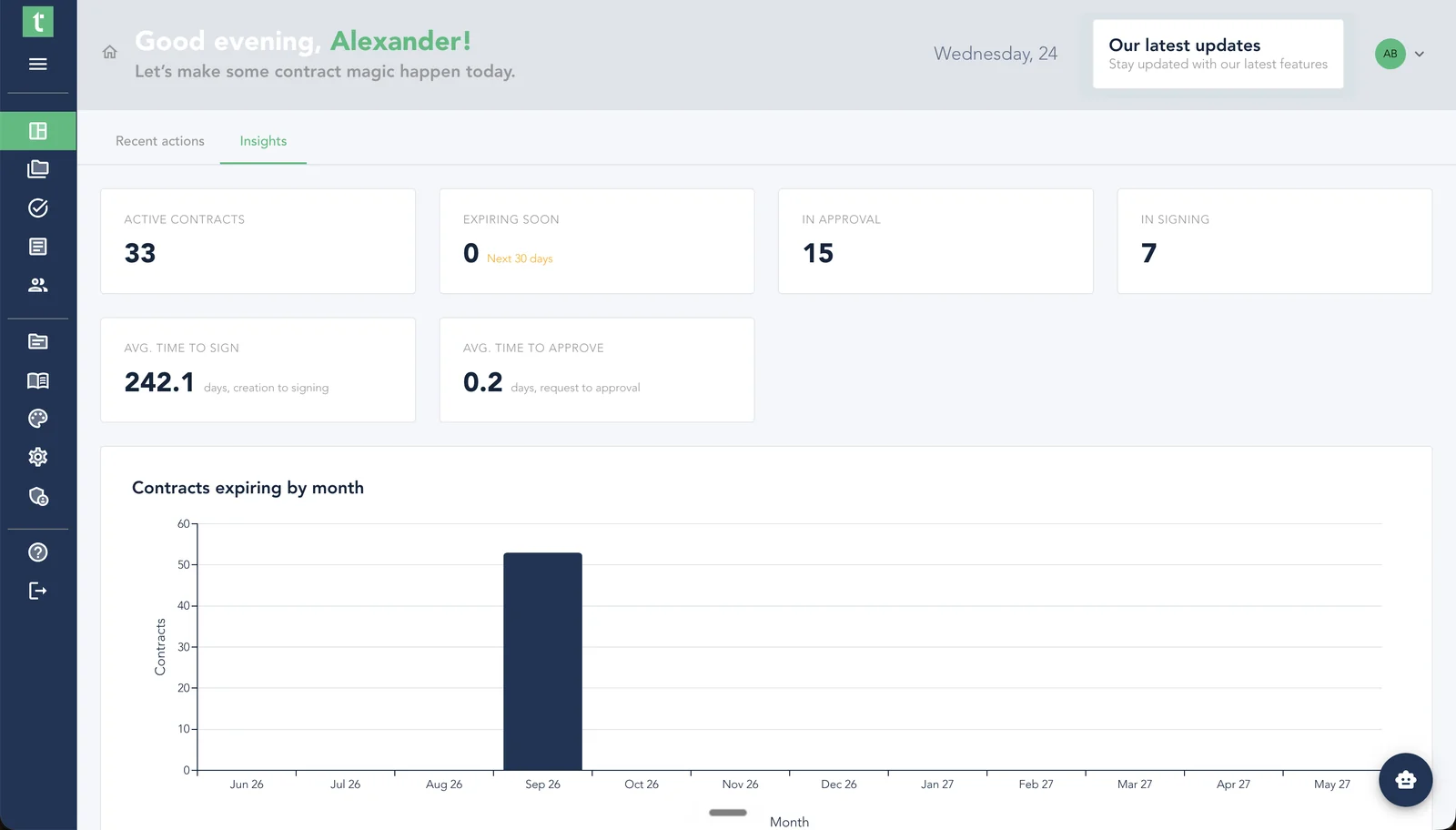
Most teams only discover a contract is expiring, or that approvals are piling up, when someone goes looking – one contract at a time. The new Insights tab on your dashboard lifts that to the top: how many contracts are live, what's coming up for renewal, what's waiting on approval or signature, and how fast deals move through your process. The dashboard you rely on every day is still there, now under a Recent actions tab.
Chat with everyone on the deal, without leaving it
Conversations about a deal have a habit of ending up everywhere except the deal – an email thread here, a chat message there, a comment somewhere else – and by the time you need to find what was agreed, it's spread across three tools. The dealroom now has its own chat: everyone involved can message in real time, right next to the contracts it's about, and the discussion is still there the next time you open the deal.
Approvals that move deals forward on their own
Approvals used to be the quiet bottleneck in every deal: it wasn't obvious who needed to act, whether anyone had picked it up, or what was left before a contract could move. The process has been reworked end to end – tasks now explain themselves, land automatically on the deal owner or a whole team (so nothing stalls when one person is out of office), run their own reminders, show their status right on the approval tab, and offer a one-click jump from "all approved" to "ready to sign." And you can now exempt the people and teams you trust, so their uploads skip the queue entirely – scrutiny where it counts, a clear path through where it doesn't.
Take your comments with you onto the PDF
Until now a PDF was just the contract text – all the discussion that shaped it stayed trapped in the editor and vanished the moment you exported, leaving you to re-explain decisions over email or ask people to log in just to see why a clause reads the way it does. Now you choose, at export time, which comments print right on the document, anchored to the exact text they refer to – then share the file with anyone, no top.legal login required.
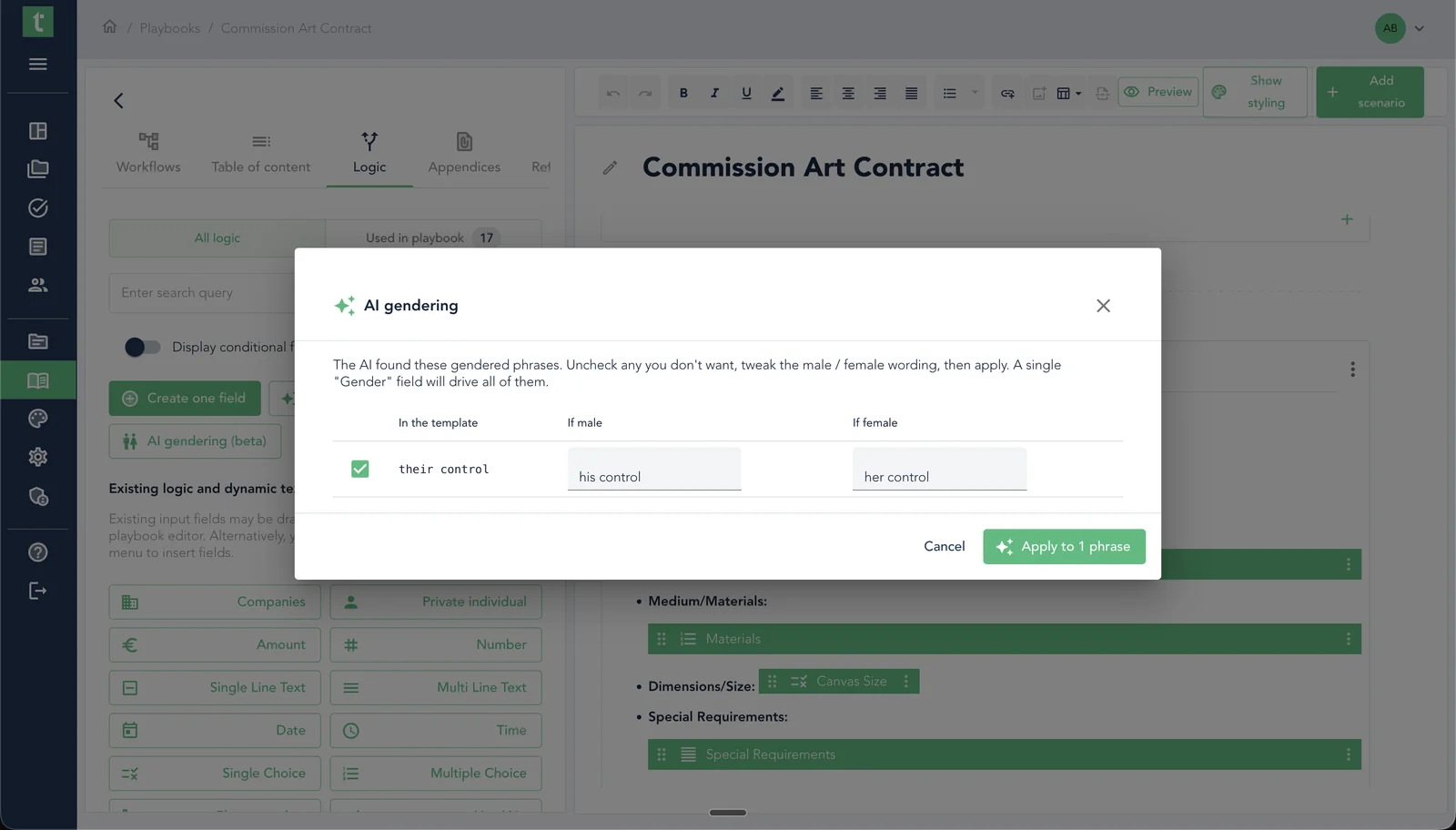
Let AI make gendered wording adapt automatically
Gendered language is one of the quietest sources of error in contracts: the moment a counterparty is a woman, every "he shall deliver" or German declension is subtly wrong – and fixing it means hunting the whole document for pronouns and word endings, every single time. The playbook editor now finds every gender-dependent form for you, proposes male and female variants to review, and applies them once. From then on, whoever drafts from that playbook picks a gender once and the whole document reads correctly.
May 2026
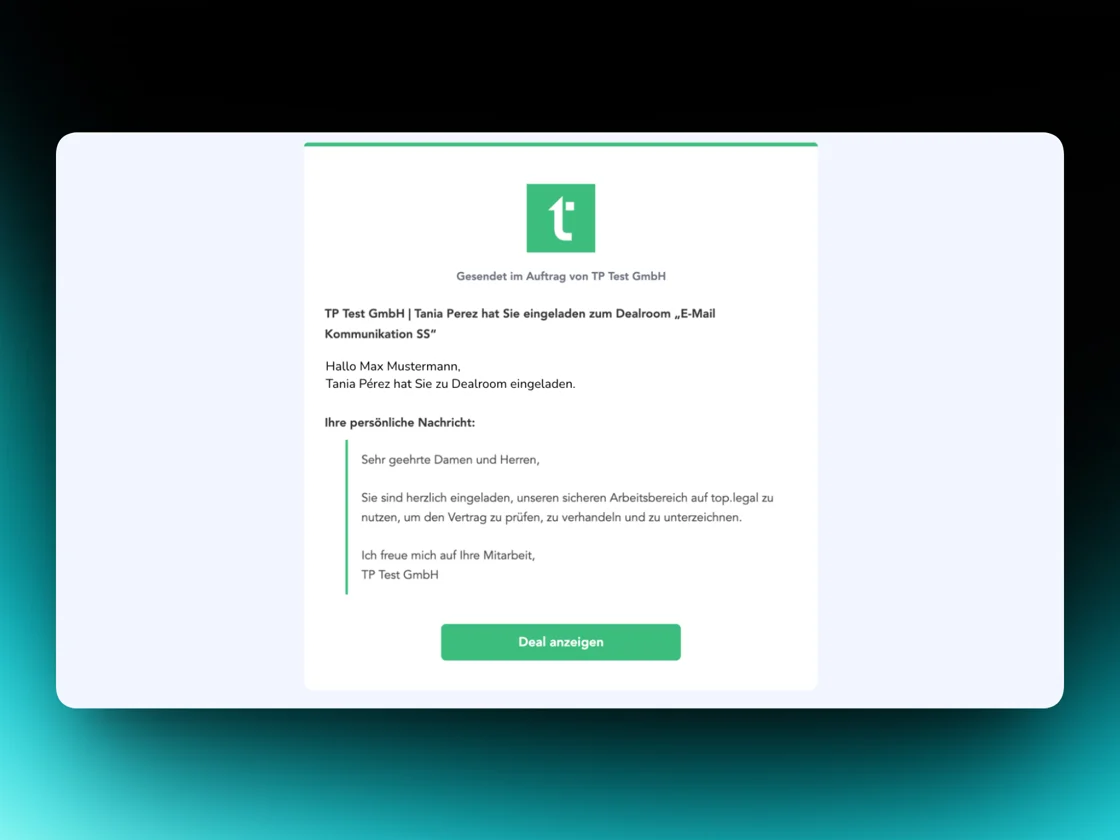
6 updatesMore trust in email communication
Your company name now appears automatically in outgoing emails. External recipients can attribute messages more easily and your communication looks more transparent.
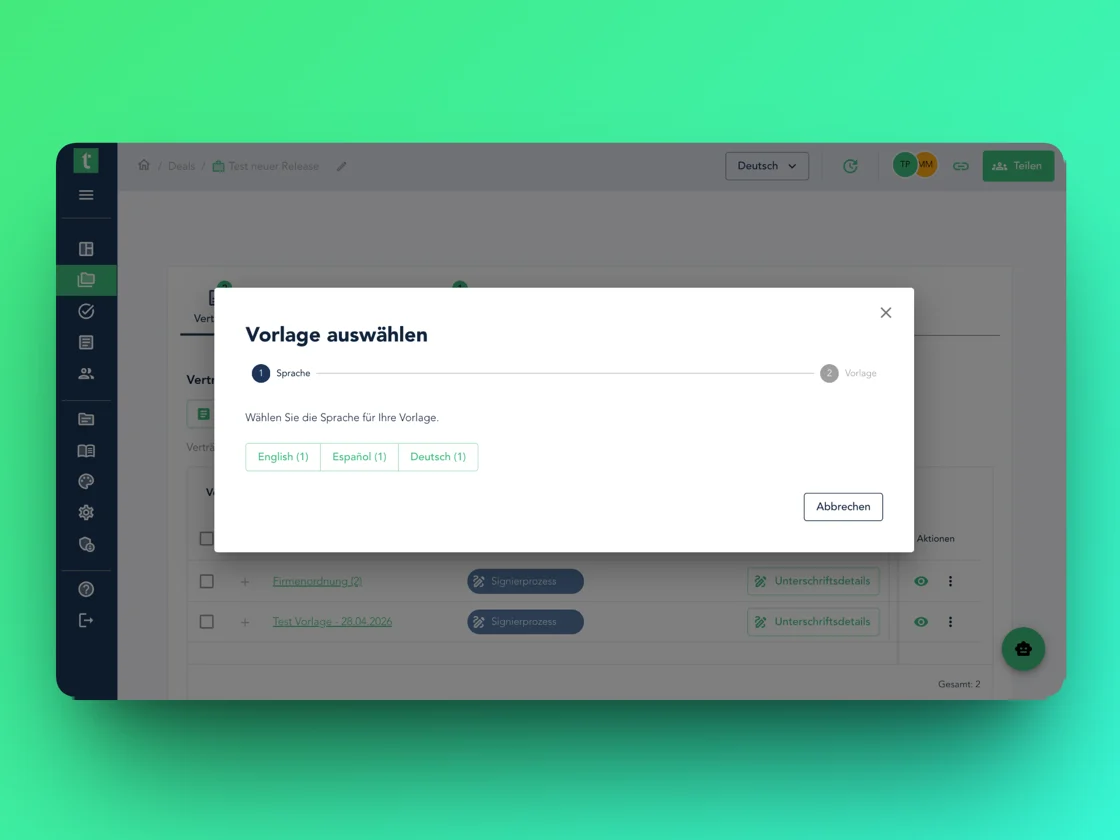
Improved contract selection in the dealroom
Contract selection now structures documents automatically by language. You keep an overview even with multilingual versions – without the risk of mixing up drafts.
AI deal summaries as PDF
Deal summaries can now be exported as PDF with one click – ideal for documentation, compliance, and sharing with stakeholders.
Reworked contract styling in the template editor
Contract styling is now integrated directly into the template editor for a consistent look. References can also be formatted more precisely.
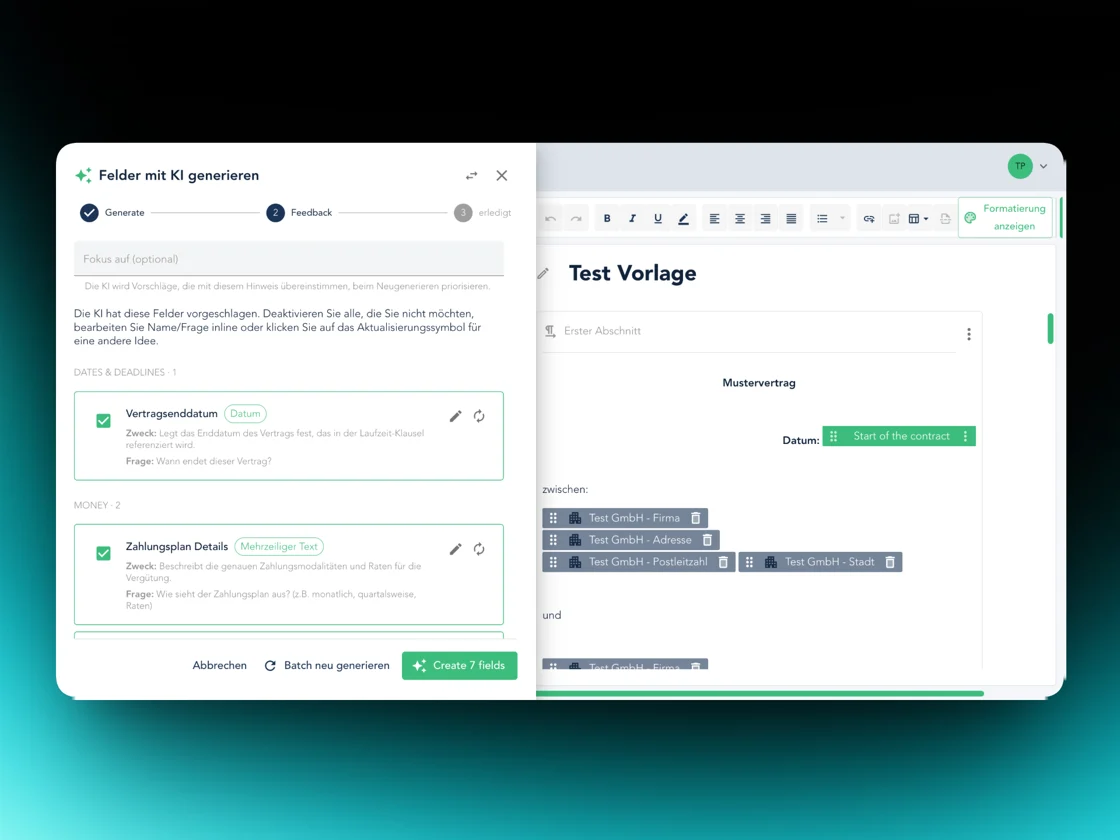
AI automatically creates input fields
Upload existing templates – our AI recognises all required input fields and creates them for you. New templates in a fraction of the time.
April 2026
6 updatesImproved top.legal signature
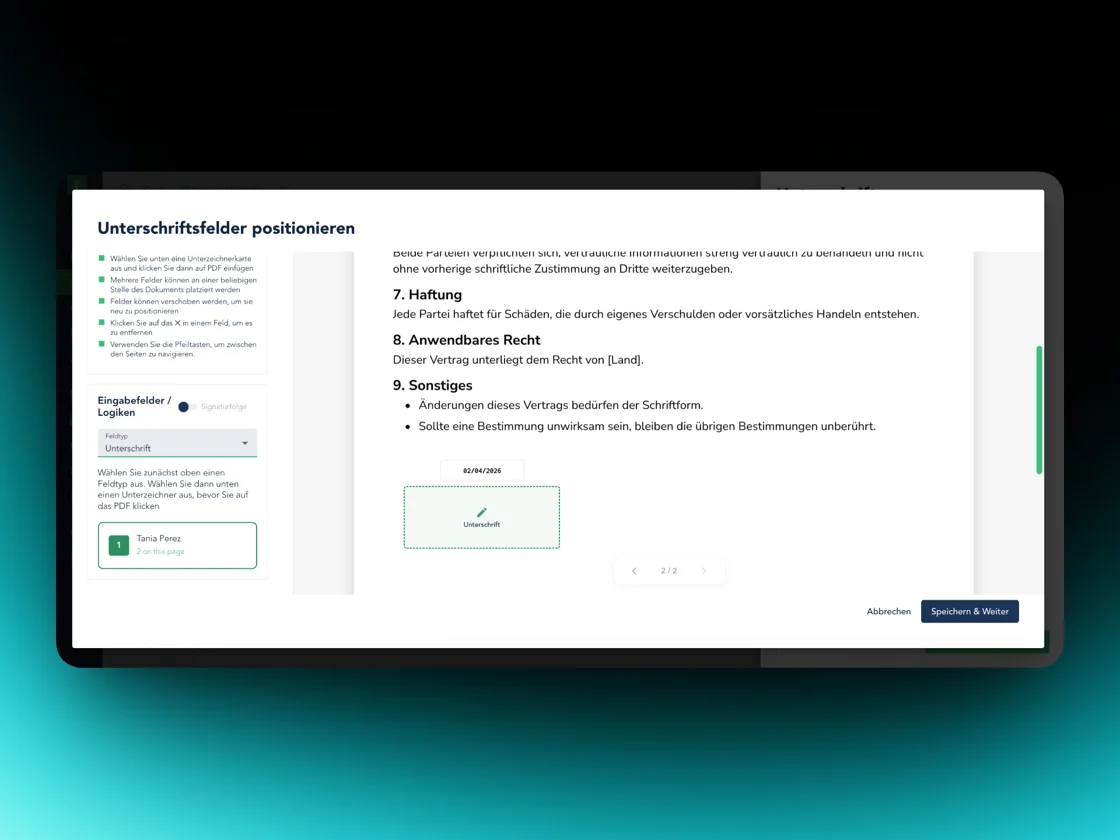
The signature stamp can now be placed anywhere in the document, including date and configurable signing order. Strong signature validation for legal certainty – and you can now upload your own signature.
AI-powered deal summaries
The deals table now shows automatic AI-generated summaries for each deal. An overview without opening each deal individually. More AI features are coming soon.
Comment improvements
Comments can now be assigned to multiple people at once – this reduces coordination overhead and creates clearer responsibilities. The negotiation flow has also been strengthened with security improvements.
Translate, duplicate & version templates
Templates can be translated into other languages with one click – a single template, any number of language versions. Playbooks can now be duplicated and versioned.
Approval requirements in the clause library
Admins can require clauses to be approved before being published. Consistent contract standards without unintended releases.
Excel import for contacts & folder structures
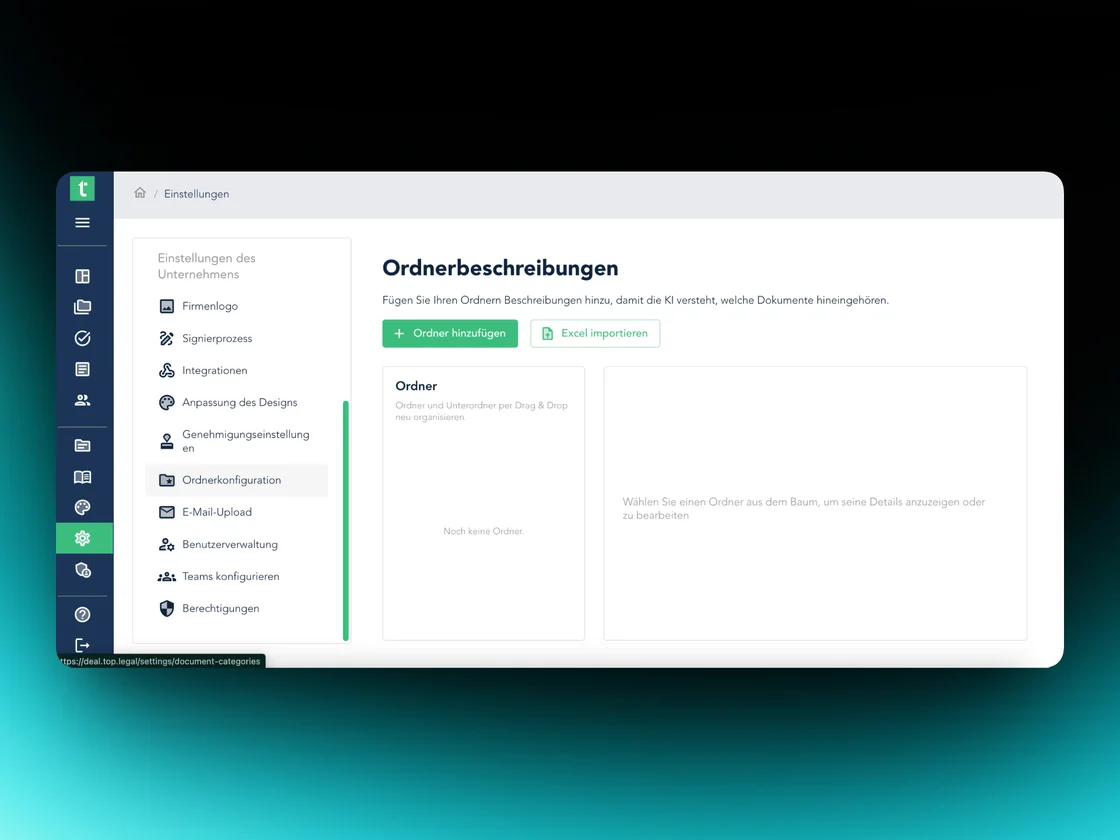
Contacts and folder structures can now be imported via Excel: parties land automatically in the counterparty table, folder and subfolder structures go straight into the deals folders.
March 2026
5 updatesImproved task management
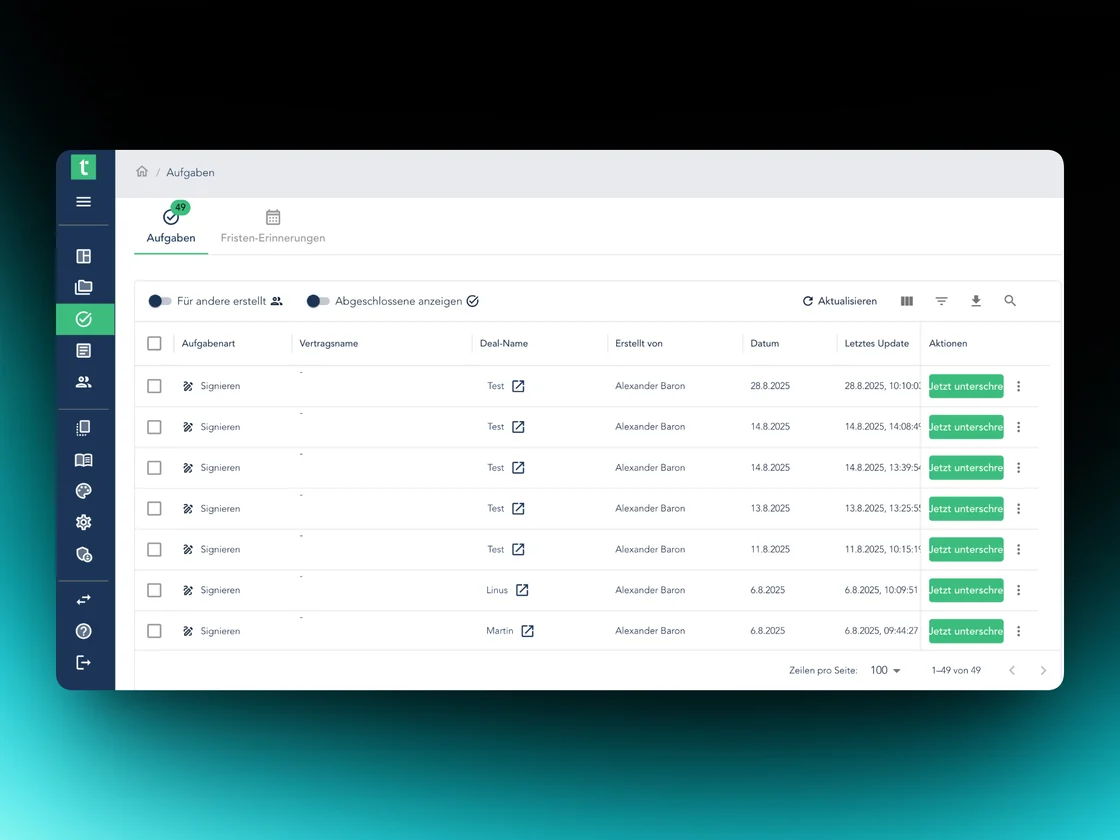
The task bar now clearly distinguishes between tasks and deadline reminders. Direct management, editing and sign-off – plus an overview of the tasks you've created for others.
Submit documents by email
Documents can be sent to top.legal via email. Attachments and email contents are saved automatically and appear directly in the right place in the dealroom.
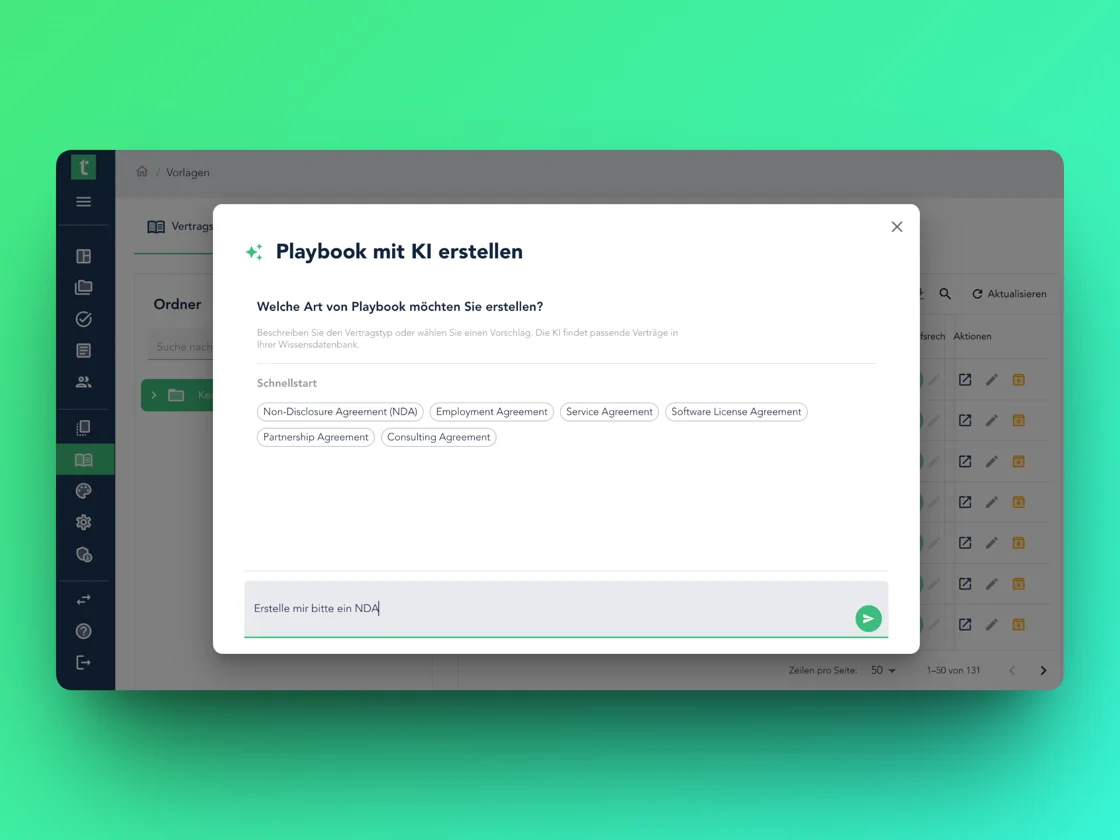
Create templates with AI
In the template editor you can now build templates with an AI chatbot. A few inputs quickly produce a structured template with the right sections.
More structure and flexibility in the template editor
Sections can be grouped and given shared headings. The editor now supports dynamic titles and headers for even more precise contract drafting.
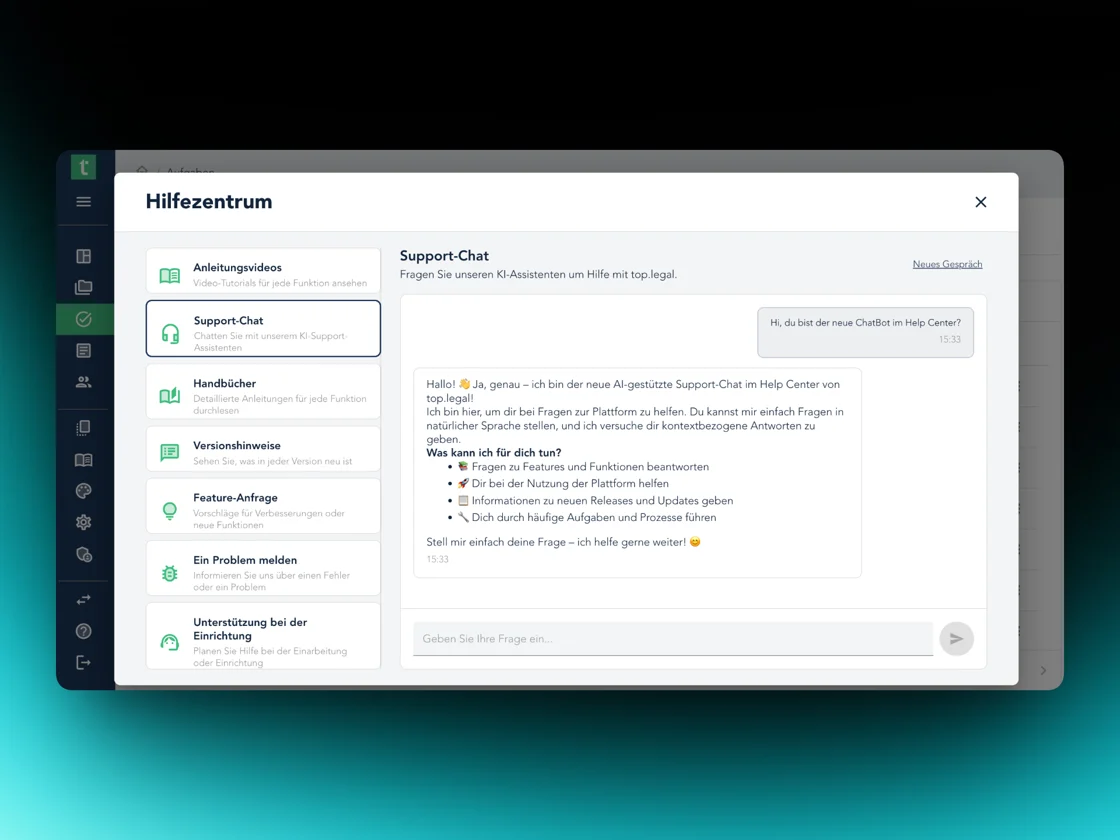
New help center with chatbot
The help center has been substantially expanded and now includes an integrated chatbot with access to the full documentation. Release notes are now publicly accessible.
February 2026
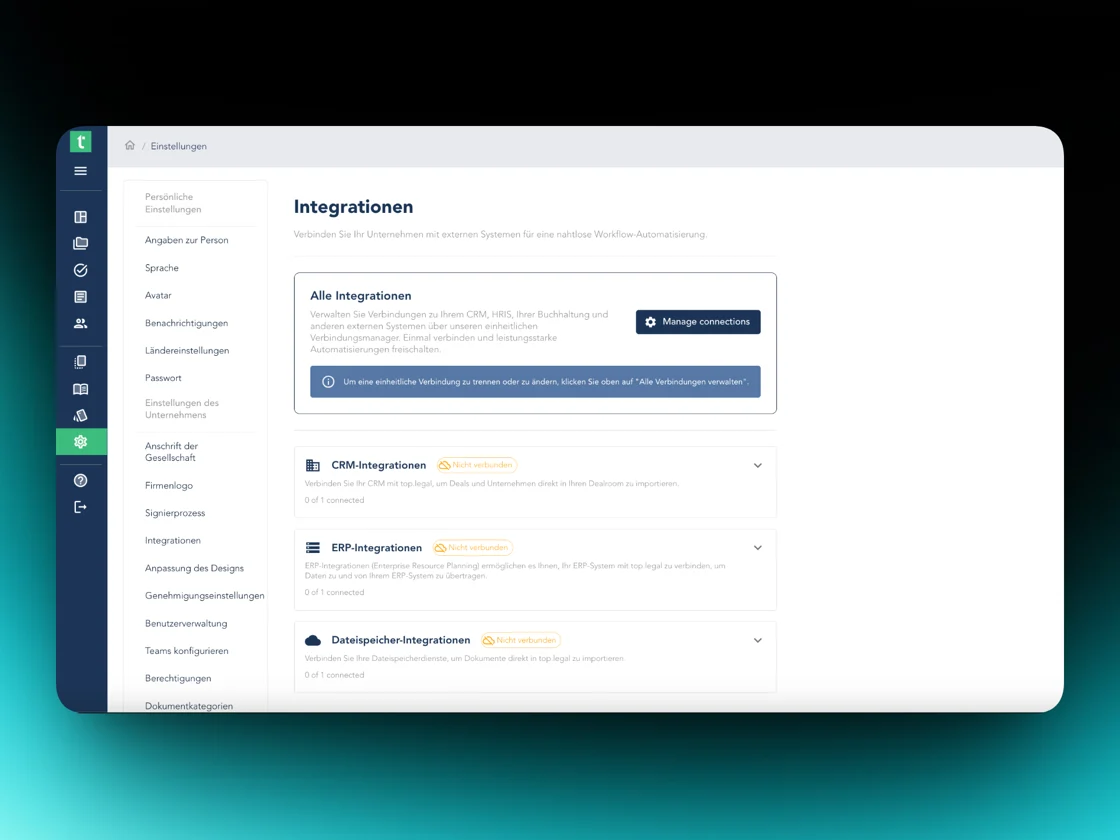
5 updatesNew integrations: Microsoft Dynamics 365 & HubSpot
top.legal now supports Microsoft Dynamics 365 Business Central (ERP) and HubSpot (CRM). Pull master data such as customer and company information directly into contract processes – no manual double entry. Create contracts straight from a HubSpot deal.
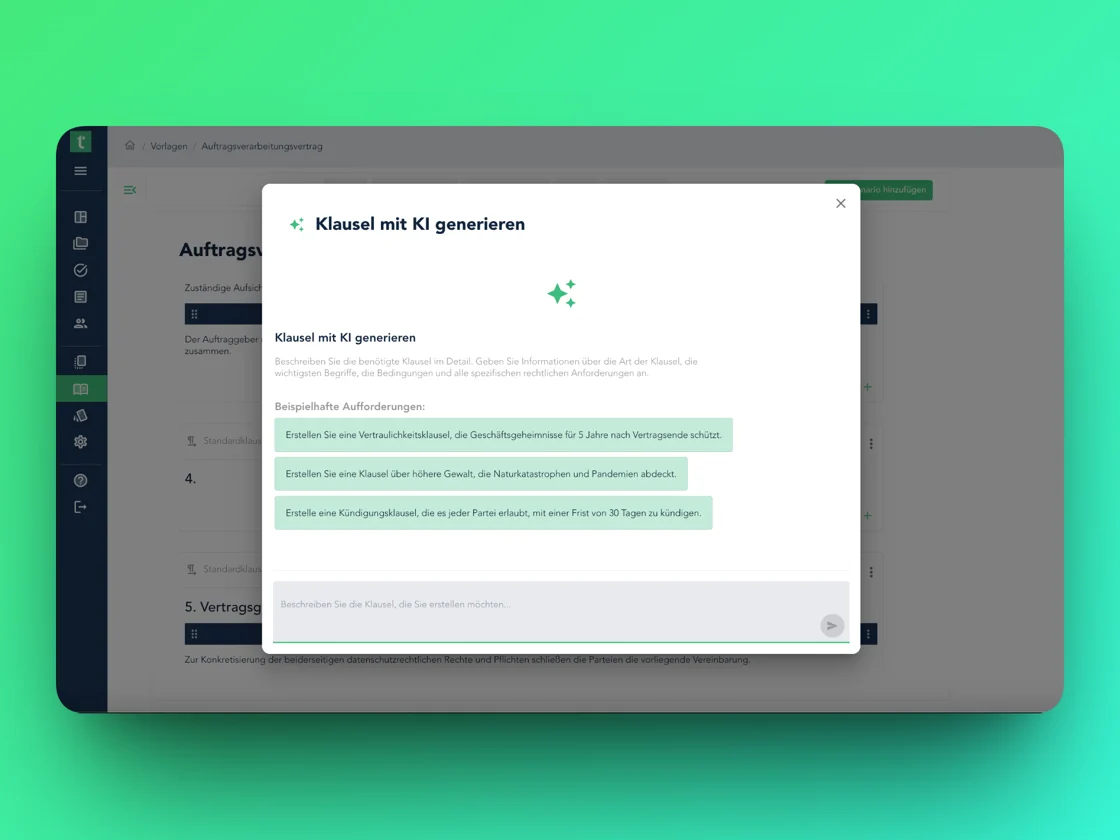
AI-assisted clause creation in the playbook editor
Clauses can be created directly with AI support. Select existing passages and rephrase them with AI – ideal for refining wording without leaving the editor.
Share contracts: signing only
External parties get access only to the contract they need to sign – without visibility into the rest of the dealroom. Configurable per contract and recipient directly in the sharing options.
Contracts without a dealroom
Contracts can now be uploaded without a dealroom assignment. They appear in the new "No deal" section with quick preview and can be assigned to a deal later.
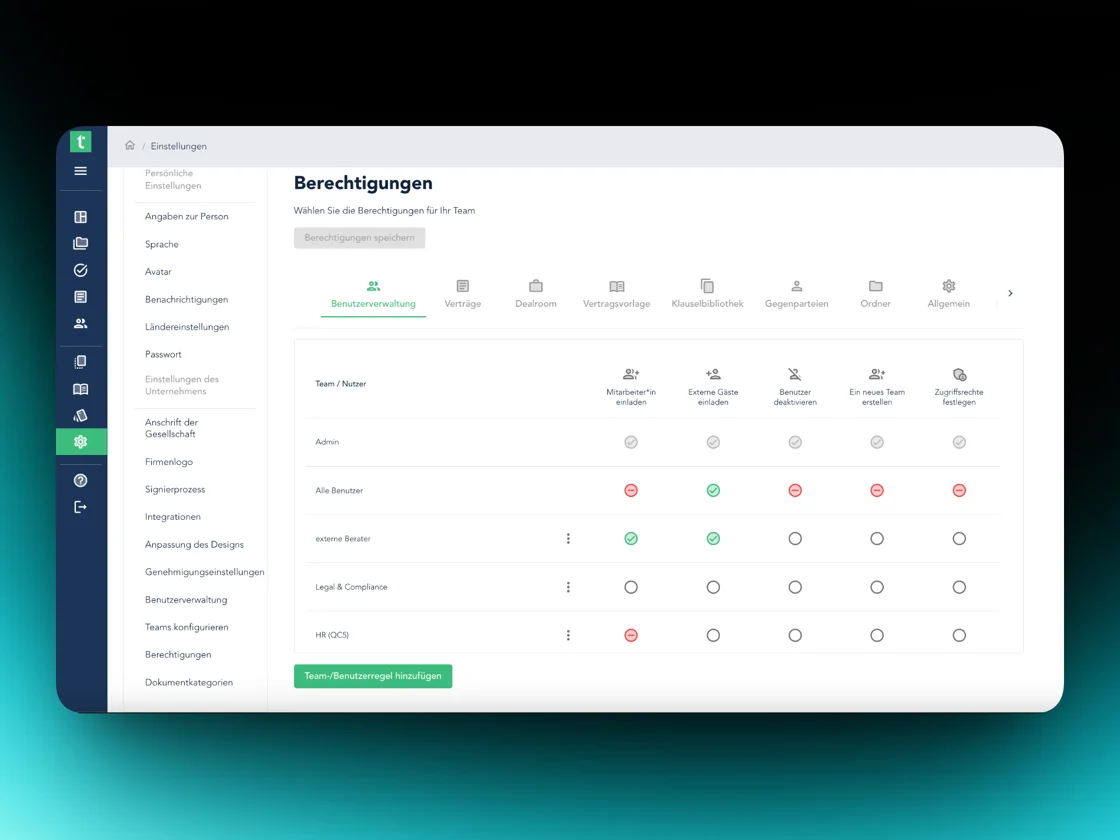
Revised permission system
Access rights are now more clearly structured, easier to manage, and more traceable. Recommendation: take a quick look at your existing permission settings.
January 2026 ②
Major ReleaseCollaborative work, AI-based approvals & smarter contract organisation
Our biggest dealroom release to date. Collaborative editing directly in the document, AI-powered review and approval flows, plus new ways to organise contracts.
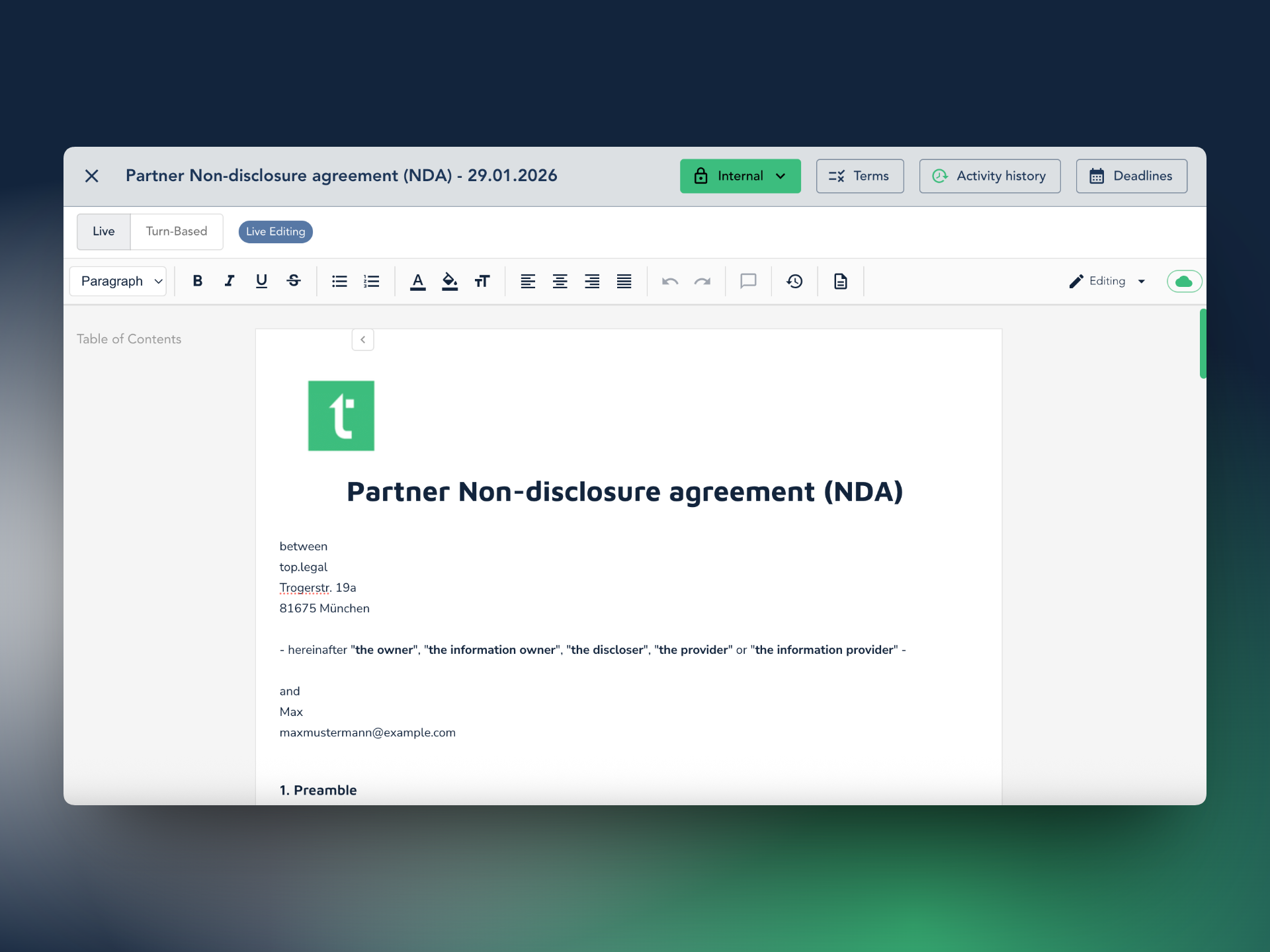
New dealroom editor – collaborative editing
- Live editing: multiple parties work on the same document simultaneously – including externally.
- Round-based editing: control who can make changes and when.
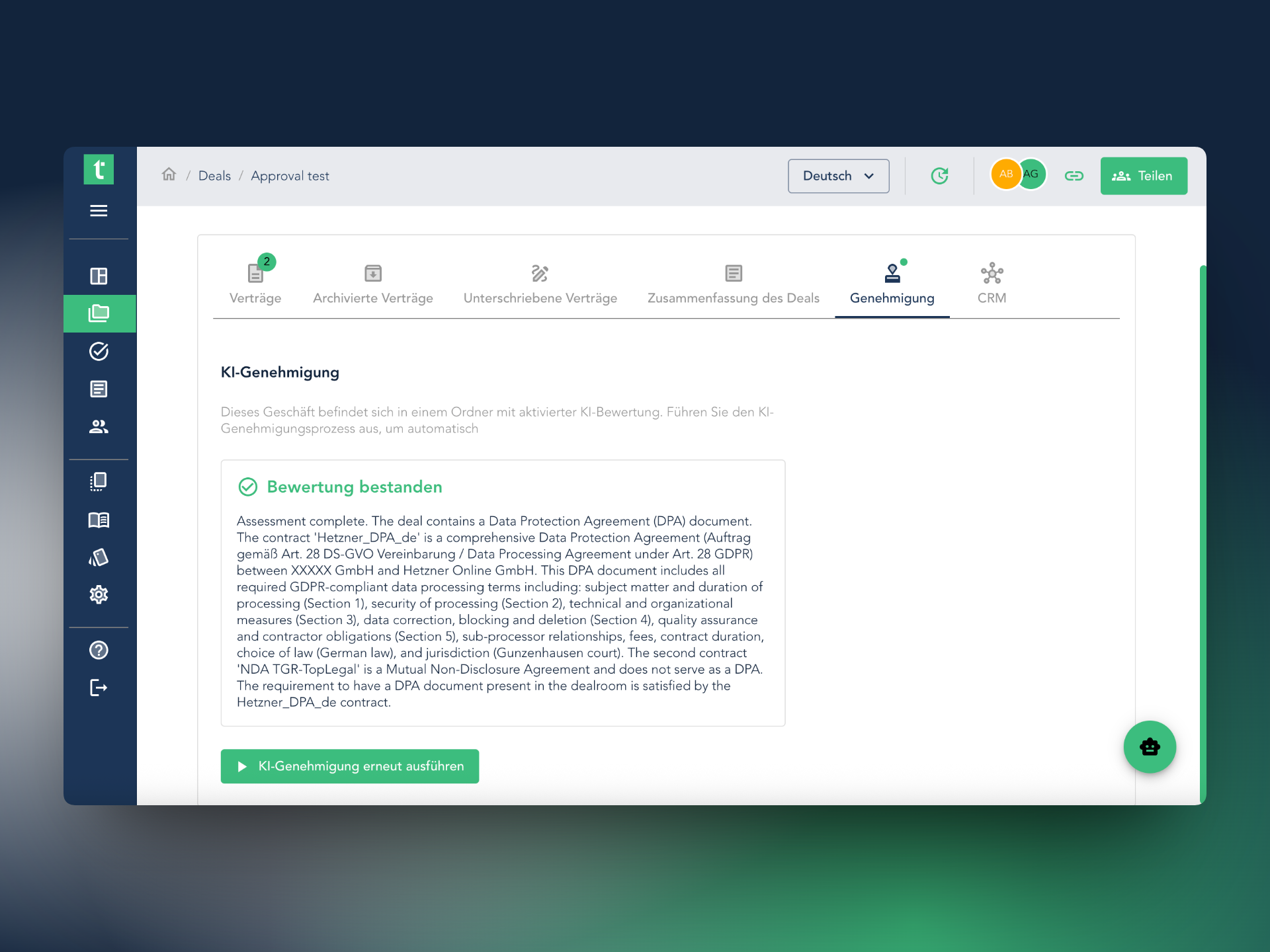
AI-based dealroom approval (AI Approval)
Define AI evaluation rules at folder level. The AI automatically reviews every document against your criteria – on approval, share or start the signature flow directly.
Word files in the dealroom: upload, edit & negotiate
Word documents (.docx) can be uploaded straight into the dealroom. Continue editing, commenting and actively involving them in negotiations – including changes from other parties.
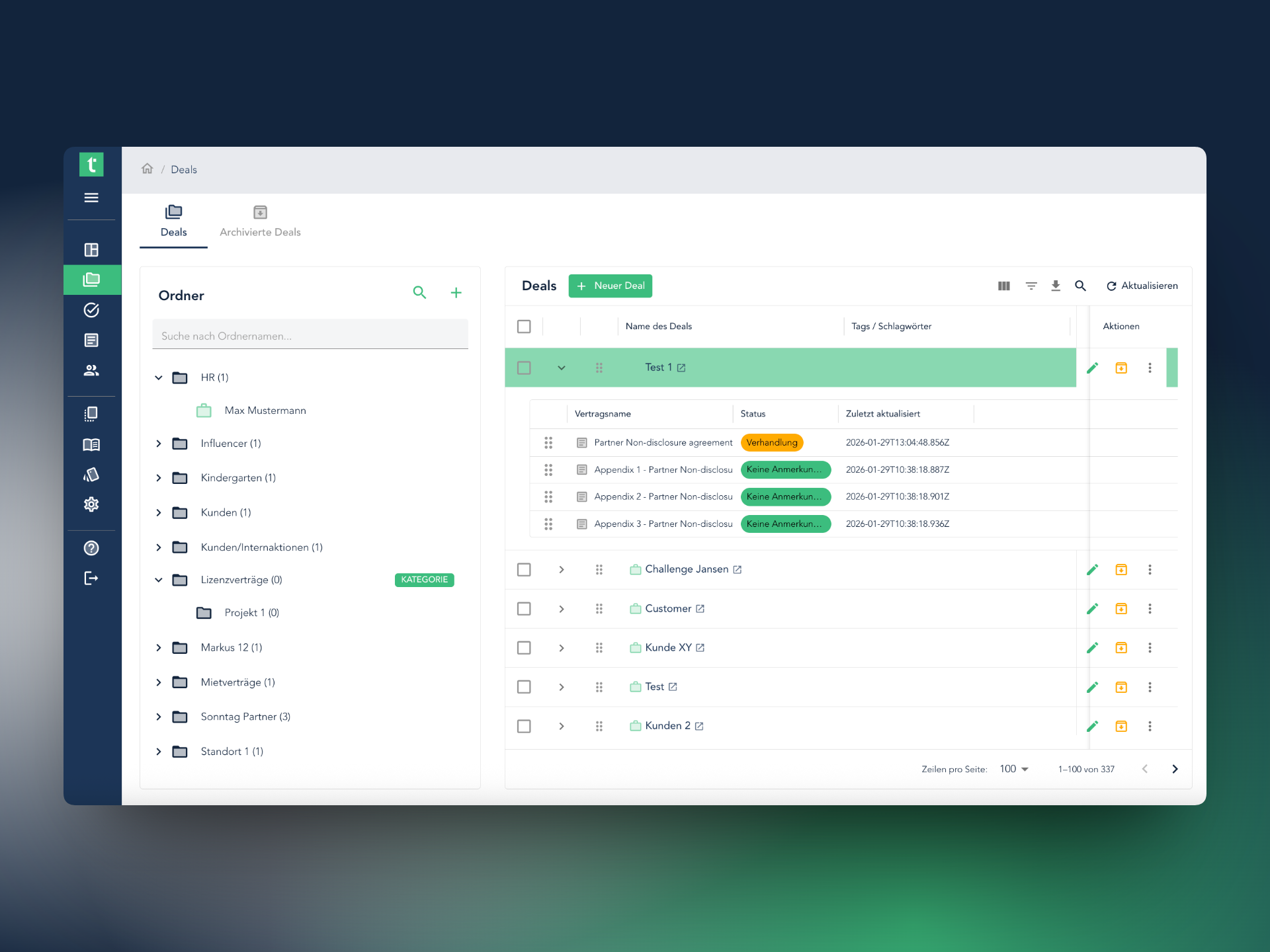
New deal overview in folders incl. drag & drop
Dealrooms are shown directly in the folder view without having to be opened. Move deals between folders via drag & drop.
Analytic Playbooks: new structure & AI editor
More clearly split into contract templates and extraction templates. The new AI editor helps build the right extraction logic – without technical know-how.
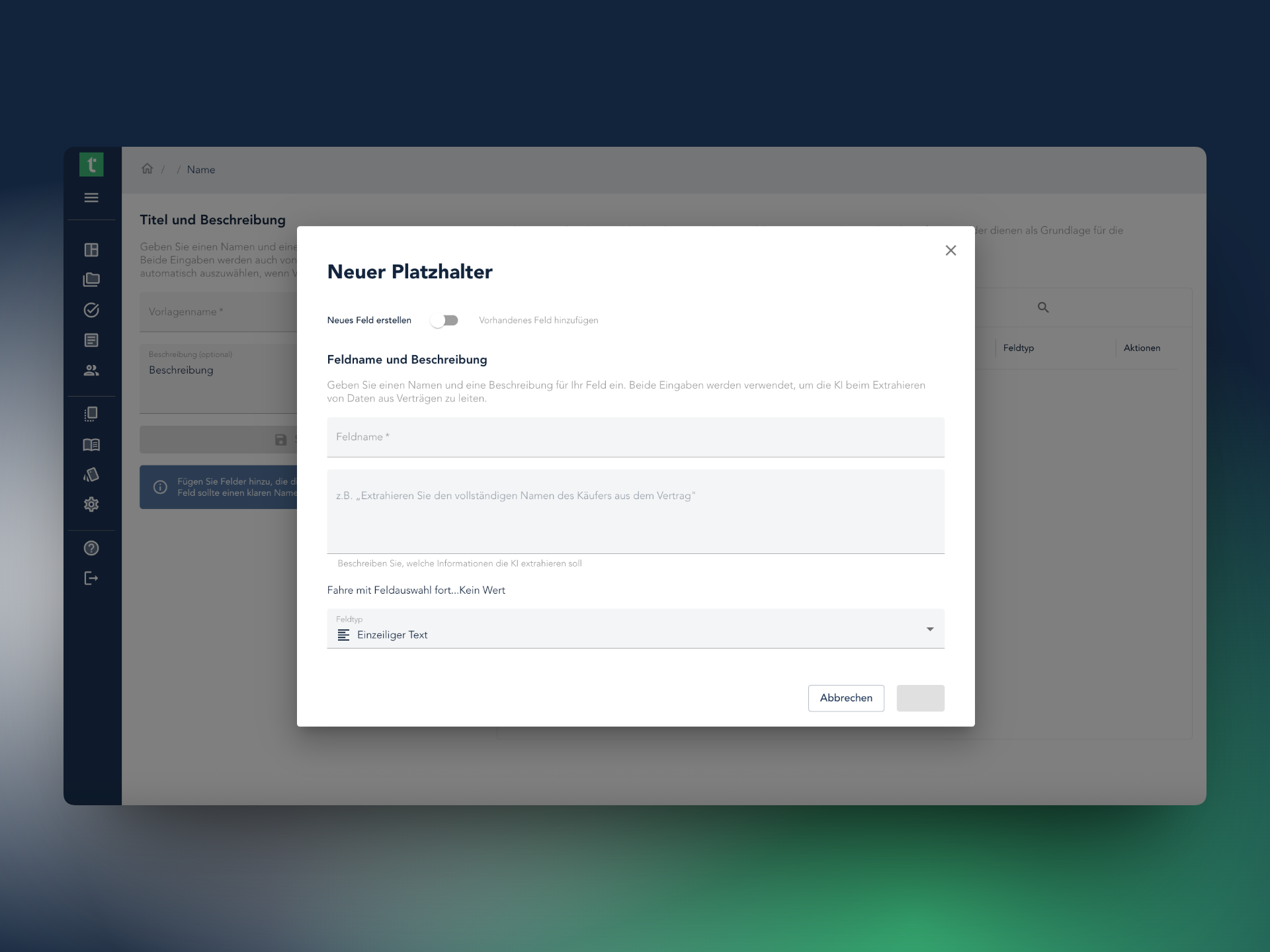
Automatic document filing by AI
Define categories to organise imported documents in a structured way. The AI assigns uploaded documents automatically based on title and description.
January 2026 ①
4 updatesExtended e-signature options (YouSign & Skribble)
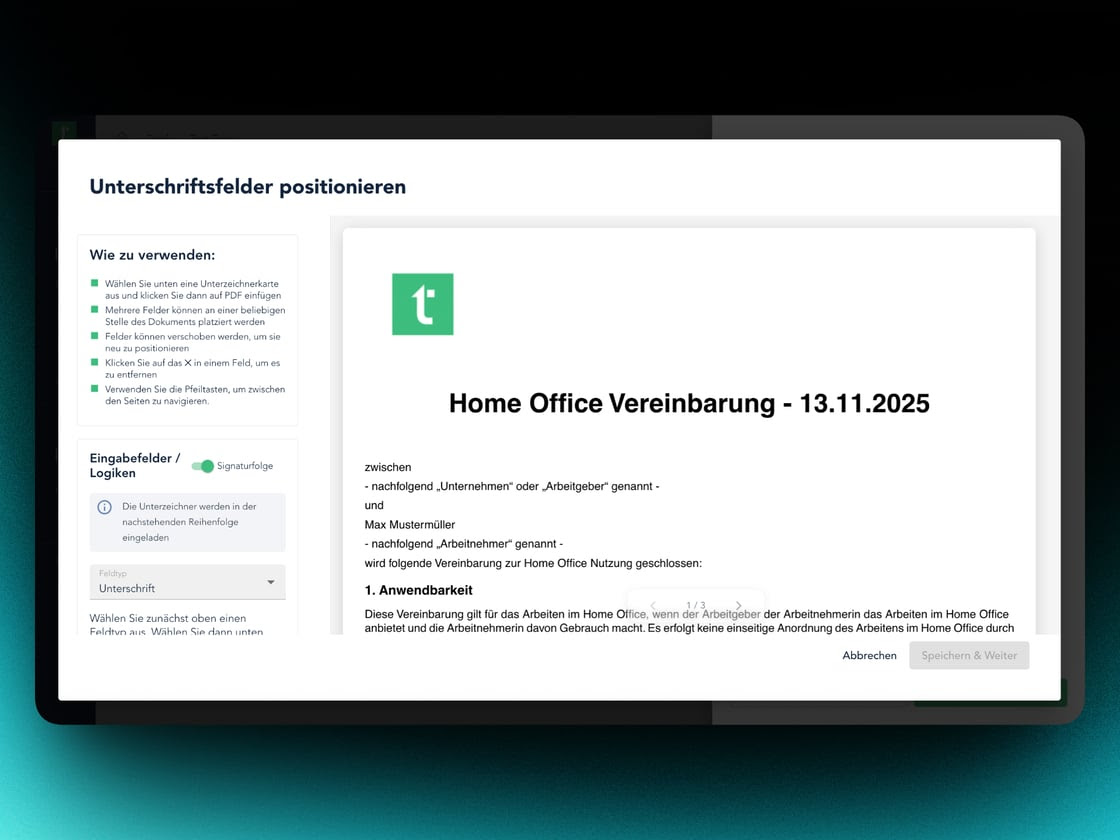
- Signing order (YouSign): set the sequence of signatories.
- Signing ID / header (YouSign): clearer attribution and improved auditability.
- Skribble directly from tasks: approve documents via Skribble straight from the task page.
Smarter template editor
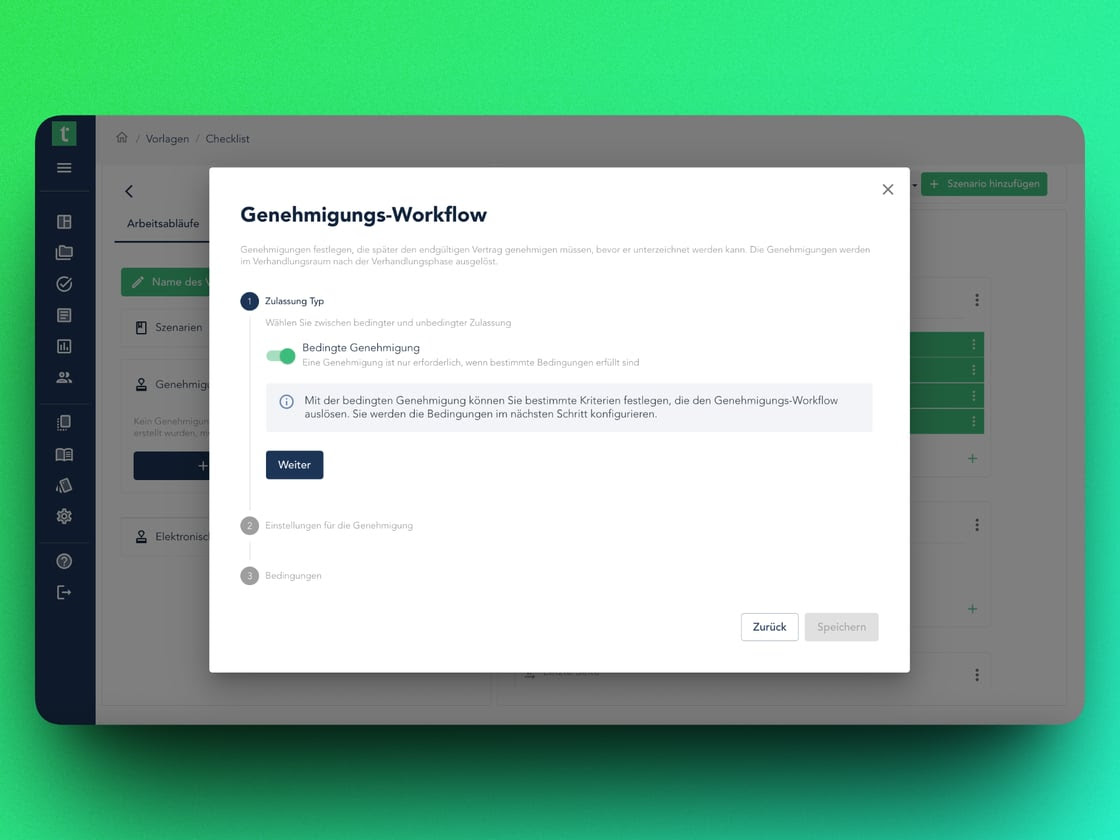
- Conditional approval workflow: templates can go through an internal approval before use.
- Direct playbook integration: new input fields immediately available in the playbook logic.
Dealroom upgrades & AI innovations
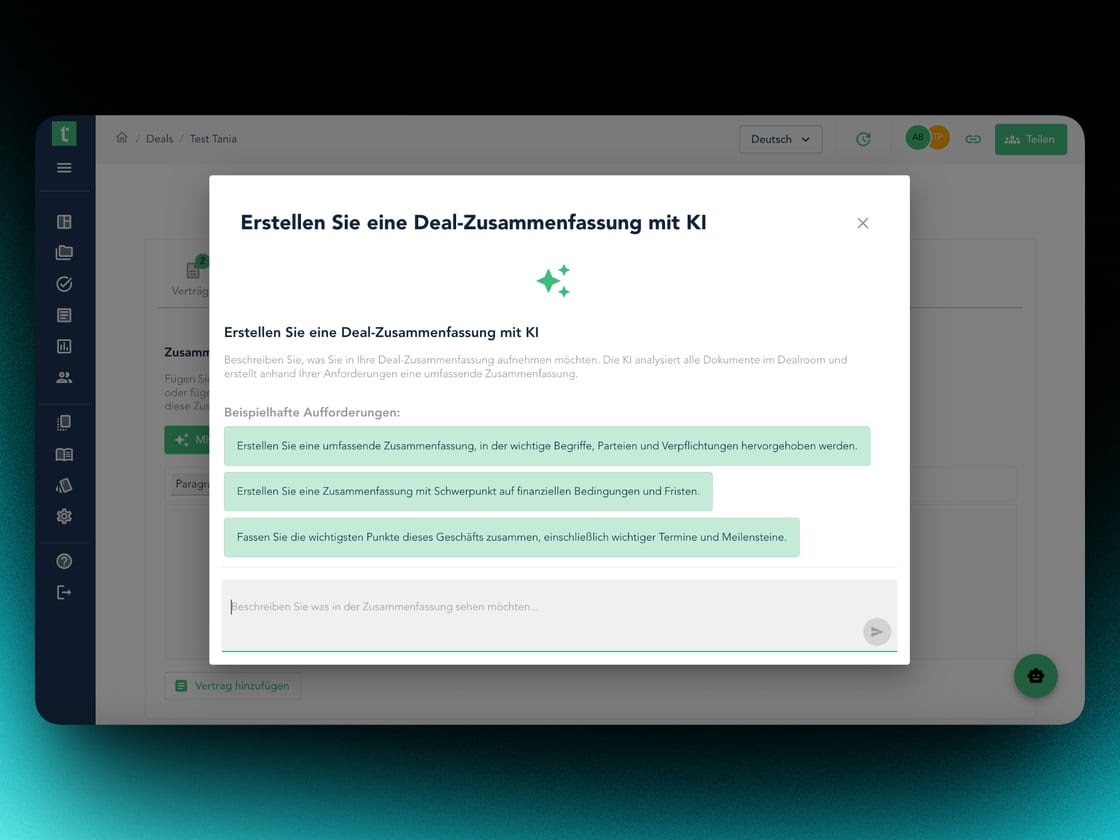
- AI deal summary: full summary of all dealroom documents at the push of a button.
- Subfolders: organise documents even more clearly in complex projects.
December 2025
Major ReleaseFrom QES signatures to intelligent playbook organisation
YouSign integration, a revolutionary template organisation, and a fully reworked task center.
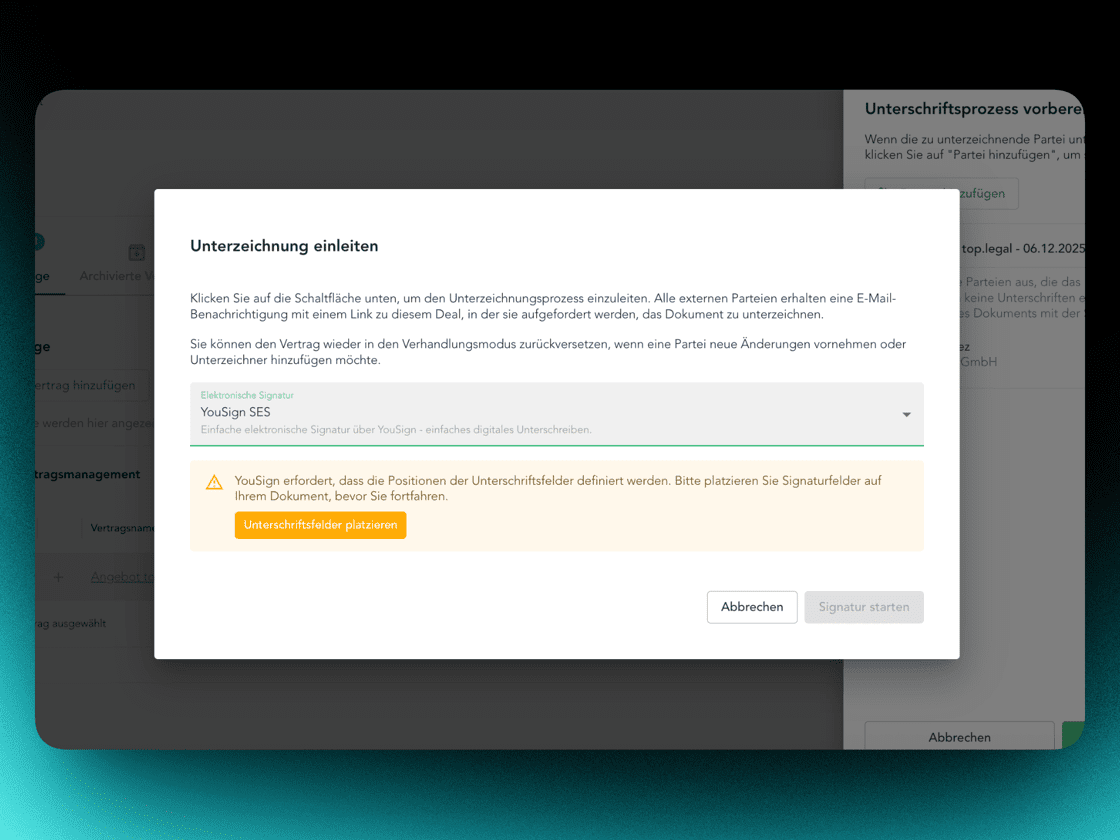
YouSign electronic signature integration
- Highest security standards: built-in identity checks for AES and QES signatures.
- Drag-and-drop: place signature, text and date fields with pixel precision in the PDF.
- Seamless workflow: the entire process inside the platform – no media break.
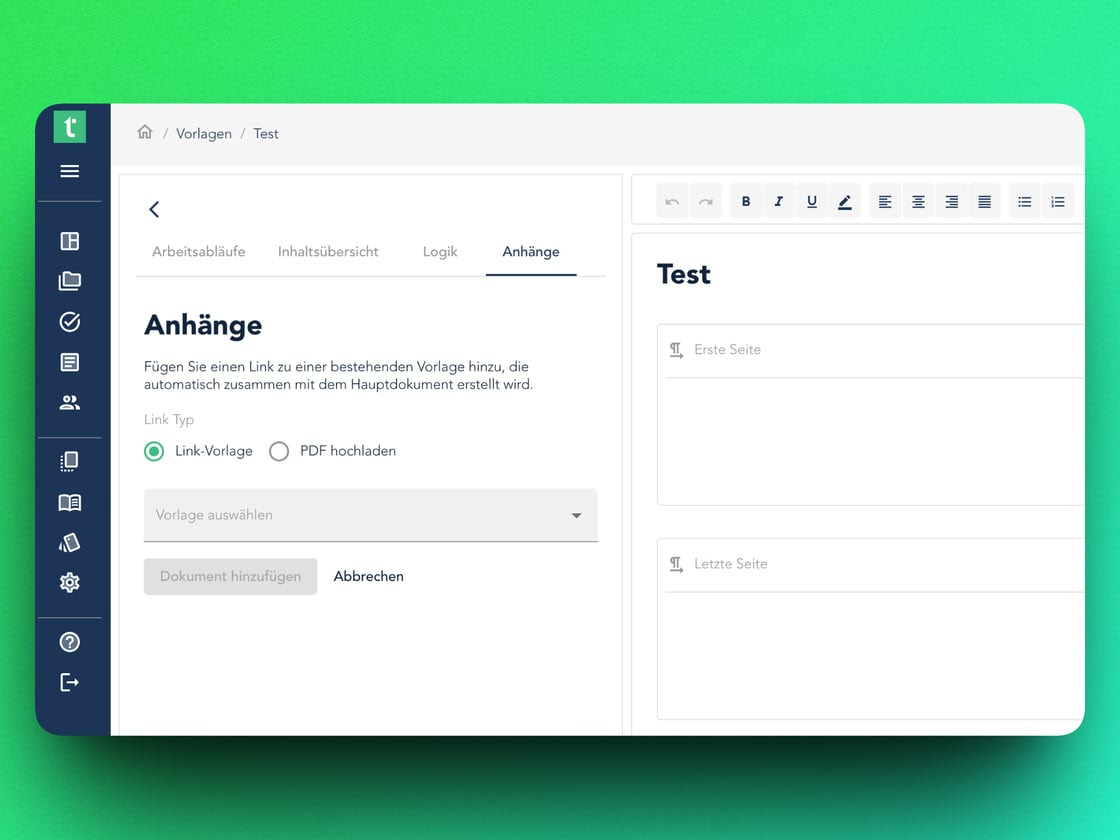
Playbook & template editor 2.0
- Tagging system: tag fields with labels like "GDPR", "Finance" or "Sales" and filter in a flash.
- Linked templates & attachments: automatic attachments with conditional logic – zero-touch in the dealroom.
Calculation fields
Contracts perform mathematical operations automatically. Real-time recalculation on quantity or price changes – complex dependencies between fields without manual math.
Dealroom & workflow improvements
- Comment workflow: approve, reject and delete suggestions with status filters.
- Tasks action center: sign and approve contracts directly from the task list.
November 2025
3 updates🎉 ISO/IEC 42001 certification
top.legal is the first AI-powered CLM platform in Europe with ANAB-accredited ISO/IEC 42001 certification – the international standard for AI management systems. Demonstrably safer, more responsible and more transparent use of AI.
AI improvements: deadline detection & term extraction
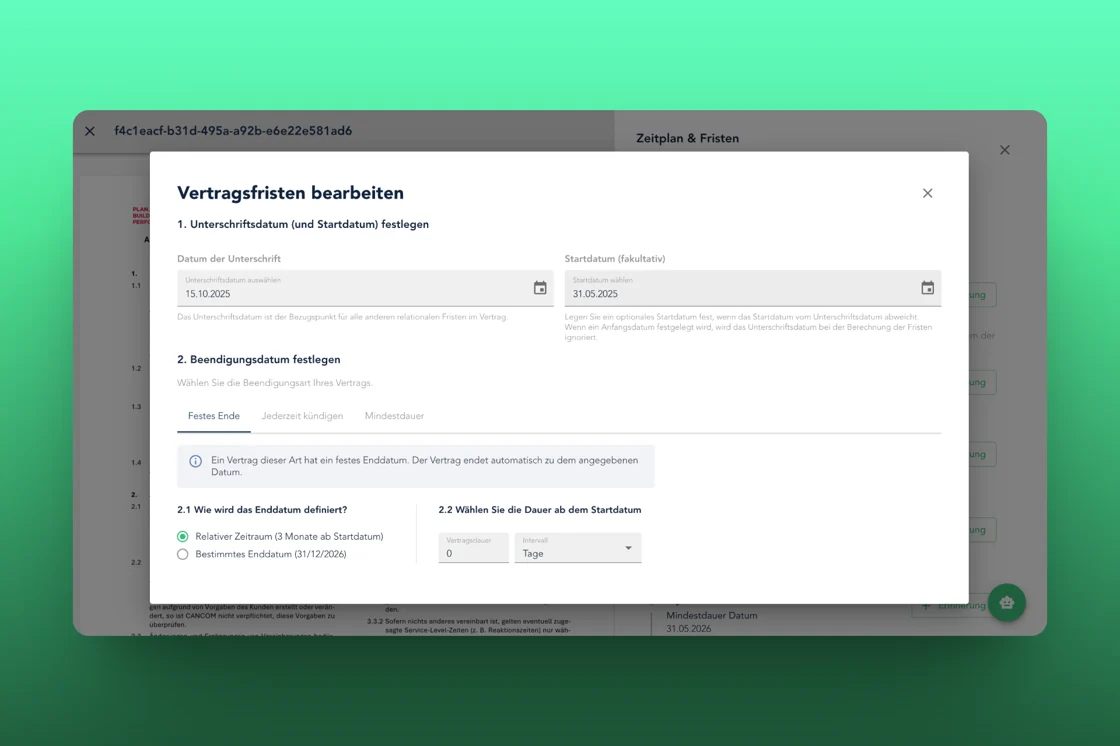
- More precise deadline detection: even for complex wording, nested time references and poorly structured documents.
- Real-time term extraction: specialist terms and key clauses shown immediately – no reload required.
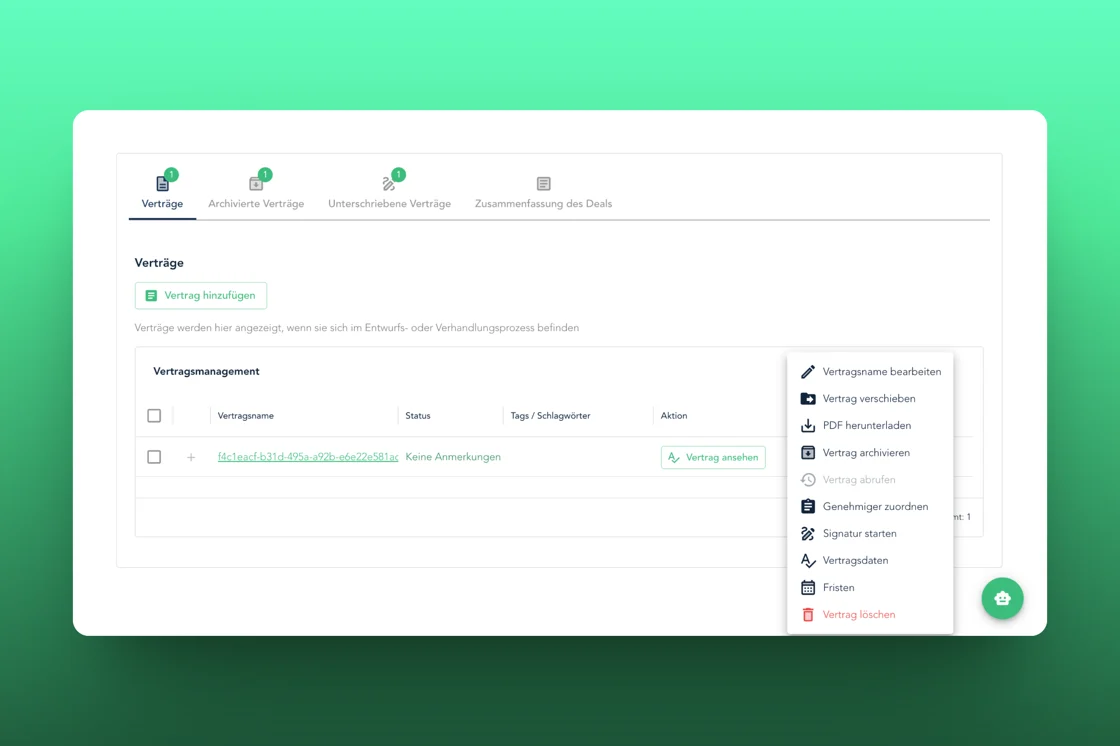
Dealroom upgrade: faster redlining & one-click actions
- Improved redlining: changes highlighted more clearly, with higher contrast and better structure.
- One-click actions: sign, reset, add a party – directly, without modals.
October 2025
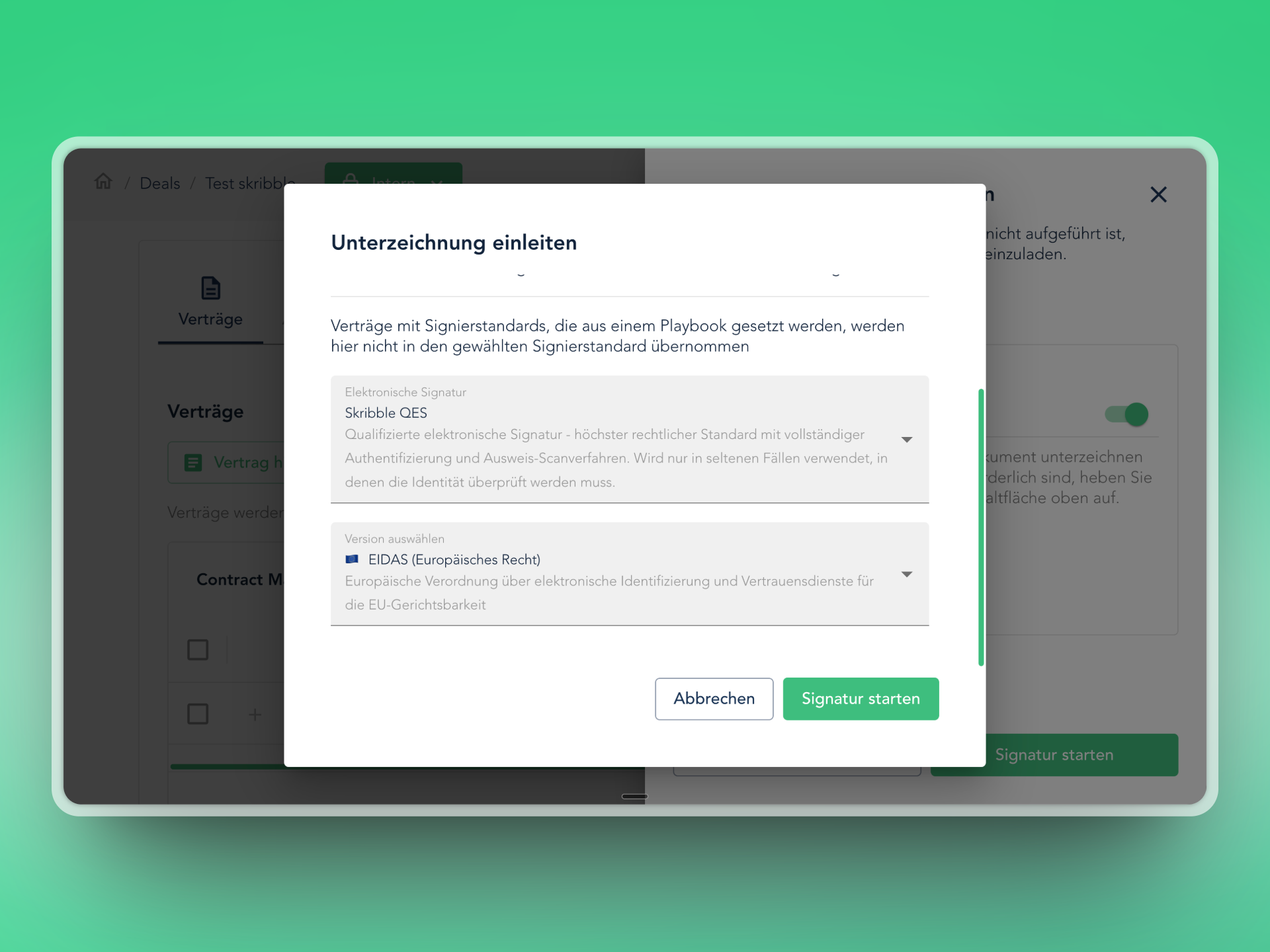
3 updatesSkribble integration in the dealroom
Choose between Skribble and the top.legal signature – directly in the dealroom, without leaving the platform. QES under eIDAS, legally valid and secure.
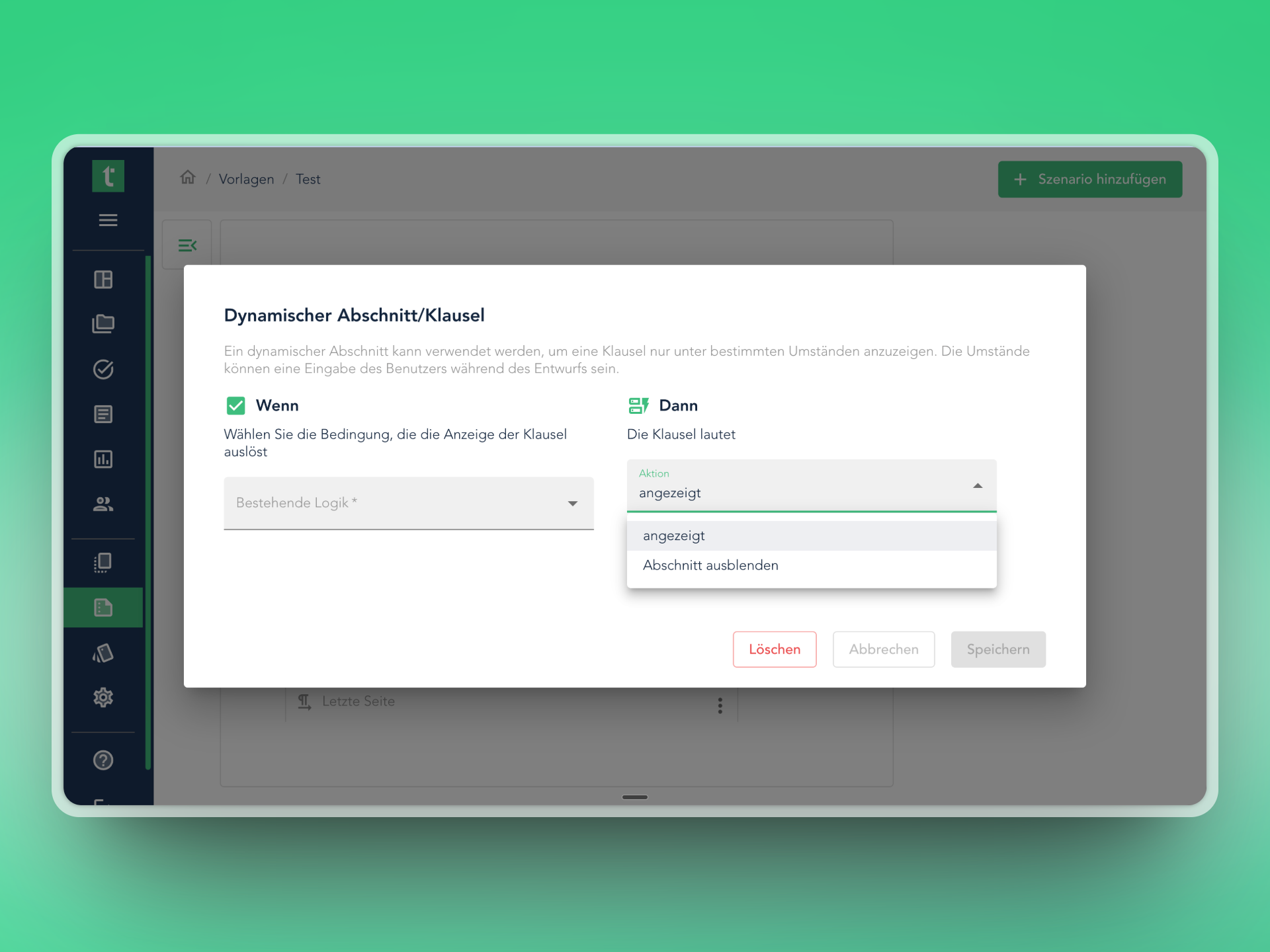
Dynamic clause expansions
Not only show, but also hide on demand: irrelevant contract sections disappear automatically. Clearer documents, fewer sources of error.
New SSO signup flow
Team members sign in with single sign-on in one click. No password chaos, centralised IT management, faster onboarding for new users.
September 2025
4 updatesDynamic clause insertion in negotiations
Right-click to insert a clause from the library directly into ongoing negotiations. Add comments the same way.
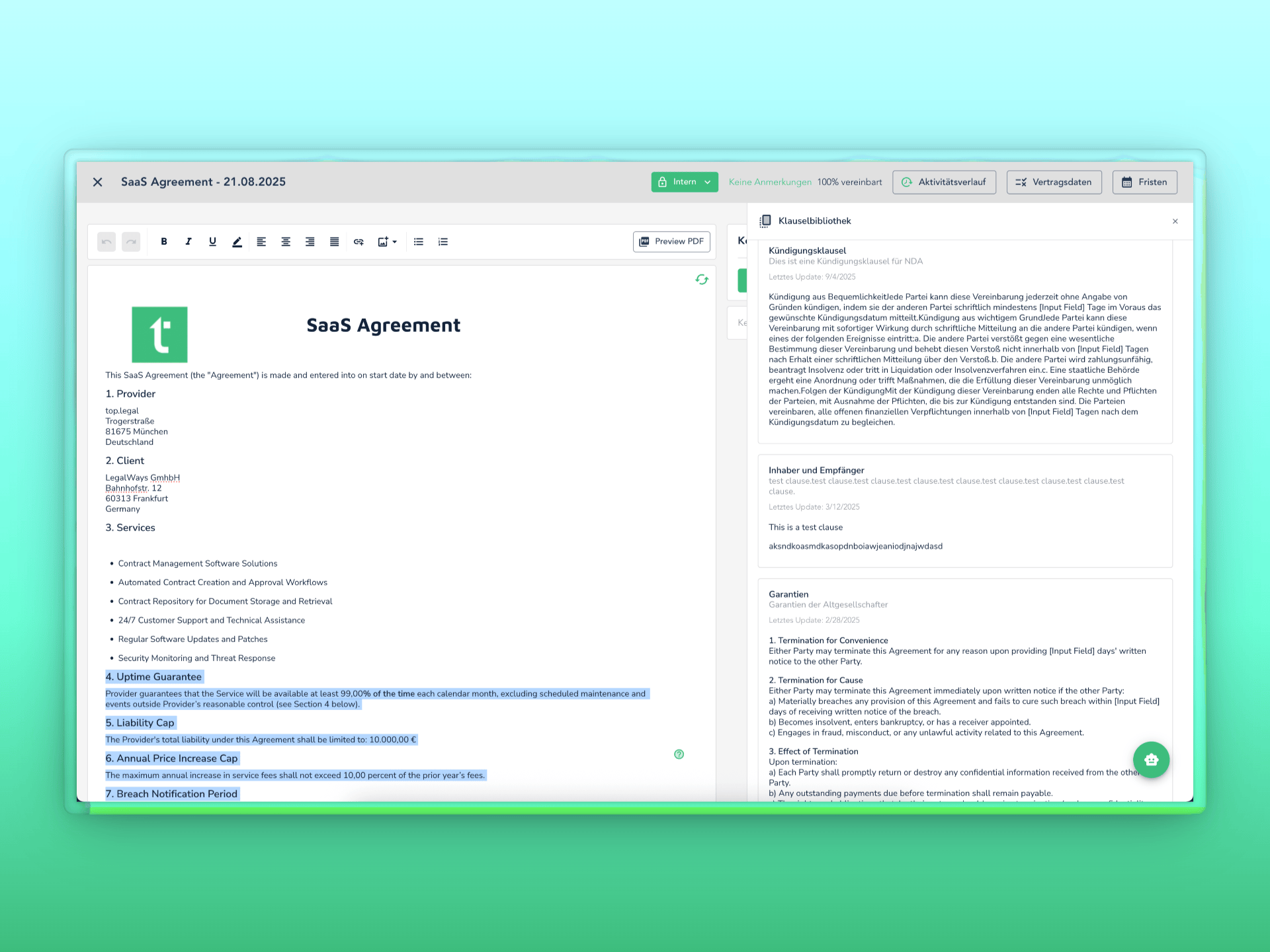
Individual commenting for internal and external parties
The clause library now supports seamless collaboration between internal and external participants with communication directly inside each clause.
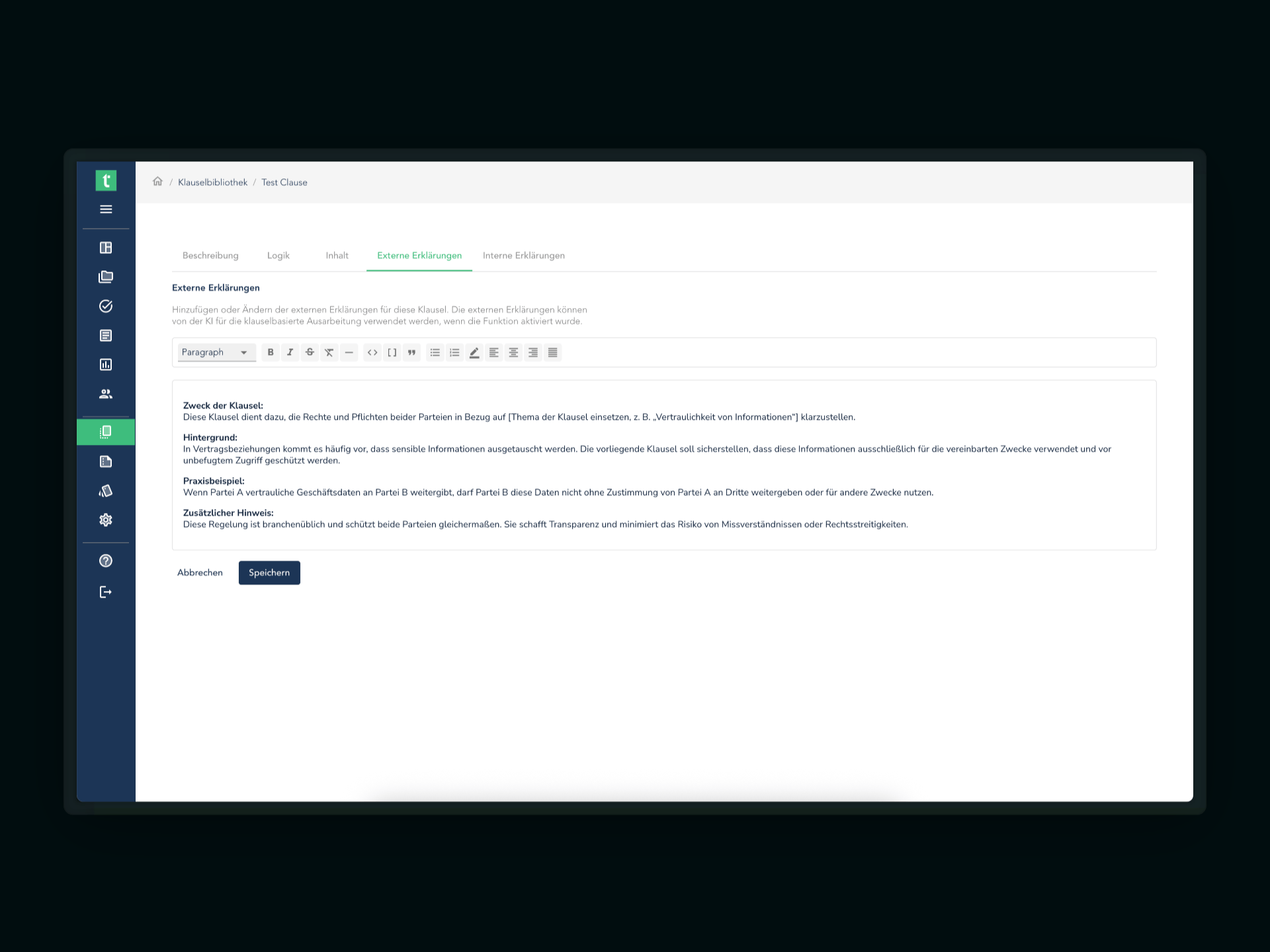
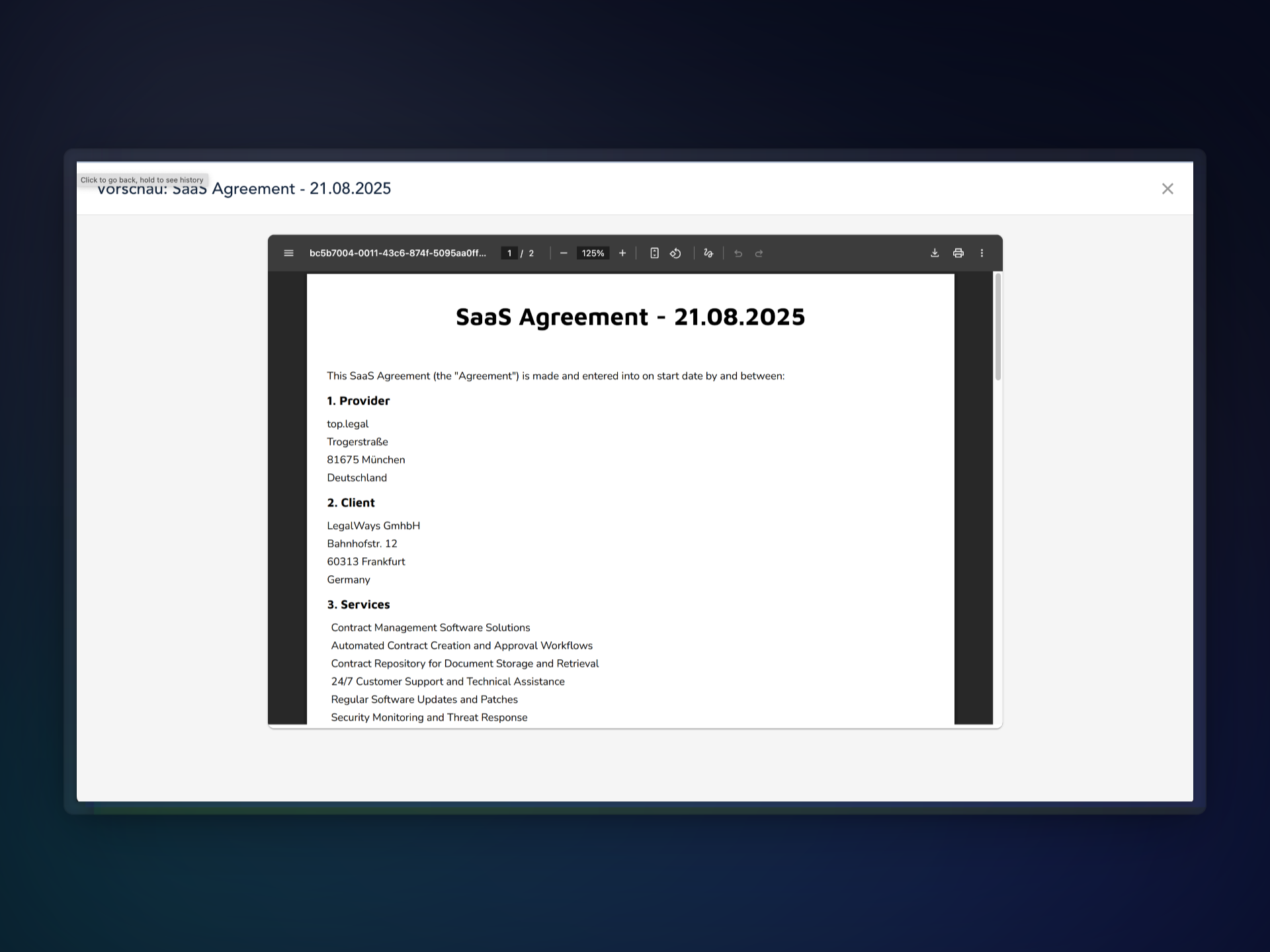
View in-progress contracts as PDF
Preview contracts while still being drafted as PDF – a clear impression of the finished contract. Download or print directly.
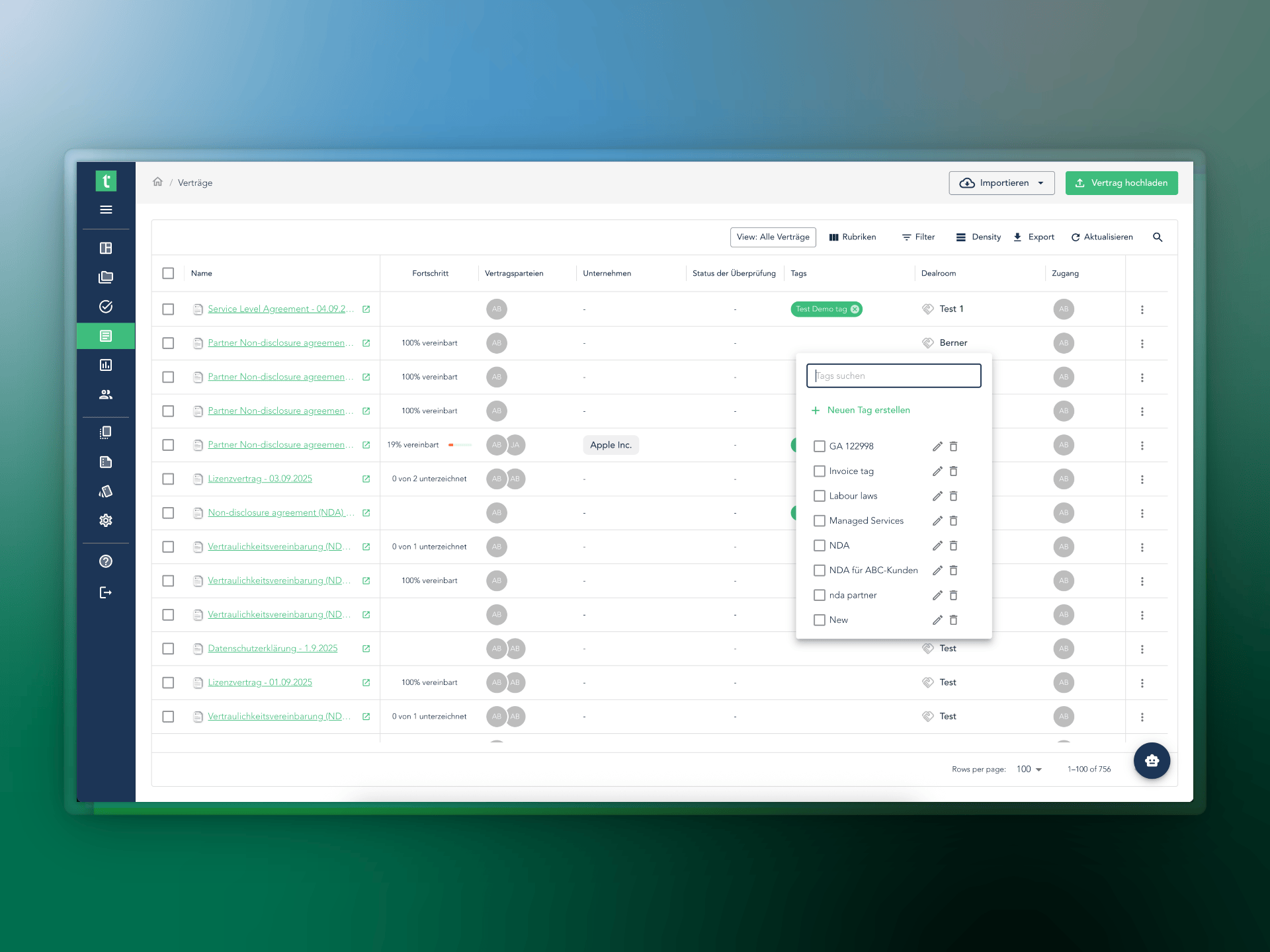
Improved tag management
Edit and delete tags, with more control and flexibility. Tags already created aren't duplicated – a clean, consistent tagging system.
August 2025
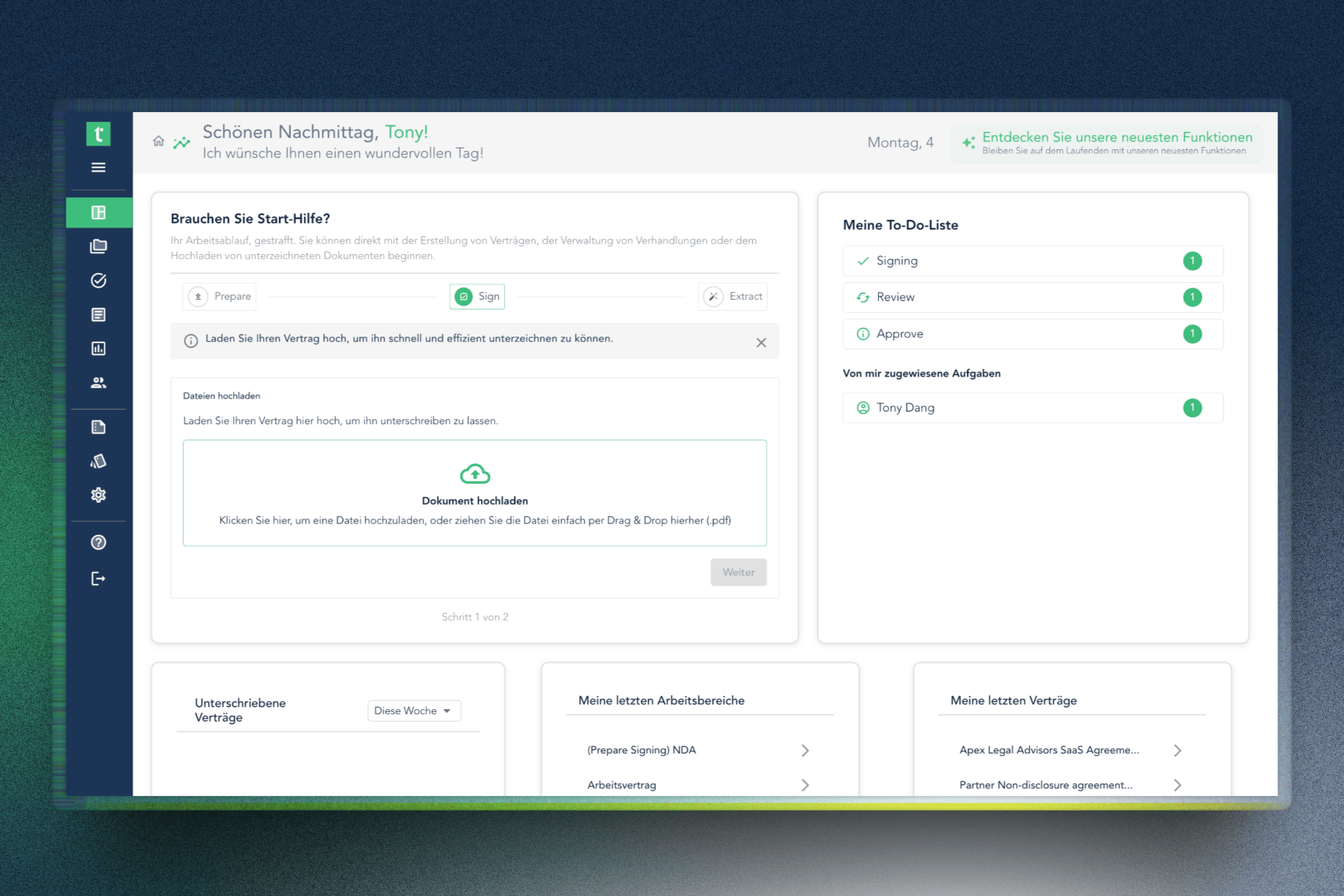
3 updates📊 New dashboard: everything important at a glance
Instant overview of the most important contract processes: ongoing tasks, upcoming deadlines, open to-dos – central, clear and individually composed.
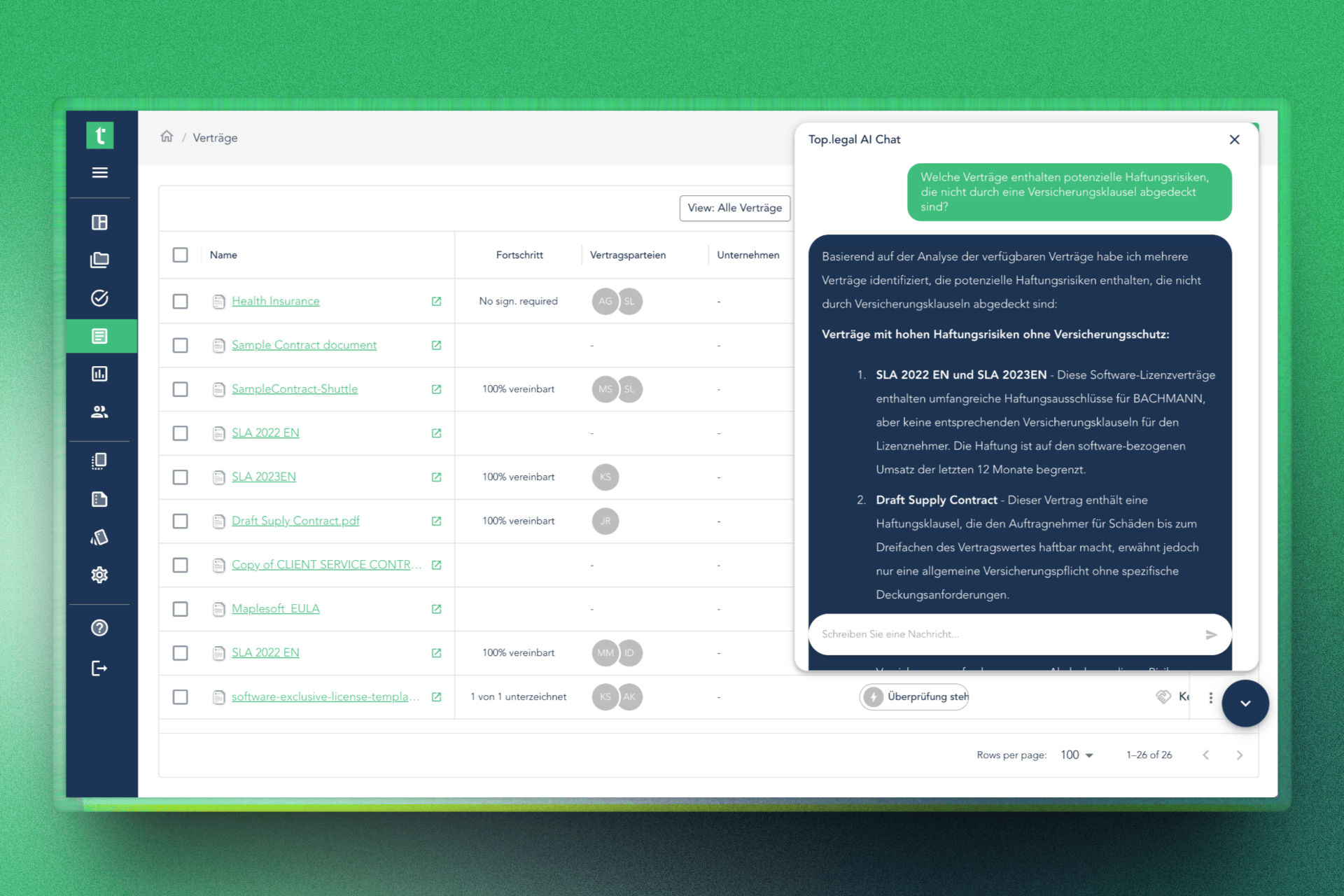
💡 Smart AI chat
- In the contract archive: questions like "Which contracts don't contain an insurance clause?" – the right documents instantly.
- In the dealroom: insights into risks across ongoing negotiations.
- In a single contract: liability, deadlines and missing clauses shown directly.
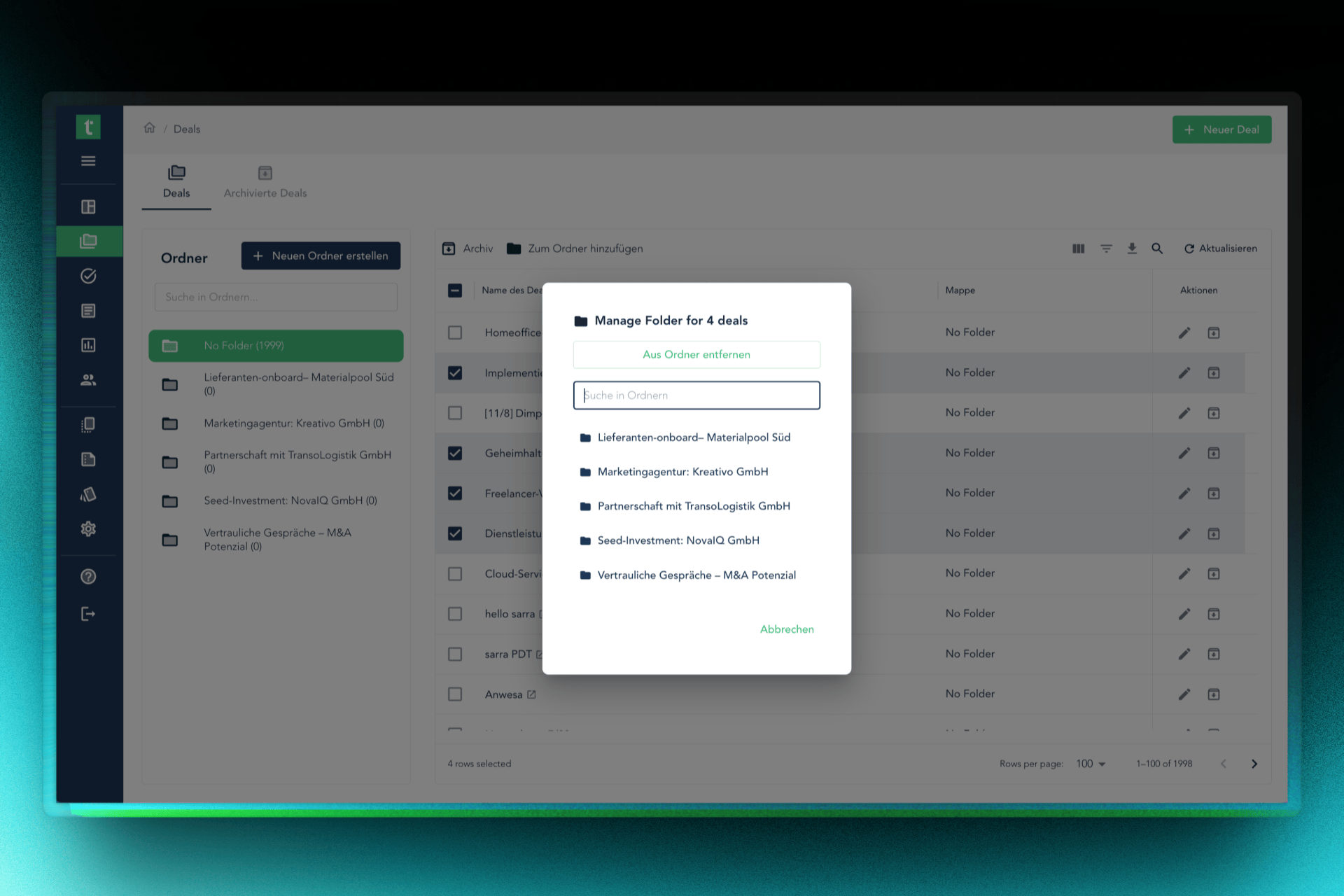
🗂️ Improved folder management
Create and name folders in a few clicks, move multiple deals at once. Organise flexibly – whether for onboarding, customer negotiations, or due diligence.
May 2025
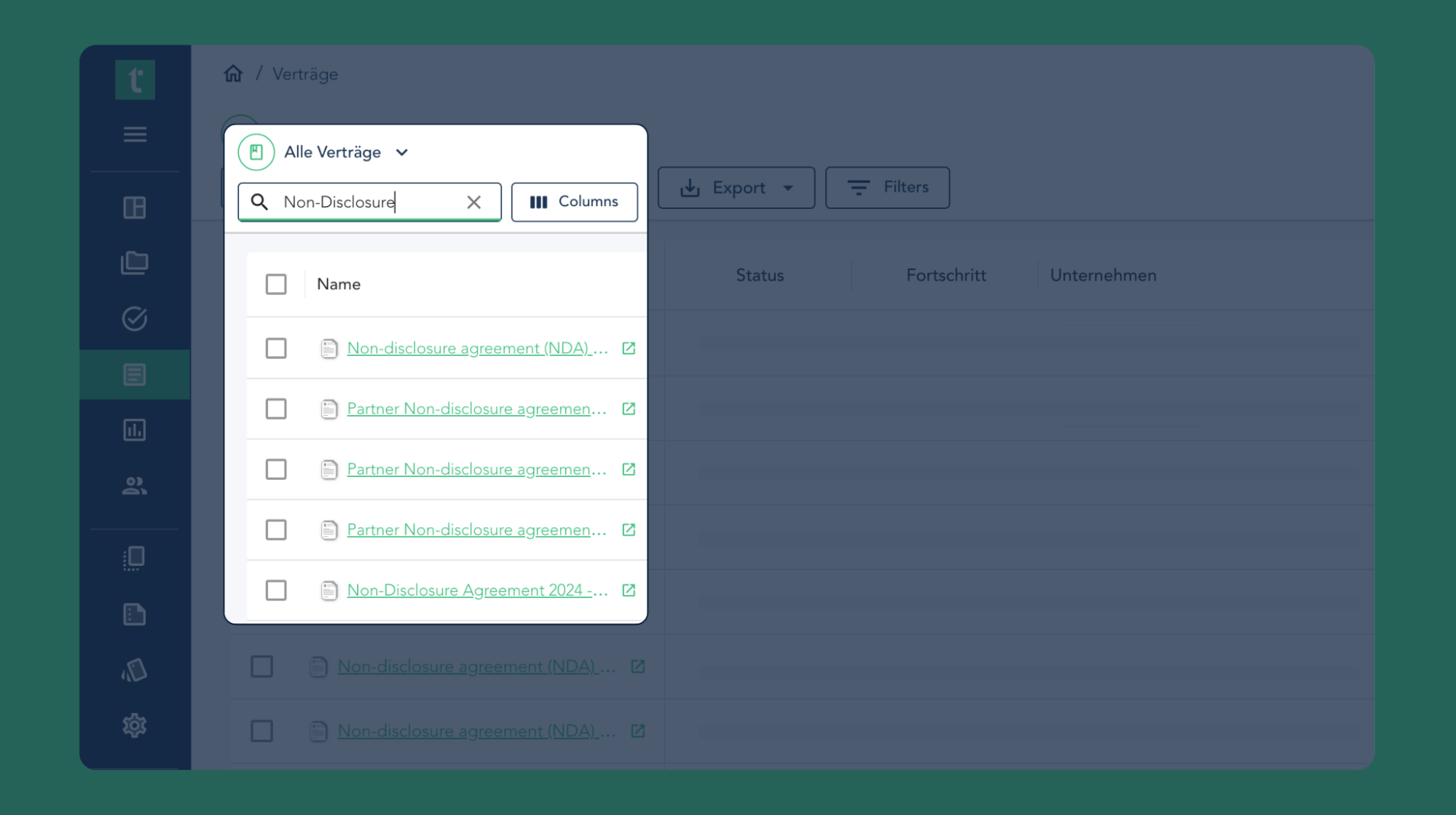
3 updatesFind what matters, faster
The reworked search is noticeably faster and delivers more precise results – instantly. A more efficient workflow without detours.
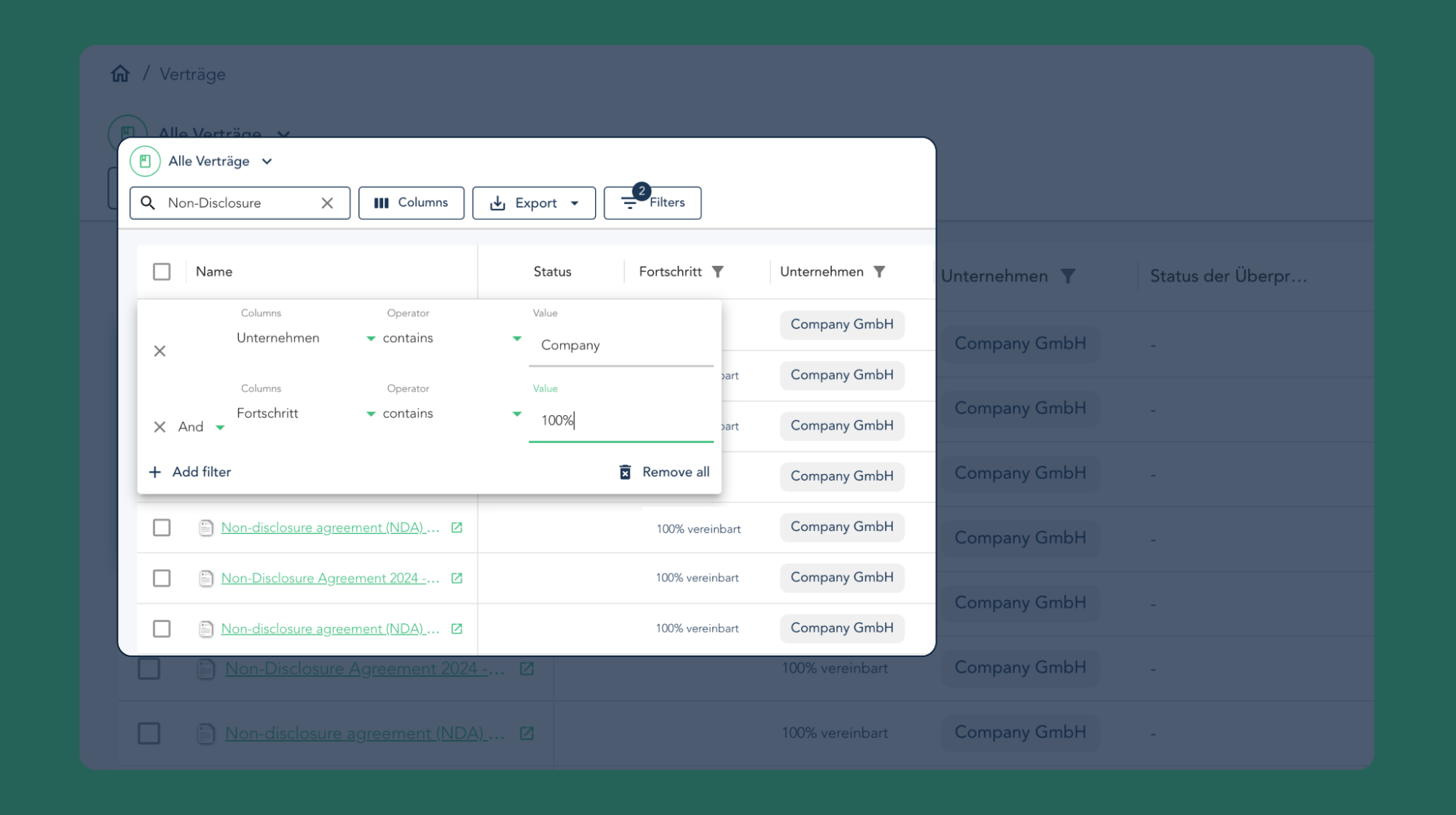
Smarter filters for better results
Filtering has been completely redesigned: easier to use, more powerful, more precise results.
New deadline view
Sort by deadlines – the most important tasks and deadlines always within reach.
April 2025
1 updateContract repository: more control, better overview
- Export contract lists directly as CSV or Excel
- Pin important columns to the left or right
- Switch between column and list view with one click
March 2025
2 updatesActive and inactive accounts at a glance
In user management you can see immediately which accounts are active or inactive – full control, a team that's always informed.
Download multiple contracts at once
Save time: download several contracts at once as PDF or .docx – one download instead of many.