
PandaDoc is well-known proposal and document software — but not the only option. We compare five strong PandaDoc alternatives for eSignature and contract management, with features, pricing, and the company size each one fits best.
Although PandaDoc is well-known offering software, it is not the only software available. There are several PandaDoc alternatives, which should be considered in the area of eSignature and Contract Management.
It would take hours to thoroughly evaluate every single piece of software. So we've shortlisted the five best PandaDoc alternatives to help you choose the one that fits your team and offers the features you need. For a broader view of the market, see our contract management software comparison.
What is PandaDoc?
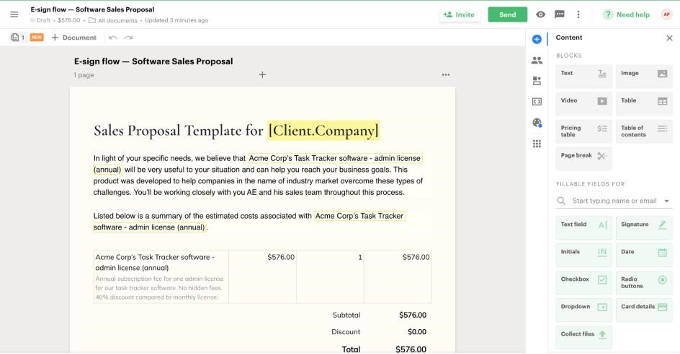
With advanced features that make it easy to create, track, and execute offers, estimates, contracts, e-signatures, and other important business transaction documents, PandaDoc has become the document management software of choice for thousands of users, including some well-known names, since its inception in 2013.
Shortcomings of PandaDoc:
- Once a document has been sent, it can no longer be changed, so any errors remain on the suggestion.
- It is not possible to negotiate within the platform; instead, the documents must be downloaded as .docx files and uploaded again after the negotiation.
- PandaDoc lacks metadata, which makes it difficult to extract accurate information and can lead to errors.
- There are no conditional paragraphs or process logics.
- Users often report that some suggestions end up in spam emails, which lengthens the process of signing documents.
The 5 Best PandaDoc Alternatives for Contract Management
Here are some of the best alternatives to look at if you're interested in PandaDoc's features but aren't entirely convinced by its services. The prices below are accurate as of June 2026 — always check the current terms with each provider.
1. top.legal
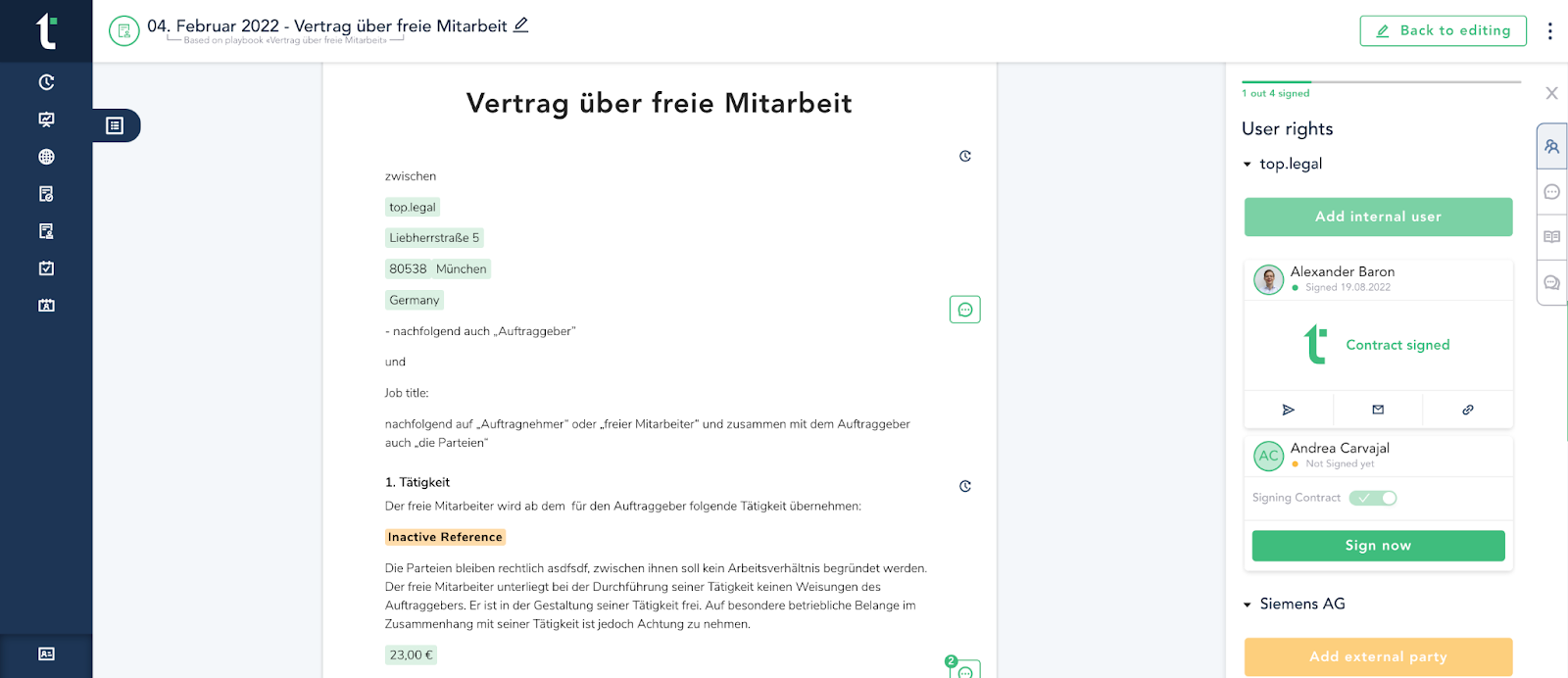
top.legal digitizes the entire contract process. This enables you and your teams from the legal, sales, and HR departments to reach agreements with contractual partners faster and with greater negotiating power.
Key features:
- Collaborate and negotiate without leaving the browser: Edit documents using tags, add internal and external comments, and have real-time chats with the other party about contract terms.
- Intelligent variables, parameters and a ready-made clause library: Facilitate the rapid preparation of an error-free contract document using a predefined set of contract clauses and templates.
- Designed to support and empower legal and sales departments: Legal and sales teams can let their people create and manage contracts independently without losing control.
- Advanced search tools: Make it easier to find data quickly. In addition, the documents can be edited if necessary.
- There is no additional fee for an electronic signature: This important feature is already included without having to buy additional licenses. Plus, you can use it anytime and on any device!
- Suitable for: Companies of all sizes
- Pricing: Starts at €100 per user per month. You can choose between a standard, negotiation, or manager account. A free demo is available.
See the head-to-head breakdown in our top.legal vs. PandaDoc comparison.
2. Contractbook
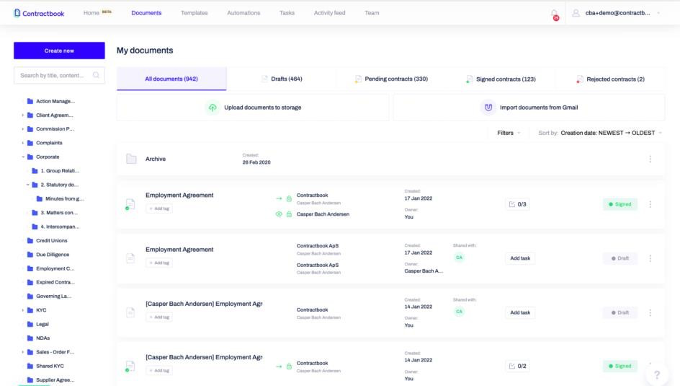
Contractbook creates a uniform workflow for a platform for the entire contract life cycle. The system works with all parties involved on a single platform and negotiates the best possible contracts.
Key features:
- Flawless contract agreement: With the help of contract templates, you can create an error-free contract in a very short time.
- Store old and new documents securely in the cloud: It's easy to manage, access, and archive your legal documents in a GDPR-compliant way.
- Enable automatic notifications: With this function, you can keep track of your obligations.
- Easier access to contracts: Create special folders—or automatically move them to Google Drive after signing.
- Suitable for: medium and large companies
- Pricing: Starts at €399 per month (the "Centralize" plan, billed annually) for up to five users; extra user packages and integrations such as Salesforce or API access are available as add-ons.
3. Docusign
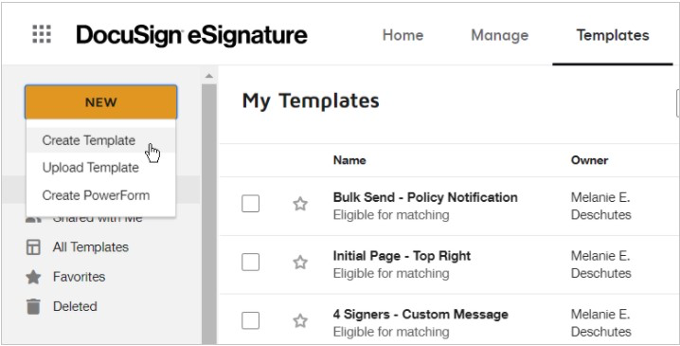
Docusign brought electronic signatures to a broad audience. Since the company started out in 2003 it has expanded its offering considerably — for example through the acquisition of CLM provider SpringCM, and since 2024 with its AI-powered "Intelligent Agreement Management" (IAM) platform.
Key features:
- Edit documents electronically: Contracts or agreements can be changed without having to print them out and sign them by hand, which would otherwise disrupt the document workflow.
- PDF conversion: Docusign automatically recognizes form fields and converts them into signature fields. This saves a lot of time when preparing documents for signature.
- Template management: Docusign has a large content library with plenty of reusable templates.
- Suitable for: Medium and large companies.
- Pricing: The Personal plan starts at $10 per month, Standard at $25 and Business Pro at $40 per user per month (billed annually). The IAM plans with AI features sit above these.
4. Formstack
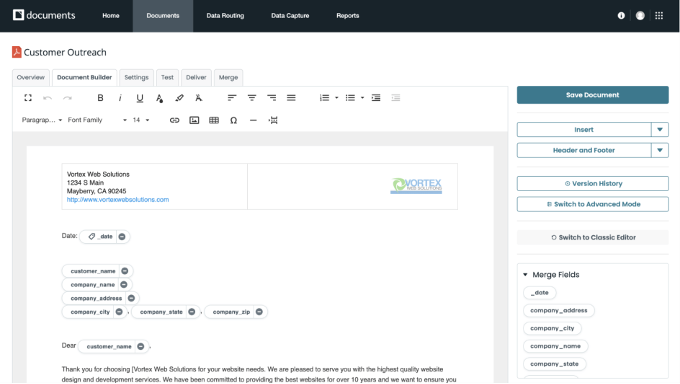
With Formstack Documents, you can create personalized documents and deliver them anywhere. The “Documents” feature is adaptable enough to meet your company's needs — from offers and applications to invoices and tickets.
Key features:
- Create documents with ease: Upload your Word, Excel, or PowerPoint files and use your favorite cloud apps to dynamically fill them with information.
- Work easily across teams: Automate many different types of documents. Streamline document and eSignature workflows across your organization.
- Advanced data forwarding: Easily create multiple documents from a single data feed, or use advanced data routing to combine files.
- Encrypting data: All information and documents are encrypted using 256-bit encryption at rest and TLS encryption during transmission.
- Suitable for: Medium and large companies
- Pricing: The Starter plan costs from $110 per month (two users, 150 document merges), Teams from $220 and Pro from $440 per month. A free trial is available.
5. Better Proposals
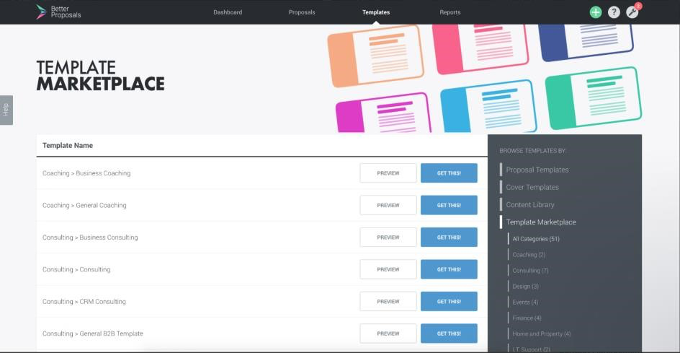
The goal of Better Proposals was to remove the frustration associated with writing offers. With a combination of pre-built templates and the ability to easily customize content, it allows sales reps to create and manage offers in a relatively straightforward way.
Key features:
- Design and send expertly written offers in minutes: Lots of customizable templates help you get started right away. You can also create your own template from scratch.
- Payment, CRM, and live chat integrations: This feature makes communication with customers much more convenient and efficient.
- Instant notification: Each time your proposal is opened, forwarded, printed, or signed, you can receive an email notification.
- Organize your sales pipeline: You and your team are able to closely track the status of the deal, determine whether or not your document was signed, and more.
- Suitable for: freelancers and medium-sized companies
- Pricing: The Starter plan begins at $13 per user per month, Premium at $21 and Enterprise at $42. A 14-day free trial is available.
Ready for the next step?
Book a demo with our team and see top.legal in action