
Google Drive stores contracts, but it doesn't manage them. Learn how to track versions, automate workflows, and ensure regulatory compliance with contract management software.
Do you know the moment when you're looking for a contract in your company's shared drive only to realize it's in the wrong folder? Or even worse: you finally find it and discover it's an outdated version? Managing contracts this way can be frustrating, especially as your business grows.
Many teams rely on tools like Google Drive to store contracts and think that's enough. But as more contracts pile up, the challenges get bigger — missed deadlines, approval bottlenecks, and compliance risks that no one saw coming. What starts out as a simple system can quickly become a burden.
So what is the difference between simply storing contracts and actually managing them? That is exactly what we are going to break down in this article. If your business depends on contracts (and honestly, who doesn't?), it's time to take a closer look at whether your current approach is helping you — or hindering you.
Google Drive vs. CLM software at a glance
Before we get into the detail, the table below shows the key differences between plain storage in Google Drive and real contract management with CLM software at a glance:
| Feature | Google Drive | CLM software |
|---|---|---|
| Storage | ✅ Contract filing and sharing | ✅ Central contract repository with structure |
| Automated workflows | ❌ Progress and approvals manual | ✅ Creation, approval, and execution automated |
| Approvals | ❌ Over email and comments | ✅ Built-in approval workflows |
| Search & metadata | ⚠️ Keyword search only | ✅ Search by metadata, clauses, and contract type |
| Compliance & audit trails | ❌ No tracking | ✅ Complete, tamper-proof audit trails |
| E-signature | ⚠️ Third-party tools only | ✅ Built into the workflow |
| Renewals & deadlines | ❌ No reminders | ✅ Automatic deadline reminders |
| Security & access | ⚠️ Folder-level permissions | ✅ Role-based, granular, encrypted |
Understanding Google Drive as contract storage
Google Drive is a popular cloud storage solution that businesses use to store and share documents. It's simple, accessible, and integrates well with other Google Workspace tools. For this reason, many companies use Google Drive to store contracts and use shared folders and structured naming conventions to keep things organized.
Frequent use of Google Drive for contracts by companies
Most companies that store contracts in Google Drive use it for:
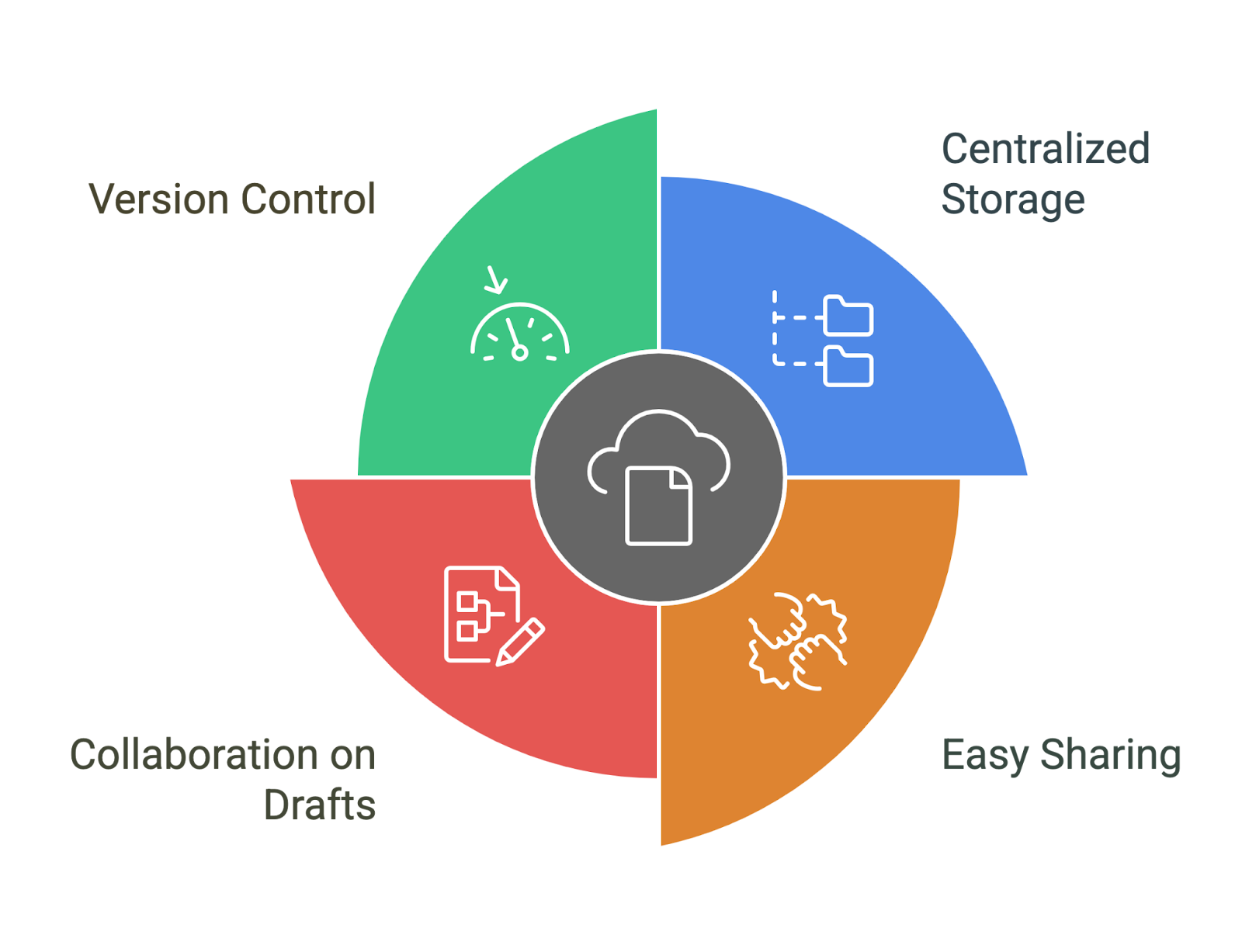
- Centralized storage: Storage of executed contracts in a shared, cloud-based location.
- Easy approval: Give access to team members, clients, or external legal advisors.
- Collaborate on drafts: With Google Docs, you can review and edit contracts in real time.
- Version control: Use version history to track changes and restore previous versions as needed.
Key features for document storage in Google Drive
Google Drive provides some useful document management tools:
- File organization: Contracts can be categorized using folders and consistent naming conventions.
- Approval and permissions: Access can be granted or restricted at the user or folder level.
- Version history: Edits and previous versions of a contract can be traced.
- Search functionality: Contracts can be retrieved using a simple keyword search.
Where Google Drive fails when it comes to contract management
Despite its strengths as a storage platform, Google Drive has significant gaps when it comes to managing contracts:
- No automated workflows: Approvals, signature collections, and renewal tracking must be carried out manually.
- Limited tracking and reminders: There is no integrated system to notify teams of important contract dates, such as expiration or extension deadlines.
- Lack of compliance and legal security measures: Google Drive doesn't provide audit trails, risk assessments, or compliance tracking.
- Basic access control: Permissions are managed at the folder level, which can be complex and difficult to control as the volume of contracts increases.
So if Google Drive isn't suitable for contract management, then what? This is where Contract Lifecycle Management (CLM) software comes into play.
What is CLM software?
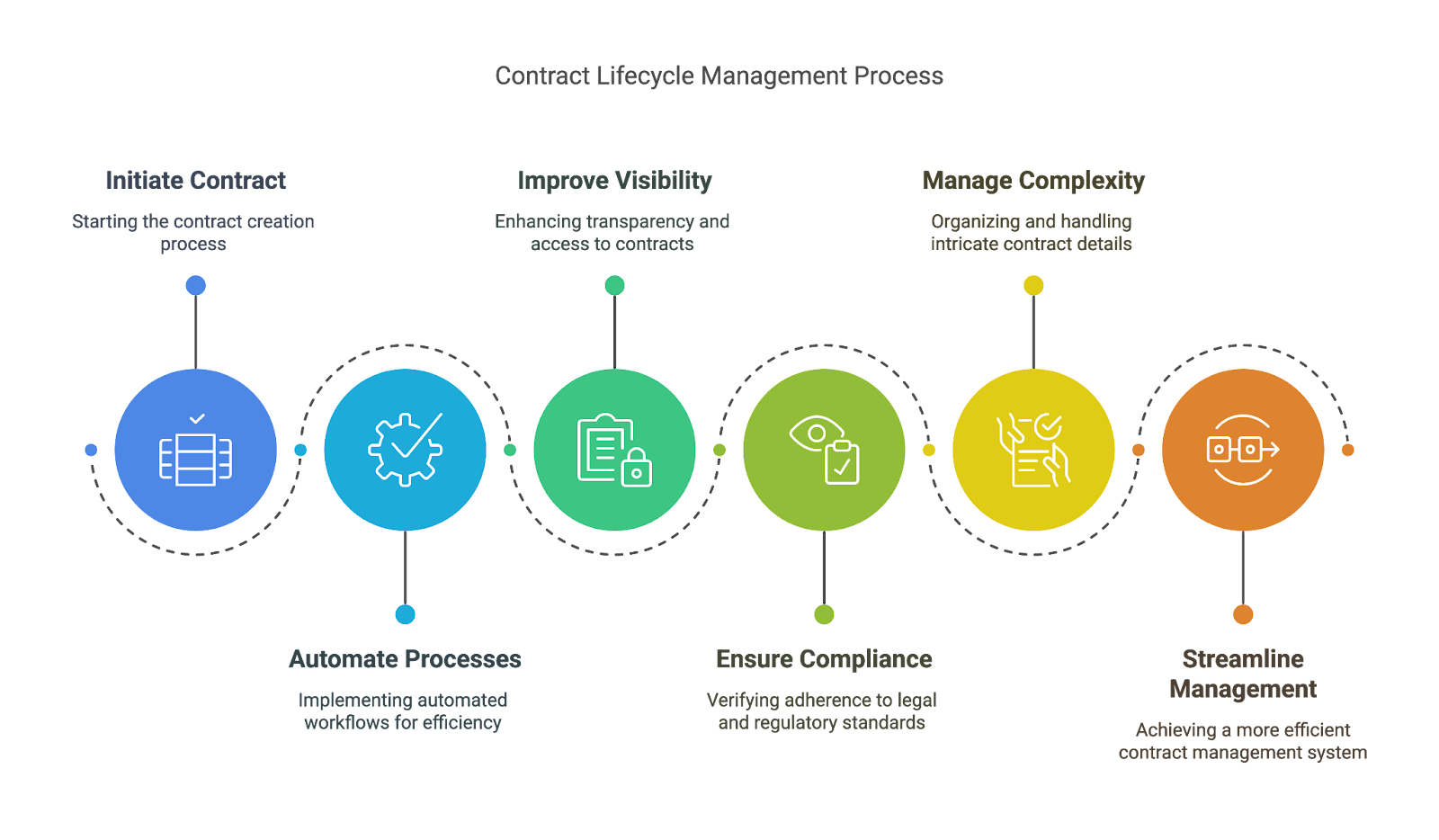
Contract Lifecycle Management (CLM) software is a specialized tool that streamlines the management of contracts from start to finish. It helps companies automate processes, improve contract transparency, and ensure compliance throughout the life cycle of every agreement. Unlike simple filing solutions, CLM software is designed to handle the complexity of contract management and provides a more organized and efficient way to keep everything in order.
How CLM software simplifies contract management
CLM software offers a range of features that enable companies to address common contract management challenges:
- Automate routine tasks: It automates important steps such as contract drafting, approval processes, and contract signing, reducing manual effort and speeding up the entire process.
- Centralized access: Everything related to a contract — from creation to renewal — is managed in one place and provides a clear overview of important deadlines, obligations, and risks.
- Ensuring regulatory compliance: The software monitors compliance with industry regulations and provides audit logs to ensure that contracts meet regulatory requirements.
- Integration with existing tools: CLM software can be seamlessly integrated with tools already used by companies, such as CRM, e-signature platforms, and cloud storage, creating a coherent workflow.
Key benefits of CLM software
- Automated workflows: CLM software automates approvals, signatures, and contract routing, making for a more efficient process and reducing the need for manual tracking that Google Drive doesn't support.
- Advanced search and organization: With advanced search functions, users can quickly and easily find contracts based on keywords, clauses, or metadata.
- Risk Detection & Insights: AI-powered tools search contracts for key risks and obligations and help identify key clauses that may need attention.
- Integrated compliance and audit trails: CLM software keeps detailed records of contract activity so that companies can easily demonstrate regulatory compliance.
- Integrated e-signature: CLM software enables secure, legally binding signatures directly within the platform, while Google Drive has no built-in signing features.
- Automatic deadline tracking: Get notified about renewals, processes, and important commitments to ensure that important appointments aren't missed.
When do you use Google Drive and when should you invest in CLM software?
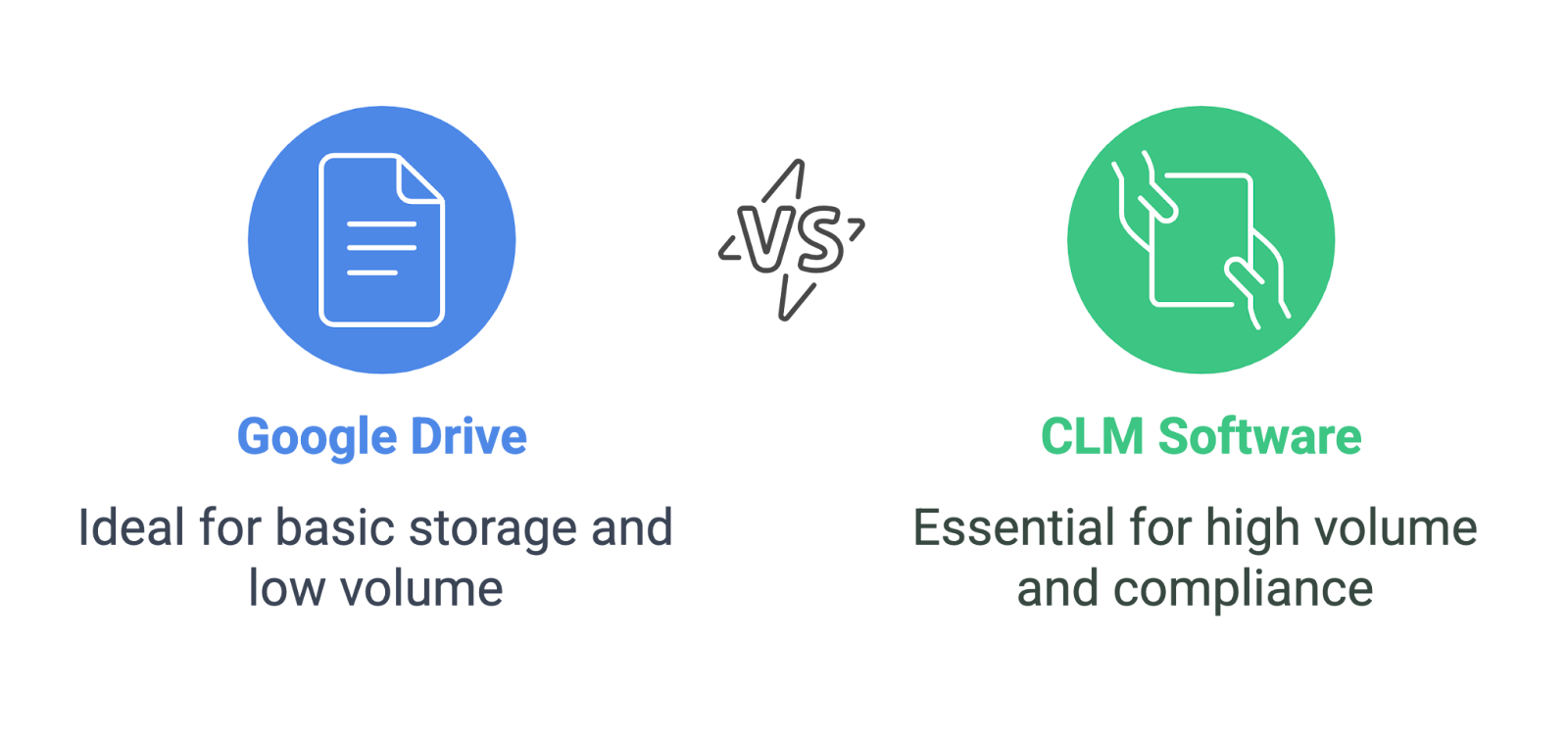
The decision between Google Drive and CLM software depends on the complexity and scope of your contract management.
Google Drive is sufficient if:
- ✔ All you need is basic features to save and share contracts — Google Drive lets teams save executed contracts, share documents with stakeholders, and edit drafts together.
- ✔ Your contract volume is low — If your company only manages a handful of contracts, manually tracking deadlines and approvals may be practical.
- ✔ You don't need automated workflows, approval processes, or compliance tracking — Companies that process contracts on an ad hoc basis and don't need structured contract lifecycles can rely on Google Drive for easy document management.
CLM software is required when:
- ✔ You process a large number of contracts — As the number of contracts increases, manually tracking obligations, approvals, and renewals becomes time-consuming and error-prone.
- ✔ You need automated workflows for approvals, negotiations, and renewals — CLM software streamlines the entire contract lifecycle, reduces administrative overhead, and improves efficiency.
- ✔ Compliance, audit trails, and security are essential — Companies that operate in regulated industries or deal with sensitive contracts need features such as audit logs, version control, and granular access permissions that Google Drive does not offer.
- ✔ You need advanced search and analysis options — CLM software lets users search contracts by clauses, keywords, and metadata, making it easier to find important information than Google Drive's simple keyword search.
Choosing the right CLM software
Choosing the right contract lifecycle management (CLM) software is an important decision that affects contract efficiency, regulatory compliance, and risk management. Use this checklist with its four core criteria to evaluate potential CLM solutions and ensure they meet your organization's needs.
1. Seamless integration with existing tools
A CLM system shouldn't create extra work — it should slot seamlessly into your existing tech stack. When you evaluate software, ask:
- Does it integrate with my storage solutions? Look for compatibility with Google Drive, SharePoint, OneDrive, or Dropbox so teams can easily access and store contracts. Centralized storage reduces the risk of misplaced documents and ensures version control.
- Can it connect to my CRM? If your sales team uses Salesforce, HubSpot, or Microsoft Dynamics, direct integration can optimize deals by linking contracts to customer records, reducing manual data entry and keeping all contract-related information in one place.
- Does it support electronic signature platforms? Digital signatures speed up approvals and eliminate printing, scanning, and emailing. Make sure the CLM integrates with DocuSign, Adobe Sign, HelloSign, or similar tools for legally binding e-signatures.
- How does it work with financial and procurement tools? Contracts are often linked to ERP systems such as SAP or NetSuite to track payment obligations, supplier agreements, and renewal dates.
2. Scalability for business growth
Your contract management requirements will evolve as your business grows. A CLM should handle increasing contract volume and complexity without a complete system overhaul.
- Will it support my contract volume as my business expands? Some solutions are built for small teams, others for companies processing thousands of contracts per year. Choose a system that grows with you.
- Can it manage multiple departments and users? A scalable CLM lets sales, legal, procurement, and finance work together without bottlenecks. Look for role-based access so teams only see what they need while staying secure.
- Are the workflows adaptable? The more complex your processes become, the more you need customized approval workflows, automatic reminders, and reporting dashboards — ideally via drag-and-drop without IT intervention.
3. AI-powered contract analysis and automation
Manually reviewing contracts is slow and error-prone. AI-driven CLM solutions speed up the process while reducing risk.
- How does AI help with contract review? AI-powered CLMs instantly detect risks, missing clauses, and deviations from standard terms. This saves legal teams time and prevents unfavorable clauses from slipping through.
- Does it offer automatic clause suggestions? Advanced CLMs use clause libraries to suggest standardized contract language based on company policies, ensuring contracts comply with regulations and best practices.
- Can it analyze and compare contract versions? Some CLMs highlight differences between drafts, making changes easier to track — particularly useful during negotiations with multiple revisions.
- Does it offer workflow automation? AI can automatically route contracts for approval, set reminders for renewal deadlines, and even flag unusual contract terms.
4. Compliance with industry regulations
Contracts are legally binding documents, and failing to comply with regulations can have serious financial and legal consequences. Your CLM should help you meet security, privacy, and industry-specific requirements.
- Does it comply with data protection standards? If you operate in Europe, GDPR compliance is critical to protecting customer data; for healthcare contracts, the HIPAA standard protects patient privacy.
- Can it enforce your contract policies? A solid CLM offers pre-approved clause templates to ensure contracts comply with internal guidelines.
- Does it provide an audit trail? Every contract action — changes, approvals, electronic signatures — should be logged to support compliance and dispute resolution. An immutable audit trail ensures transparency and accountability.
- How is document retention handled? Some industries require contracts to be kept for a set number of years (such as financial regulations like SOX). Your CLM should offer automatic retention policies.
Make an informed decision
Choosing the right CLM software isn't just about meeting specific criteria — it's about finding a solution that increases efficiency, reduces risk, and grows with your business. To make the best decision:
- ✅ Prioritize must-have features — Determine which features (such as integration, automation, compliance) are essential to your organization's workflow.
- ✅ Evaluate usability — A CLM should be intuitive and usable by both legal and business teams without extensive training.
- ✅ Evaluate long-term value — Think not only about cost, but also about the efficiency gains, risk reduction, and deal acceleration the system provides.
- ✅ Request a demo or a free trial — The best way to find out whether a CLM meets your needs is to test it in real scenarios.
If you want to weigh specific tools against each other, our contract management software comparison can help you choose the right solution.
Ready for the next step?
Book a demo with our team and see top.legal in action