
A contract overview keeps every agreement, deadline, and renewal in one place. Learn what to track, how to build one, and the tools that keep you in control.
Contracts should work for you, not against you. But without a clear view of your deadlines and obligations, they quietly turn into a liability — unexpected renewals, missed cancellation windows, and costs that pile up unnoticed. A contract overview is what keeps that from happening.
Have you ever been hit with a surprise charge for a subscription you forgot to cancel, or realised too late that a contract auto-renewed and locked you into another year? For businesses the stakes are higher: overlooked renewals, duplicate contracts, and missed obligations can add up to thousands in avoidable costs.
This guide explains what a contract overview is, what belongs in it, and how to build one — from a simple spreadsheet to dedicated software.
What Is a Contract Overview?
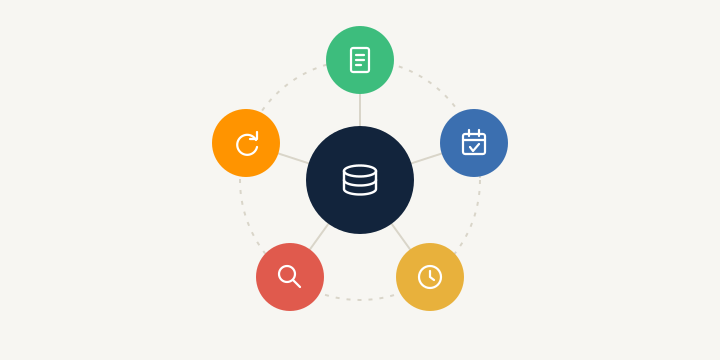
A contract overview is a structured way to keep track of all your agreements in one place. It helps you stay on top of obligations, deadlines, and financial commitments so that no contract is forgotten, mismanaged, or renewed by accident. By capturing the key details — contract type, start and end dates, costs, renewal terms, and cancellation deadlines — you can find critical information the moment you need it.
Think of it as the lightweight, everyday version of a full contract database: the same principle of one central record, scaled to whatever you're managing today.
Types of Contracts to Include
Whether it's for personal use or business operations, a contract overview should cover every active agreement so you have full visibility into your commitments.
Personal contracts:
- Rental agreements — lease terms, rent increases, renewal deadlines
- Insurance policies — health, car, home, or life insurance expiry and renewal dates
- Utility contracts — internet, electricity, gas, and phone plans
- Memberships and subscriptions — gyms, streaming services, SaaS tools, or any auto-renewing plan
Business contracts:
- Employment agreements — employee contracts, freelance or contractor agreements
- Service contracts — agreements with vendors, agencies, or consultants
- Supplier agreements — terms with manufacturers, wholesalers, or logistics providers
- Client contracts — retainer agreements, project-based work, or service-level agreements (SLAs)
- Software licences — SaaS subscriptions, CRM platforms, or security tools
Why Is a Contract Overview Important?

A contract overview pays off in four concrete ways.
1. Cost control 💰 — Contracts often include automatic renewals, price adjustments, or early-termination penalties. Without tracking, you end up paying for services you no longer use. A good overview lets you:
- Avoid unnecessary expenses by catching forgotten renewals and duplicate subscriptions
- Track ongoing costs so you know exactly what you pay for and when
- Plan budgets and renegotiate terms before renewal dates arrive
2. Deadline management 📅 — Missing a contract deadline can trigger unwanted renewals, lost renegotiation windows, or penalties. An up-to-date overview ensures:
- Renewals and cancellations happen on time, not by default
- Key terms are reviewed early enough to assess performance and renegotiate
- Late-action penalties are avoided
3. Efficiency and organisation 📂 — Scrambling to find a contract wastes time. An overview:
- Centralises every agreement in one place — no more digging through old emails
- Gives instant access to terms, payment amounts, and expiry dates
- Improves collaboration, so teams can track shared agreements without confusion
4. Legal security and compliance ⚖️ — Overlooked obligations can lead to disputes, fines, or legal risk. A well-maintained overview helps you:
- Stay compliant with contract terms and avoid breaches
- Support audits and legal reviews with documentation that's easy to produce
- Minimise risk by keeping every detail documented and accessible
How to Create a Contract Overview
The right approach depends on how many contracts you handle and how often they change. Below are the manual and digital methods, from most basic to most automated.
Manual Method
Manual tracking — spreadsheets or organised folders — is cheap and easy to set up but relies on regular updates and manual monitoring.
📊 Using Excel or Google Sheets. A spreadsheet is the simplest way to track contracts, especially for individuals or small teams. To set one up:
- Create columns for contract type, owner, start and end dates, costs, renewal terms, termination deadlines, and notes
- Use conditional formatting (colour-coding) to flag urgent deadlines, active contracts, and items due for review
- Add filters and sorting so you can slice the list quickly
Spreadsheets are free, familiar, and need no extra software — but they demand manual updates, offer no automatic alerts, and get unwieldy as your contract volume grows.
📂 Using physical or digital folders. If you prefer a document-based system, labelled folders keep things structured:
- Use separate folders for each contract type (subscriptions, leases, supplier agreements, employment contracts)
- Store physical copies in a clearly labelled binder or cabinet
- Digitally, use OneDrive, Google Drive, SharePoint, or Dropbox with a consistent naming convention
This is intuitive and requires no learning curve, but finding specific details is slow, there's no built-in deadline tracking, and physical documents can go missing.
Digital Solutions and Tools

For businesses juggling multiple contracts, dedicated contract management software removes manual updates and makes sure deadlines aren't missed. Options range from:
- General contract-tracking apps that manage dates, costs, and renewal terms with reminders and central storage
- Spreadsheets with automation — templates with built-in formulas and reminders
- Contract lifecycle management (CLM) platforms like top.legal that handle contracts end-to-end, from drafting and negotiation to execution and compliance tracking
The payoff of a digital system:
- Automated reminders so you never miss a renewal or cancellation
- Centralised, cloud-based storage available anytime, anywhere
- Search and categorisation to find any contract instantly
- Security and compliance with regulatory requirements built in
The trade-off is a possible subscription cost and a short learning curve — but for teams handling more than a handful of contracts, the time saved and errors avoided quickly outweigh it.
Tips for Keeping Your Contract Overview Effective
Building the overview is step one. These habits keep it useful:
- Keep it up to date. Contracts evolve, and stale records lead to outdated terms and unintended renewals. Review your records regularly — ideally quarterly.
- Prioritise by impact. Not every contract carries the same weight. Review high-impact agreements (key suppliers, critical SaaS) often; monitor low-priority ones (minor services, memberships) less frequently.
- Standardise the process. Define a clear workflow for how contracts are drafted, reviewed, approved, executed, and stored — including who owns each step and where documents live.
- Assign contract owners. Every contract should have a named owner responsible for obligations, renewals, and compliance. Without ownership, contracts get neglected.
- Audit regularly. Run a contract health check every 6–12 months to surface unnecessary spend, outdated agreements, and chances to renegotiate better terms.
- Centralise storage. Keep everything in a single contract repository — a database, a CLM tool, or a well-organised file system — so nothing slips through the cracks.
- Monitor performance. Contracts don't end at signing. Track whether vendors and partners meet their obligations against KPIs, SLAs, and penalty clauses.
Conclusion
A contract overview isn't just about organisation — it's about control. When you can see every deadline, obligation, and financial commitment at a glance, you avoid unnecessary costs, missed deadlines, and last-minute surprises. Whether you start with a simple spreadsheet or a dedicated tool, the goal is the same: make smarter decisions, protect yourself from runaway renewals, and ensure every contract works in your favour.
Ready to move beyond spreadsheets? With top.legal, teams store, search, and track every contract in one place — with automatic renewal reminders and a complete audit trail.
Ready for the next step?
Book a demo with our team and see top.legal in action